If you’ve been comparing website builders that offer real design freedom without writing code, Webflow has probably come up more than once, and its pricing page can get confusing fast. Site Plans, Workspace Plans, Platform Plans, and add-ons all show up on the same page, and it isn’t obvious at first glance which one you actually need.
Understanding Webflow pricing is one of the most common questions we get from teams evaluating the platform. This guide breaks down every current Webflow pricing tier, verified directly against Webflow’s own pricing and help center pages as of September 2026, so you can match a plan to what you’re actually building instead of guessing.
The short version: Webflow separates what you pay to host a live website (Site Plans) from what you pay for your design workspace and team seats (Workspace Plans), and understanding that split is the key to everything else in this guide.
⏰ TL;DR
- Site Plans start free (Starter), $15/mo (Basic), or $25/mo (Premium), all billed yearly, covering hosting for one live website.
- Platform Plans (Team at $2,500/mo, Enterprise custom) are a separate purchase for organization-wide governance, not just a bigger website plan.
- Add-ons like Optimize ($299/mo+), Analyze ($9/mo+), and Localization ($9-$29/mo) are optional and billed on top of your Site Plan.
- Ecommerce is a separate plan entirely, from $29/mo with a 2% transaction fee, dropping to 0% on the $74/mo Plus tier and up.
- Nonprofits still get 50% off Premium for a year; the old student/educator discount was discontinued in February 2026.
- Most solo builders and small businesses only need Basic or Premium; Platform Plans and add-ons are for teams and agencies with real governance or scale needs.
Understanding How Webflow Pricing Works
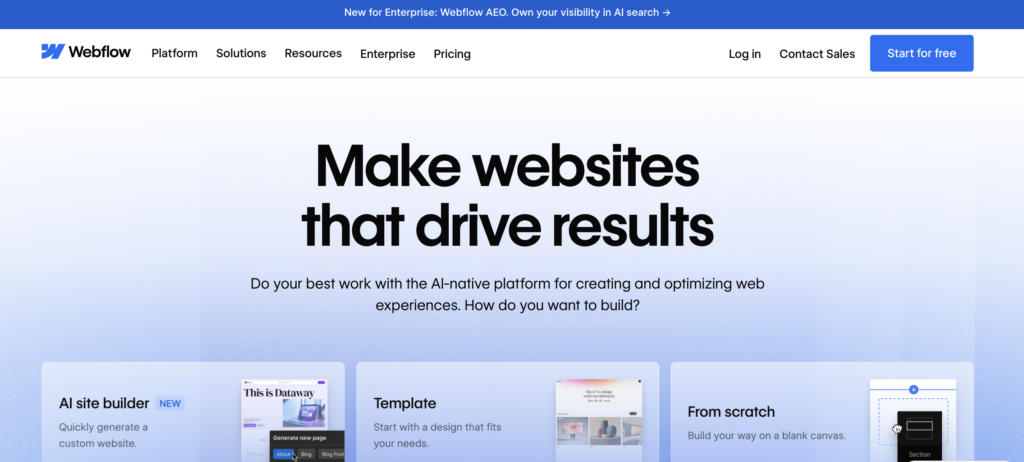
Before we jump into the numbers, here’s something most people miss: Webflow has two completely separate pricing categories: Site Plans and Workspace Plans. They’re not interchangeable. They serve different purposes.
- Site Plans are what you pay to host and publish a specific website. Each site you build and want to go live on a custom domain needs its own Site Plan.
- Workspace Plans are about your design environment: how many collaborators can work with you in the Webflow Designer, and how many unhosted projects you can have open.
Think of it like this: the Workspace is your studio, and each Site Plan is the rent you pay for each finished building you publish to the world. Once you grasp that distinction, everything else about Webflow pricing clicks into place.
Webflow Site Plans: A Complete Breakdown
Site Plans are where most people start when they’re evaluating Webflow. These are plans tied to individual websites, whether you’re building a personal portfolio, a corporate homepage, a blog, or a marketing landing page.
🆓 Starter Plan – Free Forever
Price: $0/month
The Starter Plan is Webflow’s free tier, and it’s genuinely useful, not just a watered-down trial. It lets you explore and experiment with everything the Webflow Designer has to offer without pulling out your credit card.
What you get:
- Webflow.io subdomain (your site lives at yourname.webflow.io)
- Limited Webflow CMS access
- Up to 2 static pages
- 1 GB bandwidth
- 50 form submissions total (a one-time lifetime cap, not renewed monthly)
- Access to Webflow AI and the MCP server
- Webflow Cloud app hosting
Who is this for? Students learning web design, developers testing Webflow’s capabilities, or anyone who wants to prototype a project before committing to a paid plan. If you’re not ready to go live yet, you may never need more than this.
The catch: You can’t connect a custom domain. Your site will always live on the webflow.io subdomain until you upgrade. The 2-page and 1 GB bandwidth limits also mean it’s not suitable for real, live websites.
⚡ Basic Plan – $15/month (billed yearly)
Price: $15/month billed annually ($25/month if billed monthly)
The Basic plan is designed for simple, static websites: think personal portfolios, landing pages, or small brochure sites where content doesn’t change frequently and you don’t need a content management system. If you’re an artist who just needs a simple site for free, our guide on how to create a free musician website shows a no-cost alternative.
What you get:
- Custom domain connection
- Up to 300 static pages
- 10 GB bandwidth
- Unlimited form submissions
- Password protection for your site
- Webflow AI and MCP server access
- Webflow Cloud app hosting
- Free Starter Workspace included
Who is this for? Freelancers launching a personal website, businesses with a simple online presence, or anyone who wants a clean, fast website without the overhead of a CMS.
What’s missing: No CMS, no site search, no code components. If you plan to publish blog posts, case studies, or any kind of regularly updated content, you’ll outgrow this plan very quickly. Jump to Premium instead.
🚀 Premium Plan – $25/month (billed yearly)
Price: $25/month billed annually ($39/month if billed monthly)
This is the plan most content-driven websites need. Webflow restructured this tier in a May 2026 pricing update, folding its old separate CMS and Business plans into a single Premium tier that includes full access to the Webflow CMS.
What you get (everything in Basic, plus):
- Full Webflow CMS access, up to 40 Collections and 20,000 CMS items
- 50 GB bandwidth included, expandable through paid add-ons up to 2.5 TB
- Code components: embed custom code elements in your design system
- Site search functionality
- Form file upload capability
- Well-known files support (for domain verification, security.txt, etc.)
Who is this for? Marketing teams, content creators, bloggers, SaaS companies, and agencies building client sites: anyone who needs a dynamic, content-driven website. Bandwidth can be purchased in add-on increments up to 2.5 TB if a site outgrows the included 50 GB.
Why it matters: The Webflow CMS lets you create custom content types, such as blog posts, team members, products, and case studies, and design exactly how each one displays without touching a template. Combined with code components and site search, this tier covers most of what a content-driven website needs. If SEO is part of the plan for that content, our GEO vs SEO guide covers how search optimization is shifting alongside AI-powered search.
Webflow Ecommerce Pricing: What It Actually Costs
Ecommerce isn’t folded into the Basic or Premium Site Plans, it’s its own separate plan tier, billed yearly, with a transaction fee that only disappears once you move up from the entry tier.
| Plan | Price (billed yearly) | Transaction Fee |
|---|---|---|
| Standard | $29/month | 2% |
| Plus | $74/month | 0% |
| Advanced | $212/month | 0% |
That 2% fee on the Standard tier is on top of whatever your payment processor (Stripe, PayPal) already charges, so it’s a real cost stacking on top of transaction-processing fees, not a replacement for them. For most stores doing meaningful volume, the math tends to favor Plus fairly quickly: at $74/month with 0% Webflow fee, a store processing more than roughly $2,250/month in sales is already saving money over Standard’s 2% cut, before even counting the extra features Plus unlocks.
Who is this for? Anyone actually selling physical or digital products through the site, not just taking payments for services. If you just need a booking form or a single “buy now” button, a regular Site Plan plus a third-party checkout tool is usually simpler and cheaper than adding a full Ecommerce plan.
Webflow Platform Plans: For Growing Teams
Platform plans are a step above Site plans: curated bundles designed for organizations that need more than just a hosted website. They combine site hosting with workspace collaboration tools, localization, governance features, and enterprise-grade security.
👥 Team Plan – $2,500/month (Annual Contract)
Price: $2,500/month, annual contract required
The Team plan targets growing marketing and design teams that need to collaborate on Webflow sites without constant back-and-forth with developers. It sits between a standard Site plan and a fully custom Enterprise solution, and includes one site with up to 100 CMS Collections and 10 seats as of its current pricing structure.
What you get (everything in Premium, plus):
- Combined Site and Workspace management
- Webflow Localization: translate and adapt your site for global audiences
- AEO (Answer Engine Optimization) agents: an AI-search optimization feature Webflow announced alongside this plan. Confirm current availability with sales, since it was still rolling out at launch. See our GEO vs AEO vs SEO in 2026 guide for what this category of tool actually does.
- Publishing workflows: control who can publish changes and when
- Single-page publishing: push live updates to specific pages without republishing the whole site
- Foundational governance controls
- Enhanced security and compliance features
- Priority support
Who is this for? Mid-size companies with dedicated digital marketing teams, agencies managing multiple client brands, or any organization where multiple stakeholders need to contribute to web content without stepping on each other’s toes. The publishing workflows alone are worth the investment if you’ve ever had an intern accidentally push a half-finished page live.
🏢 Enterprise Plan – Custom Pricing
Price: Custom, contact Webflow sales
Enterprise is Webflow’s fully bespoke offering for large organizations with complex requirements. There’s no public price because the cost varies dramatically based on the number of sites, users, traffic volume, security needs, and custom integrations required.
What you get (everything in Team, plus):
- Enterprise-ready scale for high-traffic, mission-critical websites
- Granular permissions and custom role creation
- Advanced governance across the entire organization
- Secure integrations (SSO, SAML, custom security setups)
- A dedicated account manager
- Enhanced SLAs (Service Level Agreements)
- Custom configurations tailored to your infrastructure
Who is this for? Fortune 500 companies, global brands, government agencies, large SaaS organizations, anyone with strict security requirements, complex multi-team workflows, or a need for a fully managed relationship with Webflow. Companies like Dropbox, Monday.com, and Lattice use Webflow at this level.
Webflow Add-ons: Optional Tools and Pricing
Beyond the core plans, Webflow offers powerful add-ons that you can bolt onto any qualifying plan. These are optional but can dramatically improve your site’s performance, reach, and analytics.
🎯 Webflow Optimize – Starting at $299/month
Webflow Optimize is Webflow’s built-in conversion rate optimization tool. Instead of paying for a third-party A/B testing platform like Optimizely or VWO, you can run tests directly within Webflow.
- Run up to 5 concurrent A/B tests or personalizations
- AI-powered optimization suggestions
- Audience insights and targeting
- Page-level personalization based on visitor attributes
Pricing scales from $299/month for 25,000 page views up to $1,299/month and above for 500,000+ page views. Whether it’s worth the cost depends on your traffic volume and how much a small conversion-rate improvement is actually worth on your site; run the math before adding it rather than assuming it will pay for itself.
📊 Webflow Analyze – Starting at $9/month
Analyze is Webflow’s native analytics solution, a privacy-friendly alternative to Google Analytics that lives right inside your Webflow dashboard.
- Auto-captured page views, sessions, and visitor data
- Auto-captured click data (no GTM required)
- Site-wide analytics overview
- Page-level performance insights
- Shareable reports for stakeholders
- Consent management integrations for GDPR compliance
Plans start at $9/month for 2,000 sessions and scale through 10,000, 25,000, 50,000, 100,000, 250,000, and 500,000-plus session tiers. It’s a lower-effort alternative to setting up Google Analytics 4 and GTM if you mainly need page views, sessions, and click data without custom event tracking.
🌍 Webflow Localization – Starting at $9/month
Webflow Localization comes in two tiers, Essential and Advanced, depending on how many locales you need and how deep you want to go with translated content.
Localization Essential ($9/month): Machine-powered translation, CMS and static page localization, localized SEO, style localization. Available for 1-3 locales.
Localization Advanced ($29/month): Everything in Essential, plus asset localization, localized URLs, automatic visitor routing based on location, and support for up to 10 locales.
If your business serves international audiences, or you’re an agency building multilingual sites, Webflow’s native localization replaces the usual stack of translation plugins and third-party services with one built-in tool covering CMS content, static pages, and SEO metadata per locale.
Webflow Workspace Plans: For Designers and Agencies
While Site Plans cover hosting, Workspace Plans cover your design and collaboration environment. Webflow offers a free Starter Workspace that comes bundled with every Site plan. If you’re a freelancer managing multiple clients or an agency running a team of designers, you’ll want to understand the paid Workspace tiers.
The free Starter Workspace covers unhosted projects in staging and basic collaboration. Beyond that, Webflow’s current Workspace tiers, updated in the same May 2026 pricing overhaul as the Site plans, are:
- Starter – Free. Basic collaboration and unhosted staging projects.
- Core – $19/month. More seats and unhosted projects for small teams or solo freelancers managing a few clients.
- Growth – $49/month. Expanded seats, client billing, and collaboration features built for agencies.
- Enterprise – Custom pricing, for organizations managing Workspace access at scale.
Webflow’s older Freelancer and Agency Workspace tiers were retired in this restructuring, so if you’ve seen those names referenced elsewhere, they no longer apply. Workspace plan pricing is billed separately from whatever Site plans you’re running.
Nonprofit and Student Discounts: What’s Actually Still Available
Two discount programs get searched for constantly, and they’re in very different states right now, worth being direct about both rather than repeating outdated claims still floating around other roundups.
- Nonprofit discount: still active. Verified 501(c)(3) or equivalent nonprofit organizations get 50% off an annual Premium Site plan for 12 months, applied for directly through Webflow’s nonprofit discount request form. It doesn’t extend to Ecommerce, Platform, Workspace plans, or add-ons, and reverts to full price after the 12 months unless you reapply.
- Student/educator discount: discontinued. Webflow deprecated its dedicated student and educator discount programs as of February 28, 2026. If you’re a student searching for this, the free Starter Site plan (no time limit, just no custom domain) is Webflow’s current answer for individual learners rather than a percentage-off paid tier.
Webflow Pricing: Monthly vs. Yearly, What’s the Real Difference?
Webflow offers both monthly and annual billing on its Site plans. Choosing annual billing saves you up to 40% compared to the monthly rate, one of the higher savings percentages in the website builder industry.
Here’s a quick comparison for the core plans on annual billing:
| Plan | Monthly (billed yearly) | Best For |
|---|---|---|
| Starter | Free | Learning & prototyping |
| Basic | $15/mo | Simple static sites |
| Premium | $25/mo | Content-rich sites with CMS |
| Team | $2,500/mo | Growing marketing teams |
| Enterprise | Custom | Large organizations |
Unless you’re building a short-term campaign site or testing Webflow for a client pitch, annual billing is almost always the smarter financial choice. The savings are significant enough that many agencies factor the annual cost into their project estimates upfront.
Which Webflow Plan Should You Actually Choose?
Here’s the honest, experience-based answer to the question everyone actually wants answered:
Start with Starter if you’re brand new to Webflow or want to test it before committing. You’ll get the full Designer experience without paying a cent.
Go Basic if you need a live custom-domain website that is purely static: no blog, no CMS, no dynamic content. Think personal portfolio, single-product landing page, or a holding page for a new business.
Choose Premium if you’re building anything with regularly updated content: a blog, a resource library, a portfolio with case studies, a marketing site with team profiles or testimonials. This is the sweet spot for the majority of professional websites.
Consider Team if you have a real marketing team (multiple contributors), need content governance, want localization built-in, or care deeply about publishing workflows and site activity tracking. At $2,500/month, it’s a serious investment, but for the right team, it replaces multiple separate tools.
Talk to Enterprise if your organization has strict security requirements, needs SSO/SAML, manages dozens of sites, or requires a dedicated Webflow partner relationship. If you’re even asking about Enterprise, Webflow’s sales team is the right next step.
Webflow vs. Competitors: Is the Price Worth It?
The honest question isn’t “is Webflow expensive?” It’s “what are you replacing?” Here is that context:
- Webflow vs. WordPress: WordPress hosting can start cheaper, but when you add premium themes ($50–200), plugins for forms, SEO, caching, security, and CMS functionality, plus developer time, Webflow’s $25/month Premium plan is genuinely competitive. If you’re on WordPress now, our guide on how to migrate WordPress to a new host is a useful read before you switch platforms.
- Webflow vs. Squarespace: Squarespace’s comparable plan is $23/month but gives you far less design freedom and no visual code layer. Webflow gives you pixel-perfect control that Squarespace simply cannot match.
- Webflow vs. Wix: Wix is cheaper at entry level, but its output tends to trail Webflow on page speed and the degree of SEO control available, which matters more for professional or client work than for a simple personal site.
- Webflow vs. Custom Development: A custom-built site with equivalent functionality to Webflow Premium would typically run $5,000 to $20,000-plus upfront in developer costs, against $25/month plus your own design time.
The value equation for Webflow makes the most sense when you consider the total cost of ownership, not just the monthly subscription, but the developer hours, plugin subscriptions, and maintenance overhead you’re avoiding.
Frequently Asked Questions About Webflow Pricing
Can I try Webflow for free before paying?
Yes. The Starter plan is completely free with no time limit, and you can build and experiment as long as you want. You only need to upgrade when you want to publish to a custom domain or need features like the full CMS, site search, or additional bandwidth.
What happens if I cancel my Webflow Site Plan?
Your site is not deleted immediately, but it loses access to the features that came with the paid plan. You can cancel a Site plan at any time; Webflow does not lock most Site plans into long-term contracts, though the Team plan does require an annual contract.
Do I need both a Site Plan and a Workspace Plan?
Not necessarily. Every paid Site plan includes a free Starter Workspace, which is enough for a solo creator or small team with basic collaboration needs. A paid Workspace tier (Core or Growth) only becomes necessary if you need more collaborator seats, more unhosted projects, or agency features like client billing.
Can I host my Webflow site on my own server?
Yes, for static content. Webflow lets you export your site’s HTML, CSS, and JavaScript to host on any web server, but dynamic CMS features will not work in the exported version since those depend on Webflow’s own hosting infrastructure.
Is Webflow good for SEO?
Yes. Webflow generates clean, semantic HTML, gives full control over meta tags, canonical URLs, robots.txt, and sitemap.xml, and produces fast-loading pages by default, which affects Core Web Vitals and search ranking. The Premium plan’s well-known files feature adds further control for technical SEO setups.
What is a Platform plan, and do I need one?
Platform plans (Team and Enterprise) bundle site hosting with workspace collaboration, governance, localization, and security features into one package. Most individuals and small businesses don’t need one; Site plans alone cover their needs. Platform plans become relevant once a team is managing publishing workflows or needs enterprise-grade compliance.
Does Webflow pricing include a free domain?
No. Webflow does not include a free custom domain with any Site plan. You need to buy a domain from a registrar such as Namecheap or GoDaddy and connect it to your site; only the free Starter plan includes a webflow.io subdomain instead.
How much does Webflow cost for an agency?
Each client site published live needs its own Site plan, starting at $15/month for Basic or $25/month for Premium on annual billing. On top of that, a paid Workspace plan (Core at $19/month or Growth at $49/month) adds extra collaborator seats and client billing tools if the free Starter Workspace isn’t enough.
💡 Pro Tip: Start Free, Upgrade Smart
Before paying for any Webflow plan, spend at least one full day on the free Starter plan experimenting with the Designer. The learning curve is steeper than Squarespace or Wix, so it’s worth confirming the workflow suits you before connecting a custom domain and upgrading.
Final Verdict: Matching Webflow’s Pricing to Your Project
Webflow’s pricing structure looks more complicated than it is mainly because Site plans and Workspace plans get compared as if they were one thing. Once that distinction is clear and you’ve matched a plan to your actual use case, the remaining decision is mostly about budget and how much content management or team collaboration you genuinely need.
For most freelancers, marketing managers, startup founders, and bloggers, the Premium plan at $25/month covers what a professional, content-driven website actually needs: full CMS access, site search, and room to scale bandwidth as traffic grows.
If you’re undecided, start on the free Starter plan and spend a few sessions in the Webflow Designer building a test page or two. Once you know whether you need a custom domain, a CMS for changing content, or team collaboration features, the right paid plan follows directly from that, using the breakdown above.
Pricing data verified against webflow.com/pricing and Webflow’s official Help Center as of September 2026, following Webflow’s May 2026 pricing restructuring. Webflow pricing is subject to change; always verify current rates on the official Webflow website before purchasing.
Tell Google you want more of this.
Add DigitalPrahlad as a preferred sourceOne tap, and this site shows up more often in your own Google Top Stories, AI Overviews, and AI Mode results. You can remove this preference anytime you'd like.
Affiliate Disclaimer: This website is reader-supported. Some links are affiliate links, meaning I may earn a small commission at no extra cost to you. I only recommend products and tools I genuinely trust and use myself. Your support keeps DigitalPrahlad free and practical.