Technical SEO Services That Fix Ranking Blockers
I find and fix the crawl, speed and structured-data issues stopping Google and AI search engines from understanding your site. You get a ranked fix list, or I fix it myself.
Every Layer of Technical SEO Services, Covered
Crawlability & Indexation
Making sure Google can actually find, crawl, and index every page that should rank, and keep the ones that shouldn't out of the index entirely.
Site Architecture & Internal Linking
Structuring URLs, categories, and internal links so authority flows to the pages that matter, with nothing important sitting more than a few clicks from the homepage.
Core Web Vitals & Page Speed
Diagnosing and fixing real LCP, CLS, and INP issues, not just handing you a PageSpeed score and walking away.
Structured Data & Schema Markup
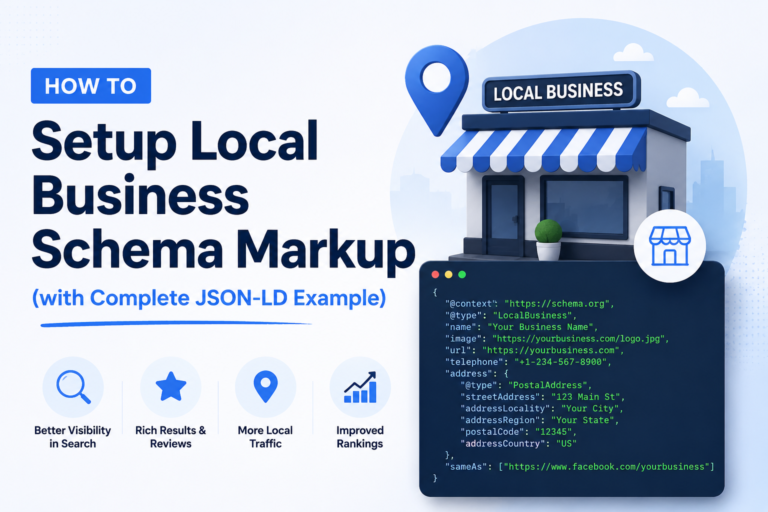
Implementing accurate, validated JSON-LD schema, Organization, Article, Product, FAQ, Review, so Google and AI engines can extract facts directly from your pages.
XML Sitemaps & Robots.txt
Making sure your sitemap lists only indexable pages, and robots.txt isn't accidentally blocking something it shouldn't.
Canonicalization & Duplicate Content
Resolving duplicate URLs, parameter handling, and canonical tag conflicts that silently split ranking signals across multiple versions of the same page.
Mobile-First Usability
Confirming your mobile experience, not just your desktop one, since that's what Google actually indexes and ranks from today.
HTTPS & Site Security
Checking for mixed content, certificate issues, and insecure redirects that quietly erode trust signals with both users and search engines.
JavaScript SEO & Rendering
Testing what Googlebot actually sees on JS-heavy pages, since client-side rendering can hide entire sections of content from search engines.
Log File Analysis
Reading your server logs directly to see exactly how Googlebot crawls your site, not guessing from Search Console samples.
Redirects & 404 Management
Auditing redirect chains, fixing broken internal links, and cleaning up 404s that waste crawl budget on pages that don't matter.
Site Migration Technical SEO
Protecting rankings through a domain change, HTTPS migration, or CMS switch, the highest-risk technical SEO event a site can go through.
One Fixed Price. No Surprise Add-Ons.
A technical SEO audit and fix sprint is a flat one-time fee, not hourly billing that grows with every extra question. Ongoing monitoring is available as a retainer if you'd rather it stay handled.
Exact quote confirmed after a quick look at your site, not before.
How I Run a Technical SEO Audit
No 40-page PDF you'll never open. Every audit ends with a short, ranked list of what's actually costing you rankings. The goal isn't a clean audit report. It's more pages actually ranking three months from now.
The goal isn't a clean audit report. It's more pages actually ranking three months from now.
I crawl your site the way Googlebot does, then cross-check it against your actual server logs to see how bots really behave, not just what a generic tool assumes.
Every issue gets ranked by real ranking and traffic impact, not by how easy it is to list. You get a short list of what to fix first, not a 200-row spreadsheet.
I can implement fixes directly if I have access, or hand your developers exact, ready-to-implement instructions if you'd rather your own team execute.
Once fixes ship, I re-crawl and confirm the issue is actually resolved, not just marked as done in a spreadsheet.
What I Actually Use, and Why
Screaming Frog SEO Spider
For full-site crawls, JS rendering checks, and finding exactly where crawl budget is being wasted.
Google Search Console
Real indexation status, coverage errors, and Core Web Vitals field data straight from Google, not a third-party estimate.
Google PageSpeed Insights
Lab and field data on LCP, CLS, and INP, used to confirm a speed fix actually changed something for real users.
Google Analytics (GA4)
To confirm a technical fix actually moved organic traffic, not just a crawl-report number.
Raw Server Access Logs
The only source that shows exactly how Googlebot crawls your site in reality, not how a simulator assumes it does.
Lighthouse & Chrome DevTools
Lab testing for render-blocking resources, JavaScript execution and layout shifts, used to confirm the cause before any fix ships.
Is a Technical SEO Audit Actually What You Need?
Good fit
- Your traffic has stalled or dropped despite regularly publishing content
- You’re running an e-commerce or large catalogue site with thousands of URLs
- Your site is JavaScript-heavy (React, Vue, Angular) and you’re not sure what Google actually sees
- You’re planning, or recovering from, a domain, HTTPS, or CMS migration
- Core Web Vitals or mobile usability reports in Search Console are flagged red
Not the right fit yet
- Your site is brand new with little to no content published yet
- Your main gap is content strategy or copywriting, not technical health
- You need link building or off-page SEO specifically, not a site audit
- You’re looking for a one-time PDF report with no implementation support at all
Technical SEO guide
Technical SEO, Explained Without the Jargon
What technical SEO actually covers, the issues that hold most sites back, and how the fixes connect to rankings, AI Overviews and revenue.
What is technical SEO and why does it matter?
Technical SEO is the work that lets search engines crawl, render and index your website correctly. Googlebot has to reach a page, understand it and store it before that page can rank for anything, however good the content is.
The same foundations now decide whether AI systems can use your pages. Google AI Overviews, ChatGPT search and Perplexity all rely on content they can fetch and parse quickly, so a slow, blocked or JavaScript-only page loses both rankings and AI citations.
Technical SEO vs on-page SEO vs off-page SEO
| Type | What it covers | Typical fixes |
|---|---|---|
| Technical SEO | How search engines access and process the site | Crawlability, indexation, site speed, schema, redirects, rendering |
| On-page SEO | What each page says and how it is structured | Titles, headings, content depth, internal links, keyword targeting |
| Off-page SEO | How the rest of the web refers to you | Backlinks, digital PR, brand mentions, reviews |
Technical SEO comes first because on-page and off-page work cannot compound on a site that search engines struggle to read.
The technical issues I fix most often
- Indexation mistakes: stray noindex tags, blocked resources in robots.txt, pages stuck in “Crawled, currently not indexed”.
- Crawl budget waste: faceted URLs, parameters and thin archive pages eating crawl time.
- Canonical and duplicate content conflicts that split ranking signals across URL versions.
- Redirect chains, 404s and orphan pages left behind after redesigns.
- Slow Core Web Vitals caused by hosting, render-blocking scripts and unoptimised images.
- JavaScript rendering gaps where Google sees a different page than your visitors do.
- Broken or missing structured data, plus hreflang errors on international sites.
Core Web Vitals: LCP, INP and CLS
Google measures page experience with three Core Web Vitals, using real-user data from the Chrome UX Report:
- LCP (Largest Contentful Paint): how fast the main content loads. Good is 2.5 seconds or less.
- INP (Interaction to Next Paint): how quickly the page responds to clicks and taps. Good is 200 milliseconds or less.
- CLS (Cumulative Layout Shift): how much the layout jumps while loading. Good is 0.1 or less.
I diagnose the cause, whether that is server response time, a heavy theme, third-party scripts or images, then confirm the fix in field data, not just a one-off PageSpeed Insights score.
Platforms and stacks I work on
WordPress and WooCommerce, Shopify, Next.js and React, and custom PHP builds, on servers running LiteSpeed, Nginx or Apache behind Cloudflare. Each platform fails in its own way: Shopify duplicates collection URLs, WordPress plugins inject render-blocking scripts, and React sites often hide content from Googlebot until JavaScript runs.
Technical SEO for AI search and AI Overviews
- Server-rendered, clean HTML that AI crawlers can parse without running JavaScript.
- Structured data (Organization, Service, Product, FAQ, Article) that states facts explicitly.
- A deliberate robots.txt policy for AI crawlers such as GPTBot, ClaudeBot, PerplexityBot and Google-Extended.
- IndexNow for faster discovery in Bing, which also powers Microsoft Copilot.
Results from technical work
Two examples from live accounts. An education portal grew from 5,000 to over a million monthly organic sessions after fixing its category pages before a single new article was written. And more than 30 site migrations have gone through this process with zero traffic loss, because redirects, canonicals and internal links are mapped and verified before launch, not after.
Technical SEO Questions I Get Asked
01 What exactly is technical SEO?
Technical SEO covers everything that helps search engines crawl, render, and index your site correctly, site speed, crawlability, structured data, mobile usability, security, and site architecture, as opposed to on-page content or off-page link building.
02 How long does a technical SEO audit take?
A full crawl, log file analysis, and prioritized findings list typically takes 4-5 business days for most sites. Implementation timelines depend on whether I'm fixing issues directly or your dev team is executing them.
03 Do you fix the issues yourself, or just report them?
Both options are available. I can implement fixes directly if given access to your site, or hand your developers a prioritized, ready-to-implement list if you'd rather your own team execute the changes.
04 Will a technical SEO audit fix my rankings by itself?
Technical SEO removes the barriers stopping your existing content from ranking as well as it should, it's rarely the only lever. If your content itself is thin or off-target, technical fixes alone won't compensate for that.
05 Do you check for JavaScript SEO issues on React or Vue sites?
Yes. I specifically test what Googlebot renders versus what a real browser renders on JavaScript-heavy sites, since client-side rendering can silently hide entire sections of content from search engines.
06 Do you help with site migrations?
Yes, domain changes, HTTPS migrations, and CMS platform switches are exactly the kind of high-risk technical SEO event where a pre- and post-migration audit protects rankings that took years to build.
07 How much does a technical SEO audit cost?
It depends on site size, platform, how many issues the audit finds and whether you need ongoing monitoring. You get a free audit within three working days, then a fixed written quote with no obligation. Starting prices for every service are listed on the pricing page.
08 What is the difference between technical SEO and on-page SEO?
Technical SEO makes sure search engines can crawl, render and index your site. On-page SEO improves what each page says and how it targets a search. Technical issues usually need fixing first, because good content cannot rank if Google cannot read it properly.
09 Which technical SEO issues should be fixed first?
Anything that stops pages from being indexed comes first: noindex mistakes, robots.txt blocks, broken canonicals and server errors. Next come crawl waste and redirect chains, then Core Web Vitals and structured data. The audit ranks every issue by impact and effort.
10 Can technical SEO help my site appear in Google AI Overviews?
It helps by making your content easy to fetch and understand: fast, server-rendered HTML, clean structured data and no accidental crawler blocks. Being cited also depends on content quality and authority, so technical work is the foundation rather than the whole job.
11 How often should I get a technical SEO audit?
Once a year for a stable site, and always before and after a redesign, migration or platform change. Large e-commerce and news sites benefit from ongoing monitoring, because new templates and filters create issues every month.
12 Do you work on Shopify, WordPress, React or Next.js sites?
Yes. WordPress, WooCommerce, Shopify, Next.js, React and custom PHP sites are all covered, including the hosting and CDN layer. JavaScript frameworks get extra rendering tests to compare what Googlebot sees with what visitors see.
13 What access do you need for a technical SEO audit?
Google Search Console access is essential, and GA4 helps. Server logs and read access to your CMS are optional but make the audit more precise. Nothing is changed on your site during the audit itself.