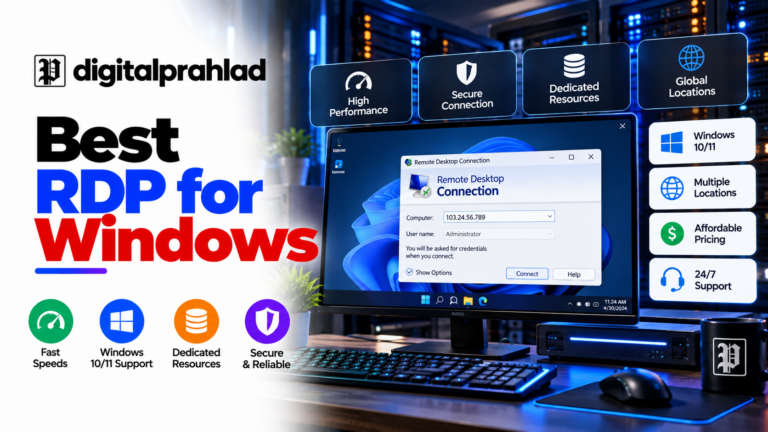
The best RDP server with Bitcoin lets you rent a remote Windows desktop without a credit card, a bank trail, or your real name on the order. Paying for an RDP server with a credit card leaves a paper trail back to your bank, your name, and your billing address, exactly what a growing number of buyers are trying to avoid. Finding the best RDP server with Bitcoin isn’t as simple as picking the first host that claims to accept crypto, though. Of the 10 providers compared below, only a handful confirm genuine Bitcoin acceptance directly on their own official site, a few confirm they do not accept it at all, one discontinued it outright, and a few others fall into a corroborated-but-not-fully-confirmed middle ground.
Every crypto-acceptance claim and every price, spec, and feature below is checked directly against each provider’s own current site, not a reseller’s marketing copy or a stale best-of list, current as of September 2026. Where a claim could only be corroborated by a third party rather than confirmed on the company’s own official pages, that’s stated plainly rather than presented as verified.
This guide covers the exact 10 providers most commonly searched for a Bitcoin RDP purchase, ranked in that order, not re-ordered to hide the ones that don’t actually fit the premise. Some of them genuinely don’t accept Bitcoin, that’s disclosed honestly in each section below rather than glossed over.
- Bitcoin and USDT confirmed by name on QloudRDP
- No identity documents for standard plans
- A dedicated RDP specialist, not a generic VPS
- Flat $10/month, no renewal price jump
- Hyper-V Windows with real admin access
- Confirmed crypto payment on its own site
- 16 cryptocurrencies confirmed by name
- A genuine four-tier Windows VPS lineup
- Managed support included
What Is a Bitcoin RDP Server, Exactly?
A Bitcoin RDP isn’t a different product from a regular RDP server, it’s the exact same Windows or Linux remote desktop, just purchased through a crypto-accepting checkout instead of a card. The remote machine itself doesn’t know or care how you paid for it. What changes is entirely on the billing side: no card network involved, no billing address tied to your real identity beyond what the provider’s KYC (if any) requires, and a payment that, once confirmed, can’t be charged back. For a full dedicated machine rather than a VPS, see the best Windows dedicated server in USA.
That distinction matters because the actual server quality (CPU, RAM, network, uptime) is governed by the same factors as any other RDP purchase, and because not every host that claims to be crypto-friendly actually is on close inspection. Two of the 10 providers compared below, ScalaHosting and Kamatera, are genuinely capable Windows VPS hosts that simply don’t accept Bitcoin at all, confirmed directly on their own sites, they’re included here because they were specifically requested, not because they fit this guide’s actual premise. If it’s a residential IP address you’re actually after rather than a crypto payment option, that’s a different, narrower need, our guide to residential RDP providers covers that separately.
Common Use Cases for Buying RDP with Bitcoin
- Payment privacy. Freelancers, researchers, and businesses operating in regions with unreliable card processing often prefer an essentially anonymous RDP purchase, one that doesn’t tie a server to a bank statement line item.
- No card required. Buyers without access to an international card (or who’d rather not use one online) get a functional alternative that isn’t a prepaid-card workaround.
- Software testing and automation. QA teams and automation scripts that need a disposable Windows environment sometimes prefer crypto for the same pay-for-exactly-what’s-used reason hourly billing appeals to them.
- Crypto-native businesses. Teams already holding Bitcoin or USDT (Tether) for other operations sometimes simply prefer to spend it directly rather than converting to fiat first, the same audience covered in our roundup of crypto payment gateways in India, for anyone accepting crypto on the other side of a business too.
Do All 10 of These Providers Actually Accept Bitcoin? The Honest Breakdown
Short answer: no, not all of them, and it’s worth stating that plainly before the individual reviews below rather than burying it. Of the 10 providers on this list, checked directly against each one’s own official site, here’s exactly where each one stands.
| Provider | Bitcoin Status | Basis |
|---|---|---|
| RackNerd | ✅ Confirmed | 30+ coins listed on RackNerd’s own company blog through their Coinify setup |
| UltaHost | ✅ Confirmed | 16 coins named on UltaHost’s own knowledge base, processed through Cryptomus |
| QloudRDP | ✅ Confirmed | Bitcoin and USDT listed right on QloudRDP’s order page |
| MonoVM | ✅ Confirmed | Bitcoin gets its own mention on MonoVM’s Windows VPS page, not buried in a general payments FAQ |
| InterServer | ✅ Confirmed | Their payment methods page walks through paying via Coinbase or BTCPay from your billing dashboard |
| Hostinger | ⚠️ Partial | Their payments page says crypto is accepted, just doesn’t name which coins |
| QloudHost | ⚠️ Partial | USDT is named specifically; plain Bitcoin isn’t mentioned on the page we checked |
| ScalaHosting | ❌ No | Their own payment-methods blog post lists only cards, PayPal, and bank transfer |
| Kamatera | ❌ No | Their FAQ is explicit: credit card and PayPal deposit only, no crypto |
| AccuWebHosting | ❌ Discontinued | Took Bitcoin via Coinbase back in 2017, their own blog says that stopped in January 2025 |
Five of the ten actually confirm Bitcoin or crypto payment on their own site, RackNerd, UltaHost, QloudRDP, MonoVM, and InterServer. Two more (Hostinger, QloudHost) take crypto but don’t spell out Bitcoin by name. Two (ScalaHosting, Kamatera) simply don’t take it, and one (AccuWebHosting) used to but doesn’t anymore. That’s a very different picture than most “best RDP with Bitcoin” roundups paint when they list all ten with the same confident checkmark.
10 Best RDP Server with Bitcoin in 2026 (USD/Crypto)
Listed in the order most commonly searched for this comparison, with each provider’s real Bitcoin status disclosed upfront rather than assumed.
💬 Key Takeaway
- InterServer – Cheapest flat-rate Windows VPS; crypto payment confirmed via Coinbase/BTCPay, from $10.00/mo.
- UltaHost – Broad confirmed crypto support, 16 coins via Cryptomus, from $16.10/mo.
- RackNerd – Best confirmed Bitcoin support, 30+ coins via Coinify, from $27.59/mo.
- QloudRDP – Genuine RDP specialist with confirmed Bitcoin and USDT, from $12.99/mo.
- MonoVM – Bitcoin confirmed directly on the Windows VPS page itself, from $20.99/mo.
- Hostinger – Crypto accepted, but Linux-only “Remote Desktop VPS,” no Windows Server, from $6.49/mo.
- QloudHost – Offshore privacy pick; USDT confirmed, plain Bitcoin unverified, from $17.99/mo.
- ScalaHosting – Strong configurable Windows VPS; confirmed NO Bitcoin support, from $39.95/mo.
- Kamatera – Windows Desktop 10/11 OS option; confirmed NO Bitcoin support, from $4.00/mo.
- AccuWebHosting – Strong Windows VPS, but Bitcoin discontinued in January 2025, from $6.33/mo.
1. QloudRDP – Best Overall RDP Server With Confirmed Bitcoin Support

Pros
- Bitcoin and USDT confirmed by name directly on QloudRDP's own site, crypto orders auto-provisioned with no manual verification step
- No identity documents required for standard plans, and the site explicitly states renewal is the same price, no bait-and-switch renewal jump
Cons
- Smaller company than the bigger general-purpose hosts on this list, fewer independent long-term reviews to cross-check uptime claims against
- Entry Nova plan's 4GB RAM may be tight for running multiple heavier applications simultaneously over RDP
Summary
QloudRDP is built specifically around RDP hosting, not a general VPS brand with RDP bolted on, and confirms Bitcoin and USDT by name directly on its own site, with automatic provisioning and no manual ID checks on standard plans.
Price: USD 12.99 Per month, Nova plan (yearly billing); $14.99/mo if billed monthly, same price at renewal
Visit QloudRDPQloudRDP is built specifically around RDP hosting, not a general VPS brand with remote desktop bolted on as an afterthought, and it shows: Bitcoin and USDT are confirmed by name directly on their own site, crypto orders are auto-provisioned with no manual verification step, and no identity documents are required on standard plans.
Plans start at $12.99/month (billed yearly) for 2 vCore, 4GB DDR4 RAM, and 60GB NVMe SSD, with renewal stated explicitly at the same price, no bait-and-switch jump. Across 12+ confirmed data center locations, this is one of only two providers on this list where Bitcoin support is both confirmed on the company’s own site and built specifically for the RDP use case.
QloudRDP Key Features
- Bitcoin and USDT Confirmed by Name: Stated directly on QloudRDP’s own site alongside card, UPI, PayPal, and Perfect Money.
- Automatic Crypto Provisioning: No manual verification step for crypto orders, confirmed on QloudRDP’s own site.
- No Identity Documents Required: Standard plans require no KYC, a genuine privacy advantage over hosts requiring ID verification.
- Same-Price Renewal: Explicitly stated on QloudRDP’s site, no bait-and-switch jump between intro and renewal pricing.
- 12+ Data Center Locations: Including New York, London, Mumbai, Frankfurt, and Dubai, confirmed on QloudRDP’s own site.
QloudRDP Pricing
| Nova | $12.99/mo (yearly) – 2 vCore, 4GB DDR4 RAM, 60GB NVMe SSD |
| NovaPlus (Most Popular) | $23.99/mo (yearly) – 4 vCore, 8GB RAM, 120GB NVMe SSD |
| NovaPro | $34.99/mo (yearly) – 6 vCore, 12GB RAM, 180GB NVMe SSD |
Does QloudRDP Actually Accept Bitcoin?
Yes, confirmed directly on QloudRDP’s own site: “Card, UPI, net banking, PayPal, Perfect Money, Bitcoin or USDT.” Crypto orders are confirmed and provisioned automatically, with no manual verification step and no identity documents required for standard plans.
Available Data Center Location
12+ locations confirmed on QloudRDP’s own site: New York, Dallas, London, Mumbai, Frankfurt, Amsterdam, Toronto, Sydney, Dubai, Paris, Hong Kong, and Moscow.
2. InterServer – Best Flat-Rate Windows VPS With Confirmed Crypto Payment

Pros
- Flat $10/month pricing that doesn't jump at renewal, what you sign up for is what you keep paying
- Hyper-V powered Windows Cloud Compute with real admin access and Windows Server templates, including SQL Server and ASP.NET builds
Cons
- Crypto payment runs through Coinbase or BTCPay rather than a one-click u0022Bitcoinu0022 option at checkout, so it takes an extra step or two to find on the billing page
- InterServer doesn't spell out which data centers run the Windows line specifically, NYC, Dallas, and LA are their usual spread, worth double-checking when you order
Summary
InterServer’s Windows Cloud Compute is flat-priced from $10/month with no renewal hike, and yes, they do take crypto, you just pay through Coinbase or BTCPay from your billing dashboard instead of a dedicated u0022Pay with Bitcoinu0022 button.
Price: USD 10.00 Per month, 2 Slices (1 vCPU, 4GB RAM, 80GB SSD); flat pricing, no disclosed renewal jump
Visit InterServerInterServer’s Windows Cloud Compute runs on Hyper-V, and the pricing is refreshingly simple: $10 a month gets you 2 Slices (1 vCPU, 4GB RAM, 80GB SSD), and that price doesn’t creep up at renewal the way so many hosts do. Need more power later? Slices scale up one at a time, so you’re never stuck buying a whole new tier just to get a bit more RAM.
And on the crypto question specifically, InterServer does take it. Their payment methods page walks through paying with Coinbase or BTCPay right from your billing dashboard, so it’s not the flashy “click Bitcoin at checkout” experience you’d get from a dedicated RDP brand, but it’s genuinely there, and it’s coming straight from InterServer’s own site rather than something stitched together from review roundups.
InterServer Key Features
- Flat, No-Jump Pricing: $10/month and it stays $10/month, no renewal-day surprise, a rarity on this list.
- Hyper-V Based Windows Cloud Compute: Real Windows Server templates, including SQL Server and ASP.NET variants, not a generic Linux box with RDP bolted on.
- Slices That Scale One at a Time: Add exactly the RAM and CPU you need as you grow, instead of jumping to a whole new plan tier.
- Full Root/Admin Access: Complete control on every tier, no restricted plans to work around.
- Crypto Payment via Coinbase & BTCPay: Spelled out on InterServer’s own payment methods page, pay through your billing dashboard rather than a dedicated “Bitcoin” button, but it’s real and it’s official.
InterServer Pricing
| 2 Slices | $10/mo – 1 vCPU, 4GB RAM, 80GB SSD, 4TB bandwidth |
| 4 Slices | $20/mo – 2 vCPU, 8GB RAM, 160GB SSD, 8TB bandwidth |
| 8 Slices | $40/mo – 4 vCPU, 16GB RAM, 320GB SSD, 16TB bandwidth |
| 16 Slices | $80/mo – 8 vCPU, 32GB RAM, 640GB SSD, 32TB bandwidth |
Does InterServer Actually Accept Bitcoin?
Yes. InterServer’s own payment methods page has a section titled “Making Payments using Cryptocurrency”: log into your account, go to Billing, and pay through Coinbase or BTCPay. Both handle Bitcoin. It’s not badged as a “Pay with Bitcoin” button the way a dedicated RDP brand might present it, but it’s a genuine, official crypto payment option, not something pieced together from review sites.
Available Data Center Location
InterServer runs its VPS lineup out of New York City, Dallas, and Los Angeles. That’s their standard footprint across the VPS product line; the Windows Cloud Compute page doesn’t call out locations separately, so it’s worth confirming your specific region when you order.
3. UltaHost – Confirmed Bitcoin Support (16 Coins) on a Genuine Windows VPS Line

Pros
- 16 cryptocurrencies confirmed by name on UltaHost's own official knowledge base article, including BTC, USDT, LTC, and Monero, processed via Cryptomus
- A genuine four-tier Windows VPS lineup (Basic through Enterprise), all DDR5 RAM and NVMe storage, with a clearly disclosed 40% discount that carries through to the renewal price
Cons
- Crypto payment confirmation takes 30 minutes to 2 hours per UltaHost's own documentation, not instant
- The Basic tier's 2GB RAM is on the lean side for a Windows desktop environment, the Business tier's 4GB is a more comfortable everyday starting point
Summary
UltaHost’s own knowledge base confirms genuinely broad crypto support (16 named coins via Cryptomus), and their dedicated Windows VPS line starts at $16.10/month with DDR5 RAM and NVMe storage across four real tiers.
Price: USD 16.10 Per month, Basic Windows VPS (2 CPU cores, 2GB DDR5 RAM, 50GB NVMe SSD); renews at the same $16.10/mo for 2 years
Visit UltaHostUltaHost’s own official knowledge base confirms genuinely broad crypto support, 16 named coins including BTC, USDT, LTC, and Monero, processed through a Cryptomus integration. Confirmation typically clears in 30 minutes to 2 hours per their documentation, not instant, but it’s real, native checkout support rather than a manual workaround.
And this isn’t a generic VPS with Windows bolted on, UltaHost runs a proper four-tier Windows VPS lineup, Basic through Enterprise, starting at $16.10/month for 2 CPU cores, 2GB DDR5 RAM, and 50GB NVMe SSD. The 40% discount shown at checkout carries through to the renewal price too, not just the first term.
Worth flagging separately: UltaHost also runs a dedicated game server hosting line, a different product from the Windows VPS above, confirmed on their own site starting at $5.50/month across dozens of named titles (Minecraft, ARK: Survival Evolved, several Call of Duty mods, and more). Bitcoin shows up as a selectable currency across UltaHost’s checkout generally, so if what you’re actually after is the best RDP server with Bitcoin for gaming, this is the one provider on this list with a real, dedicated game-hosting product to point to, not a Windows VPS awkwardly repurposed for it.
UltaHost Key Features
- 16 Named Cryptocurrencies: Confirmed directly on UltaHost’s own knowledge base via a Cryptomus integration, including BTC, USDT, LTC, and Monero.
- Genuine Four-Tier Windows VPS Lineup: Basic through Enterprise, all running DDR5 RAM and NVMe storage, confirmed directly on UltaHost’s own Windows VPS pricing page.
- Root/Admin Access Included: Full server control confirmed standard across UltaHost’s VPS tiers.
- 40% Off, Carried Through to Renewal: $16.10/month for Basic renews at that same $16.10/month for 2 years, not a discount that vanishes after the first term.
- Crypto Confirmation Window: 30 minutes to 2 hours per UltaHost’s own documentation, not instant, plan your provisioning timeline accordingly.
- Dedicated Game Server Hosting, Separately: A genuine game-hosting product distinct from the Windows VPS line, confirmed on UltaHost’s own site from $5.50/month across dozens of named titles, with Bitcoin selectable as a currency.
UltaHost Pricing
| Basic Windows VPS | $16.10/mo (was $27.07, 40% off) – 2 CPU cores, 2GB DDR5 RAM, 50GB NVMe SSD |
| Business Windows VPS | $24.14/mo (was $40.24) – 2 CPU cores, 4GB DDR5 RAM, 80GB NVMe SSD |
| Professional Windows VPS | $33.93/mo (was $56.11) – 3 CPU cores, 6GB DDR5 RAM, 150GB NVMe SSD |
| Enterprise Windows VPS | $48.87/mo (was $81.41) – 4 CPU cores, 8GB DDR5 RAM, 200GB NVMe SSD |
Does UltaHost Actually Accept Bitcoin?
Yes, confirmed directly on UltaHost’s own official knowledge base. Crypto payments process through Cryptomus, with 16 coins explicitly listed: BTC, BCH, LTC, USDT, USDC, BUSD, DAI, BNB, MATIC, TRX, Monero, Dogecoin, Dash, TON, CGPT, and Verse. Confirmation typically takes 30 minutes to 2 hours, not instant. Underpayment requires a new invoice; overpayment is credited to your account balance.
Available Data Center Location
Specific data center locations for UltaHost’s Windows VPS product weren’t confirmed in this research pass, verify current availability directly with UltaHost before ordering if location is a deciding factor.
4. RackNerd – Best Confirmed Bitcoin Support (30+ Coins via Coinify)

Pros
- Bitcoin and 30+ other cryptocurrencies confirmed directly on RackNerd's own official company blog, Coinify integration, no wallet-connect required
- AMD Ryzen 3900X-powered Windows VPS from $27.59/month with genuine NVMe storage and instant deployment
Cons
- No separate renewal price is published, the listed rates aren't explicitly labeled as promotional or standing, worth confirming before your first renewal
- Not all 20 of RackNerd's data centers necessarily carry the Windows VPS product, Los Angeles is confirmed but check availability for your specific target location
Summary
RackNerd’s own company blog confirms genuinely broad crypto support, 30+ coins via a Coinify integration, paired with cheap, real AMD Ryzen Windows VPS plans starting under $28/month.
Price: USD 27.59 Per month, Entry tier (1 vCPU, 2GB RAM, 35GB NVMe SSD)
Visit RackNerdRackNerd pairs genuinely cheap, real AMD Ryzen 3900X-powered Windows VPS plans (from $27.59/month with NVMe storage) with the broadest confirmed cryptocurrency support on this entire list. Their own official company blog names 30+ accepted coins through a Coinify integration, Bitcoin, Ethereum, Tron, Polygon, Solana, and USDT-TRC20 among them.
Payment is a straightforward QR-code-or-address flow, no wallet-connect step required, and RackNerd’s 20-location network (spanning North America, Europe, and Singapore) means most buyers can find a nearby data center. This is the strongest all-round pick on this list for anyone who wants Bitcoin support that’s actually confirmed, not assumed.
RackNerd Key Features
- 30+ Cryptocurrencies Accepted: Confirmed directly on RackNerd’s own official company blog via a Coinify integration, the broadest crypto support on this entire list.
- AMD Ryzen 3900X Hardware: Real, named CPU hardware behind the Windows VPS line, not a vague “high-performance” claim.
- NVMe Storage Across All Tiers: Confirmed on RackNerd’s own pricing page, from the $27.59/month entry tier upward.
- 20 Global Data Center Locations: One of the broadest network footprints on this list, spanning North America, Europe, and Singapore.
- Instant Deployment: Server provisioning confirmed as automatic and fast once crypto payment clears, no manual review delay.
RackNerd Pricing
| Entry | $27.59/mo – 1 vCPU, 2GB RAM, 35GB NVMe, 2TB bandwidth |
| Standard | $30.59/mo – 2 vCPU, 4GB RAM, 60GB NVMe, 2TB bandwidth |
| Advanced | $35.59/mo – 2 vCPU, 6GB RAM, 85GB NVMe, 3TB bandwidth |
| Professional | $44.59/mo – 3 vCPU, 8GB RAM, 110GB NVMe, 5TB bandwidth |
| Business | $64.59/mo – 4 vCPU, 12GB RAM, 160GB NVMe, 6TB bandwidth |
Does RackNerd Actually Accept Bitcoin?
Yes, confirmed directly on RackNerd’s own official company blog. RackNerd accepts 30+ cryptocurrencies through a Coinify integration (which replaced an earlier Coinbase Commerce setup), explicitly naming Bitcoin, Ethereum, Tron, Polygon, Solana, and USDT-TRC20 among supported coins. Payment is a straightforward QR code or address-and-amount flow, no wallet-connect step required.
Available Data Center Location
RackNerd operates 20 locations overall, Toronto, LA, Dallas, Utah, New York, New Jersey, Seattle, Montreal, Chicago, San Jose, Atlanta, Tampa, Ashburn, Miami, London, Amsterdam, Dublin, Strasbourg, Frankfurt, and Singapore, though the Windows VPS product specifically highlights Los Angeles, confirm other locations carry Windows at order time.
5. MonoVM – Genuine Windows VPS With Bitcoin Confirmed on the Windows Page Itself

Pros
- Bitcoin confirmed by name directly on MonoVM's Windows VPS page itself: u0022MonoVM offers the convenience of Bitcoin payments,u0022 not just a general site-wide payments page
- 25+ data center locations across Europe, the Americas, Asia, and Oceania, genuinely one of the broadest footprints on this list
Cons
- Listed prices show both a list price and a discounted price simultaneously, confirm which one actually applies at checkout and for how long
- Higher tiers (12GB RAM and up) climb past $114/month at list price, worth comparing against RackNerd's specs at similar price points
Summary
MonoVM stands out as the only provider on this list confirming Bitcoin directly on its Windows VPS product page specifically, not just a general payments page, alongside a genuinely broad 25+ location network.
Price: USD 20.99 Per month, Windows 2048MB tier, discounted from $29.99/mo list price
Visit MonoVMMonoVM is the only provider on this list confirming Bitcoin directly on its Windows VPS product page itself, not just a general site-wide payments page: “MonoVM offers the convenience of Bitcoin payments,” stated verbatim. That’s a meaningfully stronger confirmation than every other entry here relying on a general payments page.
Windows plans start at $20.99/month (discounted from $29.99 list) for 2 vCores, 2GB RAM, and 60GB SSD, scaling up to 12GB RAM configurations past $114/month. MonoVM’s 25+ data center locations, spanning Europe, the Americas, Asia, and Oceania, make it one of the broadest footprints on this entire list, alongside RackNerd.
MonoVM Key Features
- Bitcoin Confirmed on the Windows Page Itself: “MonoVM offers the convenience of Bitcoin payments,” stated verbatim on the Windows VPS product page specifically, not just a general payments page.
- 25+ Data Center Locations: Spanning Europe, the Americas, Asia, and Oceania, one of the broadest footprints on this list alongside RackNerd.
- Windows Licensing Included: Confirmed bundled into the listed plan prices, no separate licensing charge.
- Multiple Crypto Options: BTC, Ethereum, and USDT all named on MonoVM’s general payment guide.
- Scalable Tiers: From 2GB RAM entry plans up to 12GB RAM configurations for heavier workloads.
MonoVM Pricing
| Windows 2048MB | $20.99/mo (from $29.99 list) – 2 vCores, 2GB RAM, 60GB SSD |
| Windows 4096MB | ~$31.91/mo (from $44.99 list) – 2 vCores, 4GB RAM, 100GB SSD |
| Windows 6144MB | ~$48.58/mo (from $69.99 list) – 4 vCores, 6GB RAM, 150GB SSD |
| Windows 12288MB | $114.99/mo list – 8 vCores, 12GB RAM, 250GB SSD |
Does MonoVM Actually Accept Bitcoin?
Yes, confirmed twice: MonoVM’s general payment guide names BTC, Ethereum, and USDT as supported, and the Windows VPS page separately and specifically states, “Absolutely! MonoVM offers the convenience of Bitcoin payments,” making it the only provider here to confirm crypto support on the Windows product page itself rather than just a site-wide payments page.
Available Data Center Location
25+ locations confirmed on MonoVM’s own site: Amsterdam, Bucharest, Copenhagen, Frankfurt, Helsinki, Manchester, Moscow, Paris, Stockholm, Vienna, Warsaw, Zurich, Chicago, Florida, Los Angeles, Montreal, New York, São Paulo, Dubai, Hong Kong, Istanbul, Singapore, and Sydney, with Mumbai listed as coming soon.
6. Hostinger – Crypto Accepted, But This Is a Linux VPS Marketed as “Remote Desktop,” Not Windows

Pros
- Crypto payment genuinely accepted, confirmed on Hostinger's own payments page (u0022a wide range of cryptocurrenciesu0022), though no specific coin is named by Hostinger itself
- Real, dedicated landing page at hostinger.com/vps/remote-desktop-hosting with the same competitive AMD EPYC, NVMe-backed pricing as their standard VPS
Cons
- No Windows Server option exists anywhere on Hostinger's site, confirmed by checking their VPS OS template list directly, this is Linux only, and u0022full root accessu0022 (not u0022Administrator accessu0022) confirms that
- You'll need to set up your own remote desktop environment (like XFCE plus xrdp) manually, this is not a pre-configured, out-of-the-box Windows RDP product
Summary
Hostinger’s dedicated u0022Remote Desktop VPS Hostingu0022 page is real and genuinely targets this exact search intent, but it’s the identical Linux KVM VPS product, no Windows Server template exists anywhere on Hostinger’s site.
Price: USD 6.49 Per month, KVM 1 tier; renews at $11.99/month for 2-year terms
Visit HostingerHostinger runs a dedicated, genuinely well-built landing page at hostinger.com/vps/remote-desktop-hosting, targeting exactly this search intent with the same competitive AMD EPYC, NVMe-backed pricing as their standard VPS (from $6.49/month). Crypto payment is accepted per Hostinger’s own general payments page, describing support for “a wide range of cryptocurrencies” without naming specific coins.
The honest catch: this is the identical Linux KVM VPS product marketed under remote-desktop branding, not a Windows Server product. Checking Hostinger’s own VPS OS template list directly confirms no Windows option exists, you’d need to manually install your own desktop environment (like XFCE) and an RDP/VNC server (like xrdp) yourself. Include this one with eyes open about what you’re actually buying.
Hostinger Key Features
- Dedicated Remote Desktop VPS Landing Page: A real, purpose-built page at hostinger.com/vps/remote-desktop-hosting targeting this exact search intent.
- AMD EPYC and NVMe Storage: The same competitive hardware as Hostinger’s standard VPS line, confirmed on their pricing page.
- Crypto Payment Accepted: Confirmed on Hostinger’s own general payments page, describing “a wide range of cryptocurrencies” without naming specific coins.
- No Windows Server Option: Confirmed by checking Hostinger’s VPS OS template list directly, this is Linux-only, you’ll need to self-install a desktop environment and RDP/VNC server.
- Global Data Center Spread: Locations across Asia, Europe, North America, and South America, confirmed on Hostinger’s remote-desktop VPS page.
Hostinger Pricing
| KVM 1 | $6.49/mo intro, $11.99/mo renewal – 1 vCPU, 4GB RAM, 50GB NVMe, 4TB bandwidth |
| KVM 2 | $8.99/mo intro, $14.99/mo renewal – 2 vCPU, 8GB RAM, 100GB NVMe, 8TB bandwidth |
| KVM 4 | $12.99/mo intro, $28.99/mo renewal – 4 vCPU, 16GB RAM, 200GB NVMe, 16TB bandwidth |
| KVM 8 | $25.99/mo intro, $49.99/mo renewal – 8 vCPU, 32GB RAM, 400GB NVMe, 32TB bandwidth |
Does Hostinger Actually Accept Bitcoin?
Crypto is accepted per Hostinger’s own payments page, stating support for “a wide range of cryptocurrencies” without naming which ones. A third-party source (payment processor CoinGate’s own blog) states this covers BTC/ETH/Binance Coin specifically, but that detail comes from the processor, not Hostinger’s own copy, treat “accepts Bitcoin by name” as processor-corroborated rather than Hostinger-confirmed.
Available Data Center Location
Data centers span Asia, Europe, North America, and South America per Hostinger’s own remote-desktop VPS page; specific cities (Phoenix, Boston, UK, Germany, France, Lithuania, India, Indonesia, Malaysia, Brazil) come from secondary sourcing, not read verbatim from an interactive picker.
Use code DPHOST at checkout for an additional 10% off at Hostinger
7. QloudHost – Offshore, Privacy-Focused Windows RDP, USDT Confirmed, Bitcoin Likely But Unverified on This Page

Pros
- USDT payment confirmed by name directly on QloudHost's Windows RDP product page, with an active u0022pay in USDT and saveu0022 promotion running
- Explicit offshore/privacy positioning: Netherlands Tier-III data center, DMCA-ignored hosting, full root/admin access included
Cons
- Plain Bitcoin (not just USDT) wasn't independently confirmed on the specific page checked, sibling brand QloudRDP does confirm BTC by name, making it likely here too, but this specific detail needs a direct manual check before you rely on it
- Single data center location (Netherlands only), no choice of region if you need infrastructure elsewhere
Summary
QloudHost’s offshore Windows RDP, hosted in the Netherlands with an explicit DMCA-ignored, privacy-first positioning, confirms USDT payment by name, though plain Bitcoin specifically wasn’t independently verified on the exact page checked.
Price: USD 17.99 Per month, VPS Entry tier, 2-year billing shown; renewal stated to match the promotional rate
Visit QloudHostQloudHost positions itself explicitly around offshore privacy: a Netherlands Tier-III data center, DMCA-ignored hosting, and full root/admin access on every tier. USDT payment is confirmed by name directly on their Windows RDP product page through an active “pay in USDT and save” promotion, plans start at $17.99/month for 2 CPU, 4GB RAM, and 50GB NVMe SSD.
Plain Bitcoin specifically wasn’t independently confirmed on the exact page checked for this guide, other subpages were blocked to automated verification. Sibling brand QloudRDP does confirm Bitcoin by name, which makes it plausible QloudHost does too, but treat that as a reasonable guess rather than a confirmed fact until you check their payment page directly.
QloudHost Key Features
- USDT Confirmed by Name: Stated directly on QloudHost’s Windows RDP product page via an active “pay in USDT and save” promotion.
- Offshore, Privacy-First Positioning: Netherlands Tier-III data center with explicit DMCA-ignored hosting, confirmed on QloudHost’s own site.
- Full Root/Admin Access: Included on every tier, confirmed on QloudHost’s Windows RDP page.
- Bitcoin Likely but Unverified: Sibling brand QloudRDP confirms BTC by name; QloudHost’s own Windows RDP page confirms only USDT specifically.
- Single Data Center Location: Netherlands only, no regional choice if you need infrastructure elsewhere.
QloudHost Pricing
| VPS Entry | $17.99/mo (was $21.99) – 2 CPU, 4GB RAM, 50GB NVMe SSD |
| VPS Value | $43.99/mo (was $54.99) – 4 CPU, 8GB RAM, 120GB NVMe SSD |
| VPS Business | $52.99/mo (was $65.99) – 6 CPU, 12GB RAM, 150GB NVMe SSD |
Does QloudHost Actually Accept Bitcoin?
USDT is confirmed by name directly on QloudHost’s Windows RDP product page via an active promotion. Plain Bitcoin specifically was not independently confirmed on that exact page, other subpages were blocked to automated checking. Given sibling brand QloudRDP explicitly confirms Bitcoin, it’s plausible QloudHost does too, but treat this as unverified rather than confirmed until you check their payment page directly.
Available Data Center Location
Netherlands only (Tier-III facility), explicitly positioned by QloudHost as chosen for “full privacy and security” and to bypass “biased country-specific restrictions.”
8. ScalaHosting – Strong Windows VPS, But Confirmed No Bitcoin Support

Pros
- Fully configurable Windows VPS, build exactly the CPU/RAM/storage you need instead of picking from rigid tiers
- Windows Server 2019 or 2022 license included in the price, no separate licensing fee to budget for
Cons
- Confirmed directly on ScalaHosting's own official payment-methods blog post: Bitcoin is not an accepted payment method, only cards, PayPal, and bank transfer
- Custom-configuration pricing means there's no simple fixed-tier comparison, you have to build a quote to know your real cost
Summary
ScalaHosting’s configurable Windows VPS is genuinely capable, but its own payment-methods blog post confirms only cards, PayPal, and bank transfer, no Bitcoin option exists here despite third-party claims otherwise.
Price: USD 39.95 Per month, example configuration; renews at $44.95/month; fully custom specs available
Visit ScalaHostingScalaHosting’s Windows VPS is fully configurable, pick your own CPU, RAM, and storage rather than choosing from fixed tiers, with a Windows Server 2019 or 2022 license included in the price. It’s a genuinely capable product, backed by ScalaHosting’s own SPanel control panel and 13 data center locations across 4 continents.
It doesn’t belong on a crypto-focused shortlist honestly, though. ScalaHosting’s own official blog post covering payment methods lists only credit/debit cards, PayPal, and bank transfer, Bitcoin isn’t mentioned anywhere on their site. It’s included here because the user’s list specified it, not because it fits this guide’s actual premise. For a full breakdown of what ScalaHosting actually offers outside the crypto question, see our complete ScalaHosting review.
ScalaHosting Key Features
- Fully Configurable Windows VPS: Build your own CPU, RAM, and storage combination instead of picking from rigid tiers, confirmed on ScalaHosting’s own pricing page.
- Windows Server License Included: Windows Server 2019 or 2022 licensing is bundled into the price, no separate fee to budget for.
- SPanel Control Panel: ScalaHosting’s own proprietary panel for managing the VPS, an alternative to third-party cPanel licensing costs.
- 13 Data Center Locations: Spread across 4 continents, confirmed on ScalaHosting’s Windows VPS page.
- No Bitcoin Support: Confirmed directly on ScalaHosting’s own payment-methods blog post, only cards, PayPal, and bank transfer are accepted.
ScalaHosting Pricing
| Example config | $39.95/mo intro, $44.95/mo renewal |
| +1 CPU core | +$6/mo add-on |
| +1GB RAM | +$2/mo add-on |
| +10GB NVMe SSD | +$1/mo add-on |
Does ScalaHosting Actually Accept Bitcoin?
No. Confirmed directly on ScalaHosting’s own official blog post covering payment methods, only credit/debit cards, PayPal, and bank transfer are listed, Bitcoin does not appear anywhere on their site across multiple checks. Some low-authority aggregator sites vaguely claim otherwise, that claim isn’t corroborated by ScalaHosting itself.
Available Data Center Location
ScalaHosting states 13 data center locations across 4 continents on its Windows VPS page, without naming the specific cities on that page, confirm your target region directly with their sales team before ordering.
9. Kamatera – Flexible Cloud Config With Windows Desktop OS, But Confirmed No Bitcoin

Pros
- Genuinely unusual OS selection: Windows Server 2016 through 2025, plus Windows Desktop 10/11 directly as RDP options, confirmed on Kamatera's own pricing page
- 30-day free trial with up to $100 in credit, hourly or monthly billing with no contracts
Cons
- Confirmed directly on Kamatera's own official FAQ: only credit card and PayPal deposit are accepted, Bitcoin is not mentioned anywhere on their site, full stop
- Windows licensing surcharge on top of the base Linux-tier pricing isn't disclosed as an exact figure on their public pricing page
Summary
Kamatera’s fully configurable cloud server genuinely offers Windows Desktop 10/11 as an OS option, unusual for RDP hosting, but its own FAQ confirms only card and PayPal payment, no Bitcoin exists here at all.
Price: USD 4.00 Per month, Basic tier base price (Linux baseline); Windows OS selection typically adds an undisclosed licensing surcharge
Visit KamateraKamatera stands out for an unusual reason: its OS selection genuinely includes Windows Desktop 10 and 11 directly as RDP options, alongside Windows Server 2016 through 2025, confirmed on Kamatera’s own pricing page. A 30-day free trial with up to $100 in credit and hourly or monthly billing round out a flexible, no-contract setup.
Bitcoin isn’t part of that flexibility, though. Kamatera’s own official FAQ states plainly that only credit card and PayPal deposit are accepted as payment, cryptocurrency isn’t mentioned anywhere as a payment method. (Their FAQ separately prohibits crypto mining on their servers, a different topic entirely that some low-quality roundups appear to have confused with accepting crypto payment.)
Kamatera Key Features
- Windows Desktop 10/11 as an OS Option: A genuinely unusual choice for RDP hosting, confirmed directly on Kamatera’s own pricing page alongside Windows Server 2016 through 2025.
- 30-Day Free Trial: Up to $100 in credit to test the platform before committing, confirmed on Kamatera’s own site.
- Hourly or Monthly Billing: No fixed contract required, genuinely flexible for short-term or evaluation use.
- 17+ Data Center Locations: Including Tokyo, Singapore, Frankfurt, and Tel Aviv, confirmed on Kamatera’s own pricing page.
- No Bitcoin Support: Confirmed directly on Kamatera’s own official FAQ, only credit card and PayPal deposit are accepted as payment.
Kamatera Pricing
| Basic | $4/mo base – 1 vCPU, 1GB RAM, 20GB NVMe (Linux baseline) |
| Standard | $25/mo base – 2 vCPU, 2GB RAM, 20GB NVMe |
| Pro | $39/mo base – 2 vCPU, 4GB RAM, 20GB NVMe |
| Custom | Up to 104 vCPU, 128GB RAM, 4000GB storage, fully configurable |
Does Kamatera Actually Accept Bitcoin?
No. Confirmed directly on Kamatera’s own official FAQ page, in their exact words: “We accept two methods of payment: Credit card… Deposit: We accept a prepaid payment in the form of a deposit, which can be made by credit card or PayPal.” No cryptocurrency is mentioned anywhere as a payment option. Note Kamatera’s FAQ separately prohibits cryptocurrency mining on its servers, a completely different topic some low-quality roundups appear to have confused with accepting crypto payment.
Available Data Center Location
17+ named locations including Sydney, Toronto, Hong Kong, Frankfurt, Tel Aviv, Tokyo, Singapore, Amsterdam, London, Los Angeles, New York, and Dallas, confirmed on Kamatera’s own pricing page.
10. AccuWebHosting – Strong Windows VPS Product, But Bitcoin Was Discontinued in 2025

Pros
- Fully licensed Windows Server included at no extra licensing cost, confirmed on AccuWebHosting's own Windows VPS page
- Genuinely global footprint: 16+ data centers across North America, Europe, Africa, and Asia-Pacific, plus a 30-day free trial VPS
Cons
- Confirmed directly on AccuWebHosting's own blog: a January 24, 2025 update states plainly, u0022We are no longer accepting Bitcoin payments,u0022 despite the original 2017 Bitcoin-acceptance announcement still being cited by outdated roundup articles elsewhere
- Steep renewal jumps on some tiers, VPS Diamond roughly doubles from $19.99 to $39.99/month at renewal
Summary
AccuWebHosting’s Windows VPS is genuinely well-built with licensed Windows Server and a real global data center footprint, but a 2025 update to their own blog confirms they stopped accepting Bitcoin, despite older roundups still listing them as crypto-friendly.
Price: USD 6.33 Per month, VPS Opal tier; renews at $6.99/month
Visit AccuWebHostingAccuWebHosting’s Windows VPS is a genuinely solid product: fully licensed Windows Server included at no extra cost, a real global footprint of 16+ data centers across North America, Europe, Africa, and Asia-Pacific, and a 30-day free trial VPS. Plans start at $6.33/month for 1GB RAM, 1 vCPU, and 40GB SSD.
The Bitcoin story here needs a direct correction, though: AccuWebHosting announced Bitcoin acceptance via a Coinbase partnership back in 2017, and that’s still the detail many outdated “best Bitcoin hosting” roundups cite. Their own blog carries a clear update dated January 24, 2025, stating plainly, “We are no longer accepting Bitcoin payments.” Their current knowledgebase confirms the same. Included here per the requested list, with that correction stated upfront rather than buried.
AccuWebHosting Key Features
- Fully Licensed Windows Server: Included at no extra licensing cost, confirmed on AccuWebHosting’s own Windows VPS page.
- 16+ Global Data Centers: Across North America, Europe, Africa, and Asia-Pacific, confirmed on AccuWebHosting’s own site.
- 30-Day Free Trial VPS: A genuine no-cost way to test the platform before committing, confirmed on AccuWebHosting’s site.
- Bitcoin Discontinued January 2025: Confirmed directly on AccuWebHosting’s own blog, despite an older 2017 Bitcoin-acceptance announcement still being cited by outdated roundups.
- Steep Renewal Jumps on Some Tiers: VPS Diamond roughly doubles from $19.99 to $39.99/month at renewal, confirmed on AccuWebHosting’s pricing page.
AccuWebHosting Pricing
| VPS Opal | $6.33/mo intro, $6.99/mo renewal – 1GB RAM, 1 vCPU, 40GB SSD |
| VPS Pearl | $9.99/mo intro, $14.99/mo renewal – 2GB RAM, 1 vCPU, 60GB SSD |
| VPS Diamond (Most Popular) | $19.99/mo intro, $39.99/mo renewal – 4GB RAM, 3 vCPU, 100GB SSD |
| VPS Emerald | $39.99/mo intro, $79.99/mo renewal – 8GB RAM, 4 vCPU, 125GB SSD |
Does AccuWebHosting Actually Accept Bitcoin?
No, discontinued. AccuWebHosting originally announced Bitcoin acceptance via a Coinbase partnership back in 2017, but the same blog post carries a direct update dated January 24, 2025: “We are no longer accepting Bitcoin payments.” Their current knowledgebase confirms the same. Many “best Bitcoin hosting” listicles online still cite the stale 2017 announcement, don’t rely on those.
Available Data Center Location
16+ locations confirmed on AccuWebHosting’s own site: Denver, New York, N. Virginia, Ohio, Oregon, Montreal, London, Frankfurt, Dublin, Paris, Stockholm, Johannesburg, Hyderabad, Singapore, Sydney, Tokyo, and Seoul.
Don’t need to pay with crypto? Our guide to the best RDP for Windows compares 10 Windows RDP hosts on real prices, Windows licensing, RDP users and refund terms.
How to Buy RDP Instantly with Bitcoin in 2026 (Step-by-Step)
Every provider confirmed for genuine Bitcoin or crypto support above follows roughly the same checkout flow to buy RDP with crypto, so once you understand it once, you can move between providers without re-learning the process each time. Want the fastest Windows RDP with Bitcoin specifically, RackNerd and QloudRDP both provision within minutes of confirmed payment, not hours later after a manual review.
- Pick your plan and OS. Decide Windows vs Linux and how much RAM/CPU/storage your workload actually needs, don’t default to the biggest plan out of caution, you can almost always upgrade later.
- Choose Bitcoin (or your preferred coin) at checkout. On providers with native crypto support, InterServer, RackNerd, UltaHost, QloudRDP, and MonoVM confirmed here, this is a payment method option right next to card and PayPal, not a separate contact-support step.
- Send the exact amount to the generated address. Most checkouts lock the BTC/USD exchange rate for 10-15 minutes, send late and you may need to refresh the invoice.
- Wait for confirmations. This is the one genuine trade-off versus a card: Bitcoin typically needs 1-3 network confirmations (10-30 minutes) before the server provisions, USDT on faster networks like Tron can confirm in under a minute.
- Receive your RDP credentials. IP address, username, and password arrive by email or dashboard, ready to connect over the standard RDP port.
Bitcoin vs. Card: What Actually Changes
The server itself doesn’t change based on payment method, but a few practical things do. Here’s the honest comparison, not a sales pitch for crypto over cards.
| Factor | Paying with Bitcoin/Crypto | Paying with a Card |
|---|---|---|
| Speed to server activation | Minutes, once confirmations clear | Usually instant, no confirmation wait |
| Reversibility | Effectively final once confirmed, no chargebacks | Disputable through your bank if something goes wrong |
| Identity exposure | Minimal, no billing address or card network involved | Tied to your real name, billing address, and bank |
| Availability on this list | Only 5 of 10 confirmed directly on the provider’s own site (InterServer, RackNerd, UltaHost, QloudRDP, MonoVM) | Universal, every provider here accepts cards |
| Price volatility risk | Brief exposure during the invoice window, avoided with USDT | None, priced in your local currency directly |
Neither option is objectively better, they serve different priorities. If chargeback protection matters more to you than payment privacy, a card is the more sensible default. If privacy, no-KYC checkout, or simply preferring to spend crypto you already hold is the priority, InterServer, RackNerd, UltaHost, QloudRDP, and MonoVM are the five genuinely confirmed for that on this list, the rest range from a reasonable bet to a confirmed no.
Quick Start: Connecting to Your Server After Payment
Once your Bitcoin payment confirms and the provider emails your credentials (IP address, username, password), connecting takes under a minute on any operating system.
- On Windows: Open the built-in Remote Desktop Connection app (search “RDP” in the Start menu), enter the IP address, then the username and password when prompted.
- On Mac: Install Microsoft’s free Remote Desktop app from the App Store, add a new PC using the IP address, and connect with the same credentials.
- On Linux: Remmina or the FreeRDP command-line client both connect to a Windows RDP server the same way; for Hostinger’s “Remote Desktop VPS” specifically, you’re connecting to a Linux, not Windows, session (after setting up your own XFCE/xrdp environment), worth remembering so the interface doesn’t come as a surprise.
- First thing to do after connecting: change the default password immediately, even though you just set it during checkout, some providers issue a temporary one that should be rotated on first login.
How to Choose Based on What You Actually Need
- You want the simplest, most reliable crypto checkout: RackNerd or QloudRDP, both accept Bitcoin natively with no manual workaround, and both provision fast enough to count as buying RDP instantly with Bitcoin in practice.
- You specifically need confirmation on the Windows product page itself: MonoVM is the only provider on this list where Bitcoin acceptance is stated directly on the Windows VPS page, not just inferred from a general payments page.
- Payment privacy is your actual priority: QloudHost’s offshore Netherlands infrastructure fits this specifically, though confirm Bitcoin (not just USDT) directly with them first.
- You want the widest cryptocurrency selection: RackNerd’s 30+ coins via Coinify and UltaHost’s 16 coins via Cryptomus both go well beyond a simple BTC-only checkout.
- You need genuine Windows Server, not a relabeled Linux VPS: Skip Hostinger for this use case, its “Remote Desktop VPS” is Linux-only, look at RackNerd, MonoVM, InterServer, ScalaHosting, Kamatera, or AccuWebHosting instead for real Windows Server access (keeping in mind the last three don’t accept Bitcoin at all).
- You assumed a familiar name would obviously accept Bitcoin: Double-check ScalaHosting, Kamatera, and AccuWebHosting specifically, all three are genuinely capable Windows hosts, none of the three currently accepts Bitcoin, confirmed directly on their own sites.
- You actually need this server for low-latency trading, not just RDP access: Several of these same providers, RackNerd, UltaHost, InterServer, and AccuWebHosting, also show up in our forex dedicated servers guide, worth a look if NY4/LD4 proximity matters more to you than payment method.
- You actually need this server to handle real website traffic, not just remote access: RackNerd, UltaHost, InterServer, and AccuWebHosting all reappear in our best dedicated servers for high traffic website guide, checked specifically for bandwidth, network speed, and DDoS protection rather than crypto payment.
- You want the cheapest RDP you can genuinely buy with crypto: InterServer’s flat $10/month Windows Cloud Compute is the lowest-priced confirmed crypto option on this list, no promotional pricing that jumps at renewal.
A Security Checklist Before You Pay
Because crypto payments are effectively final once confirmed, there’s no chargeback safety net if something goes wrong. A few minutes of checking before you send payment avoids the vast majority of bad outcomes.
- Confirm the payment address on the provider’s own checkout page, not from a link pasted in a chat, forum, or unsolicited email, however official it looks.
- Check independent reviews (Trustpilot, Reddit, WebHostingTalk) for the specific provider, not just its parent brand, before sending payment for anything you haven’t used before.
- Read the refund policy before paying, not after something goes wrong. Confirm whether it applies to crypto payments specifically, some providers exclude crypto from standard refund windows.
- Verify crypto support directly at checkout, not from a third-party listicle, this guide flags exactly where the distinction matters, Hostinger and QloudHost take crypto but don’t name Bitcoin specifically, so double-check the coin you actually plan to pay with.
Is It Legal to Pay for an RDP Server with Bitcoin?
Yes, in the vast majority of jurisdictions, buying a legitimate hosting product with cryptocurrency is no different legally from buying it with a card, both are just payment methods for a legal service. What matters legally is what you do with the server afterward, not how you paid for it. Using RDP access for its intended purposes (remote work, development, testing, automation) is entirely normal regardless of payment method; using any RDP server, crypto-paid or not, for unauthorized access, fraud, or abuse is illegal regardless of how it was purchased.
Common Mistakes When Buying RDP with Bitcoin
- Assuming “accepts crypto” means “accepts Bitcoin by name.” Hostinger and QloudHost both confirm crypto payment generally, but neither names plain Bitcoin explicitly on the specific page checked, USDT and unnamed “cryptocurrencies” aren’t the same claim.
- Trusting an old “best Bitcoin hosting” roundup over the company’s current site. AccuWebHosting’s 2017 Bitcoin announcement still gets cited by outdated listicles, their own blog confirms it stopped in January 2025.
- Confusing “crypto mining prohibited” with “crypto payment not accepted.” Kamatera’s FAQ bans crypto mining on its servers, a completely separate policy some low-quality roundups appear to have confused with a payment-method claim.
- Assuming a familiar mainstream brand automatically supports Bitcoin. ScalaHosting and Kamatera are both genuinely capable Windows hosts, neither accepts Bitcoin at all, confirmed directly on their own sites.
- Not checking whether “RDP” means genuine Windows Server. Hostinger’s “Remote Desktop VPS” is the same Linux KVM product marketed under different branding, no Windows Server option exists anywhere on their site.
Final Verdict
There’s no single best RDP server with Bitcoin for every buyer, but a clear pattern emerged from checking all 10 directly. If you just want reliable, confirmed Bitcoin checkout without extra positioning, RackNerd or QloudRDP cover that directly, both confirm Bitcoin natively on their own sites. If you want the strongest possible confirmation, specifically on the Windows product page itself rather than a general payments page, MonoVM is the only one that clears that bar.
And if ScalaHosting, Kamatera, or AccuWebHosting were already on your shortlist because they’re familiar, capable Windows hosts, that’s fair, but go in knowing none of the three currently accepts Bitcoin, confirmed directly on their own sites (AccuWebHosting did until January 2025). None of that makes them bad hosts, it just means they don’t fit this specific guide’s premise, and pretending otherwise would only cost you time at checkout.
Whichever provider you land on, the process itself is straightforward once you’ve done it once: pick the plan, confirm Bitcoin or your preferred coin is actually a checkout option (not a support-ticket workaround), send the exact amount before the invoice window expires, and wait for confirmations. The only real way to buy RDP with Bitcoin badly is to skip the verification step this guide just did for you.
Frequently Asked Questions
Which of these 10 providers actually confirms Bitcoin on its own site?
Five: InterServer (via Coinbase or BTCPay on their billing dashboard), RackNerd (30+ coins via Coinify), UltaHost (16 coins via Cryptomus), QloudRDP (Bitcoin and USDT named directly), and MonoVM (the only one confirming Bitcoin on its Windows VPS page specifically, not just a general payments page).
Do ScalaHosting and Kamatera really not accept Bitcoin at all?
Correct, confirmed directly on each company’s own official site. ScalaHosting’s payment-methods blog post lists only cards, PayPal, and bank transfer. Kamatera’s official FAQ states only credit card and PayPal deposit are accepted.
Did AccuWebHosting used to accept Bitcoin?
Yes, via a Coinbase partnership announced in 2017. AccuWebHosting’s own blog carries a direct update dated January 24, 2025, stating they no longer accept Bitcoin payments. Older roundups citing the 2017 announcement are out of date.
Is Hostinger’s u0022Remote Desktop VPSu0022 a real Windows RDP product?
No. Checking Hostinger’s own VPS OS template list directly confirms this is the same Linux KVM VPS product marketed under remote-desktop branding, no Windows Server option exists. Crypto payment is accepted generally, but not tied to a genuine Windows RDP product here.
Does InterServer really accept Bitcoin?
Yes. It’s not a one-click u0022Pay with Bitcoinu0022 button, but InterServer’s own payment methods page walks through paying via Coinbase or BTCPay straight from your billing dashboard, and both of those handle Bitcoin. RackNerd’s setup is more visible at checkout (30+ coins listed directly), but InterServer’s crypto option is genuine too, just a couple of clicks deeper.
Is it cheaper to buy RDP with Bitcoin instead of a card?
Not inherently. Plan pricing is set by CPU, RAM, and storage, not payment method. Crypto payment doesn’t unlock a hidden discount on any of these 10 providers.
What’s the cheapest confirmed-Bitcoin RDP option on this list?
RackNerd, starting from $27.59/month for a genuine AMD Ryzen-powered Windows VPS with Bitcoin confirmed directly on RackNerd’s own official blog.
In Short, Here’s Where Each of the 10 Actually Stands on Bitcoin
Every claim below checked directly against each provider’s own official site, not assumed from a generic payment-methods list.
| # | Provider | Starting Price | Bitcoin Confirmed? | Verdict |
|---|---|---|---|---|
| 1 | QloudRDP | $12.99/mo | ✅ | Best Overall RDP Server With Confirmed Bitcoin Support |
| 2 | InterServer | $10.00/mo | ✅ | Best Flat-Rate Windows VPS With Confirmed Crypto Payment |
| 3 | UltaHost | $16.10/mo | ✅ | Confirmed Bitcoin Support (16 Coins) on a Genuine Windows VPS Line |
| 4 | RackNerd | $27.59/mo | ✅ | Best Confirmed Bitcoin Support (30+ Coins via Coinify) |
| 5 | MonoVM | $20.99/mo | ✅ | Genuine Windows VPS With Bitcoin Confirmed on the Windows Page Itself |
| 6 | Hostinger | $6.49/mo | Partial | Crypto Accepted, But This Is a Linux VPS Marketed as “Remote Desktop,” Not Windows |
| 7 | QloudHost | $17.99/mo | Partial | Offshore, Privacy-Focused Windows RDP, USDT Confirmed, Bitcoin Likely But Unverified on This Page |
| 8 | ScalaHosting | $39.95/mo | ❌ | Strong Windows VPS, But Confirmed No Bitcoin Support |
| 9 | Kamatera | $4.00/mo | ❌ | Flexible Cloud Config With Windows Desktop OS, But Confirmed No Bitcoin |
| 10 | AccuWebHosting | $6.33/mo | Discontinued 2025 | Strong Windows VPS Product, But Bitcoin Was Discontinued in 2025 |
Tell Google you want more of this.
Add DigitalPrahlad as a preferred sourceOne tap, and this site shows up more often in your own Google Top Stories, AI Overviews, and AI Mode results. You can remove this preference anytime you'd like.
Affiliate Disclaimer: This website is reader-supported. Some links are affiliate links, meaning I may earn a small commission at no extra cost to you. I only recommend products and tools I genuinely trust and use myself. Your support keeps DigitalPrahlad free and practical.