You’ve got songs on Spotify, clips on Instagram and a show coming up next month. But when a promoter, a playlist curator or a new fan searches your name, what do they find? If the answer is a scattered set of social profiles, you’re leaving bookings and fans on the table. A free musician website fixes that by putting your music, tour dates, merch and booking details in one place you control.
The good news is that you don’t need a developer or a budget to build one. To show you how to create a free musician website, we created a real band website from scratch on SITE123’s free plan, using its musician template and AI editor, and published it on a free subdomain. Every screenshot below comes from that build, so you can follow along click by click and have your own free musician website live in under an hour.
Here’s how to create a free musician website, plus what the free plan includes and when it’s worth upgrading.
Key takeaways
- You can create a free musician website on SITE123 with no credit card, using a music template and an AI editor.
- The free plan includes 250 MB storage, 250 MB bandwidth and a free site123.me subdomain.
- Learning how to create a free musician website takes minutes: each AI edit, like renaming the band or adding ticket buttons, finished in about 20 to 25 seconds.
- Upgrade to Premium ($12.80/month) when you want your own domain, more storage, an online store, or to remove the SITE123 tag.
- Every musician website needs your music, tour dates, a bio, a booking form and a fan mailing list.
What should a musician website include?
Before you learn how to create a free musician website, know what goes on it. A good musician website includes your music, upcoming shows, a short bio, photos and videos, a booking or press contact form, and a way for fans to join your mailing list. Everything else is a bonus. Here’s the checklist we used for our demo band:
- Music: your latest releases with links or players for Spotify, Apple Music and YouTube.
- Tour dates: upcoming shows with a ticket link for each date.
- Bio and band members: who you are, your sound and your story.
- Photos and videos: live shots, press photos and music videos.
- Booking and press contact: a simple form promoters and journalists can use.
- Mailing list: the one fan channel no algorithm can take away from you.
- Merch: optional, but a strong income stream once you have fans.
Why use SITE123 as your free musician website builder?
SITE123 is a free musician website builder with dedicated music templates and a free plan. On its own music page, SITE123 lists streaming service integration, ticket sales, a biography page, merchandise sales, a booking contact form and a music video gallery, and its FAQ confirms you can integrate Spotify, Apple Music and YouTube, add band member profiles, run a blog and build a mailing list.
Pros
- Free plan with no credit card and a free subdomain
- Dedicated music templates and an AI editor that makes changes in seconds
- Tour dates, booking forms, mailing lists and streaming integrations
- 24/7 live chat support on every plan
Cons
- Free plan has only 250 MB storage and 250 MB bandwidth
- Free sites show a SITE123 tag and use a site123.me address
- Selling merch or music needs Premium
Summary
SITE123 is one of the easiest ways to create a free musician website, with music templates, an AI editor and fan tools, though serious artists will want Premium for a custom domain and a store.
Price: USD 12.80 Per month, Premium plan; free plan available
Try SITE123 Free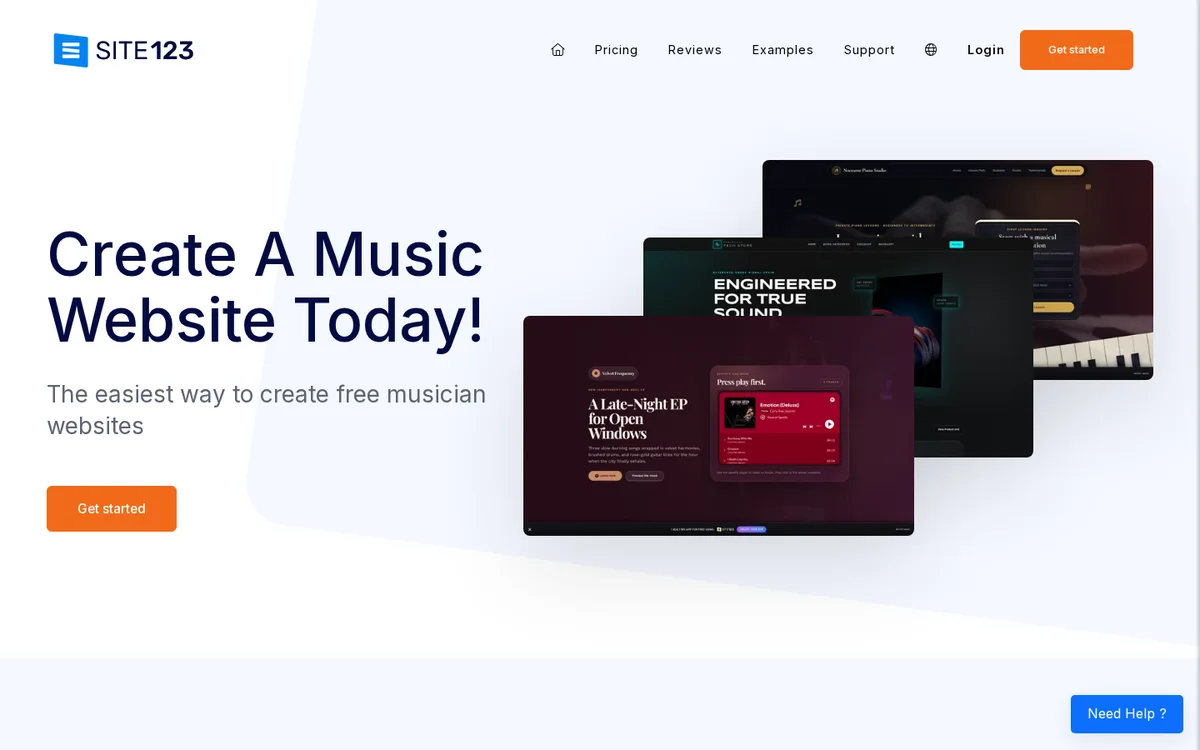
It’s not a music-only platform like Bandzoogle, but for a musician who wants a professional, free site fast, it’s one of the easiest options we’ve tested. The AI editor in particular means you can describe a change in plain English instead of hunting through menus.
Create Your Free Musician Website
How to create a free musician website with SITE123: step by step
Here is how to create a free musician website, step by step. We built a demo site for a fictional band called Midnight Echo to show every step. You can follow the same path for a free music artist website, a DJ page, a music teacher site, or if you want to know how to make a band website.
Step 1: Open the music website builder
Go to SITE123’s music website builder page and click Get started. You’ll see the music features up front, along with a gallery of music templates to choose from.
Step 2: Choose a musician template
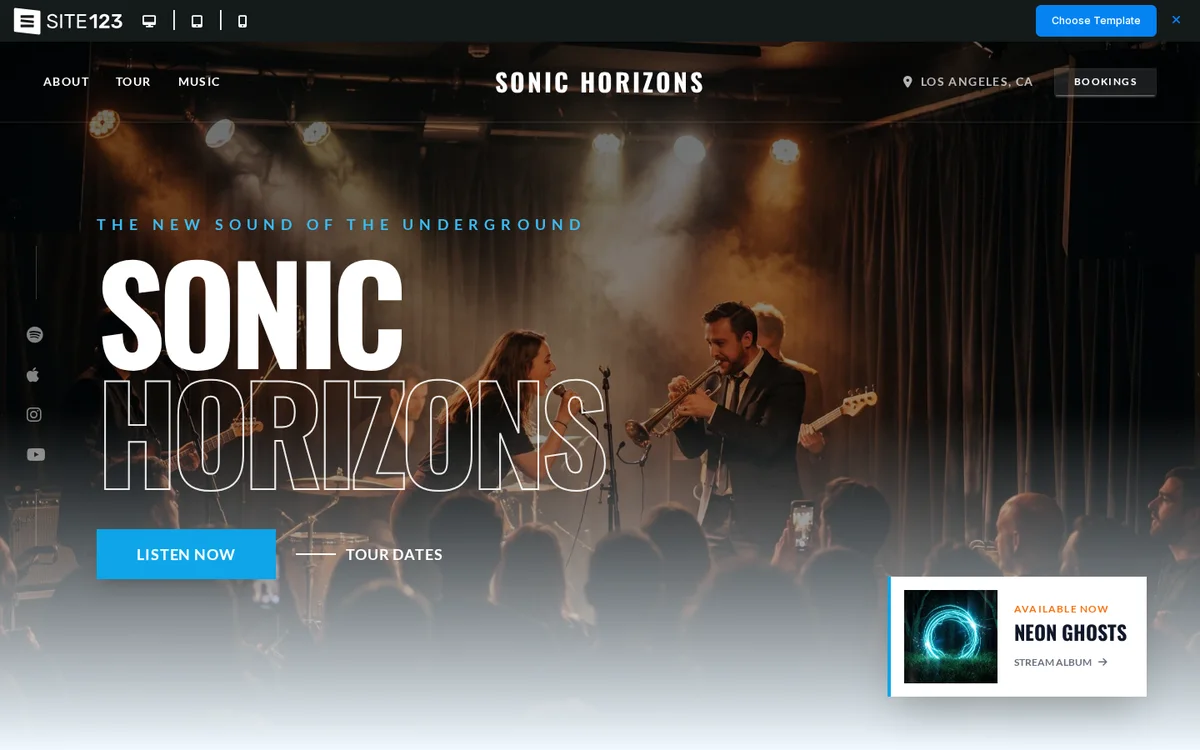
Browse the music templates and pick one that matches your style. We chose Cinematic Musician One-Pager, which comes with sections for about, tour, music, bookings and streaming links built in.
Step 3: Name your website
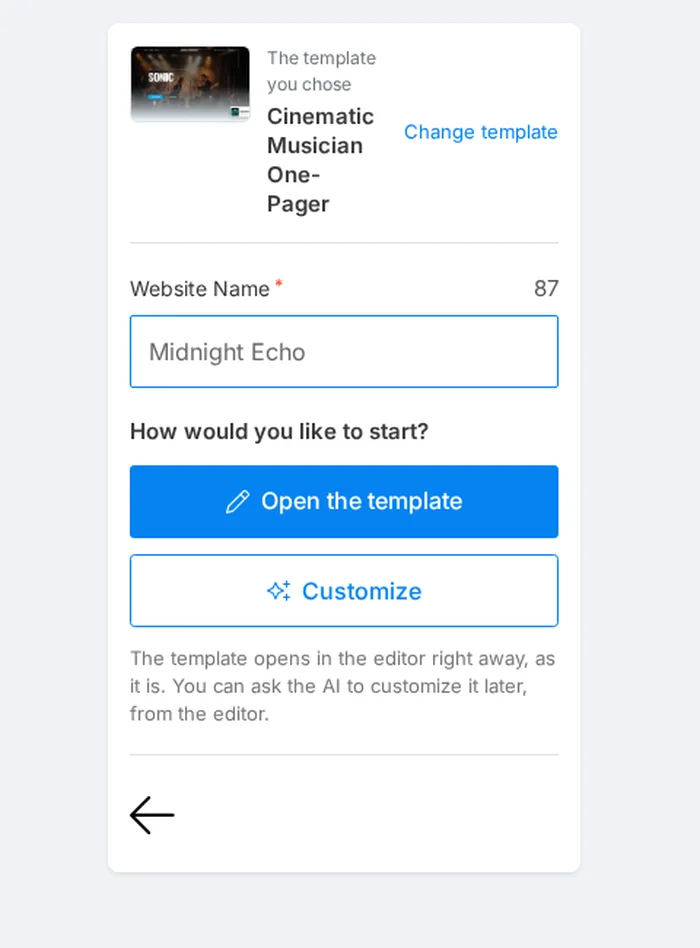
Type your artist or band name as the website name. You can then choose Open the template to start with it as it is, or Customize to let the AI adapt it first. We opened the template, since the AI can make changes later from inside the editor.
Step 4: Sign up for free
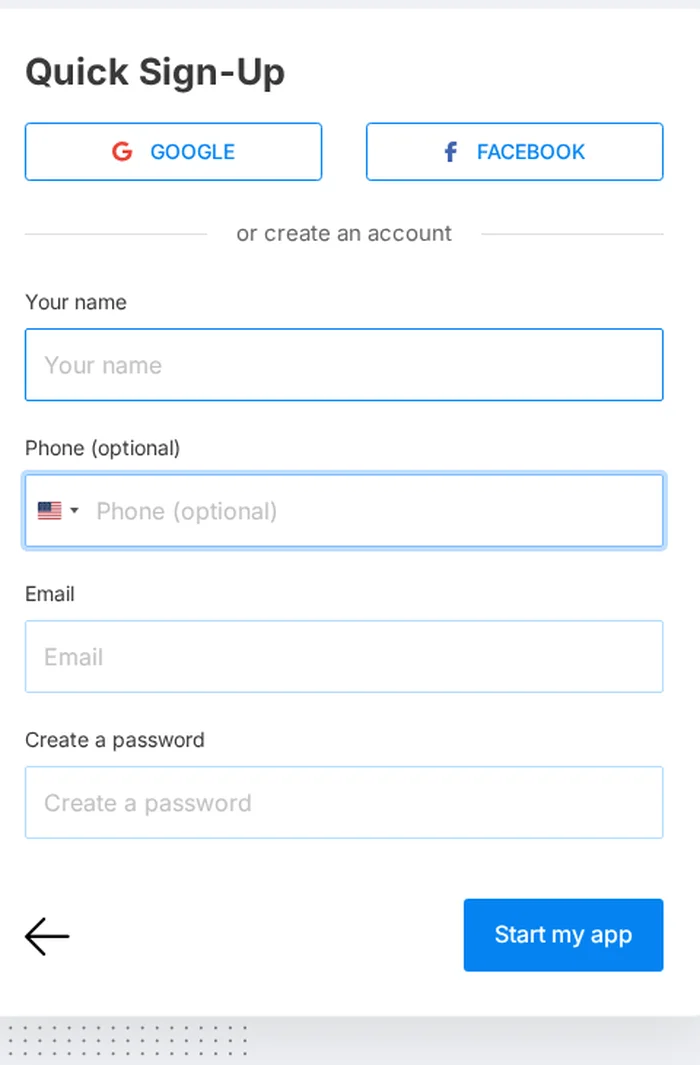
Create your account with Google, Facebook or an email and password. A phone number is optional, and no credit card is needed for the free plan.
Step 5: Customize your site with the AI editor
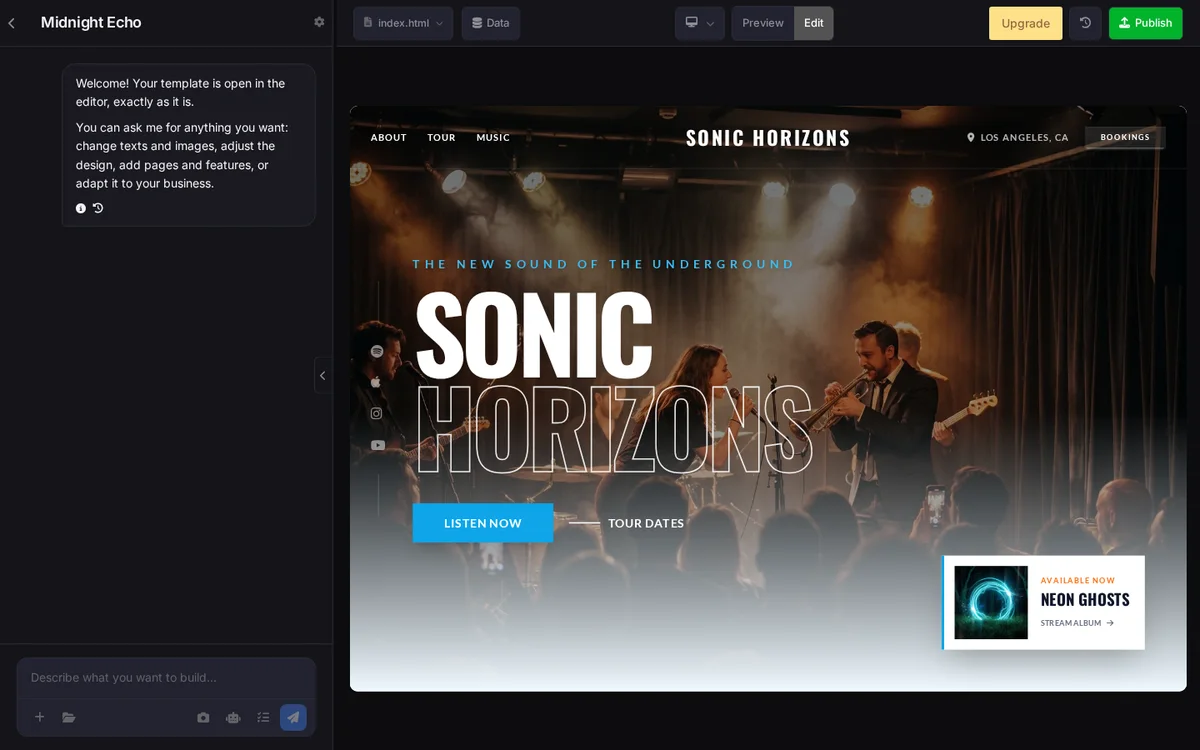
Your template opens in the editor straight away. On the left is a chat panel where you describe what you want, and on the right is a live preview of your free musician website.
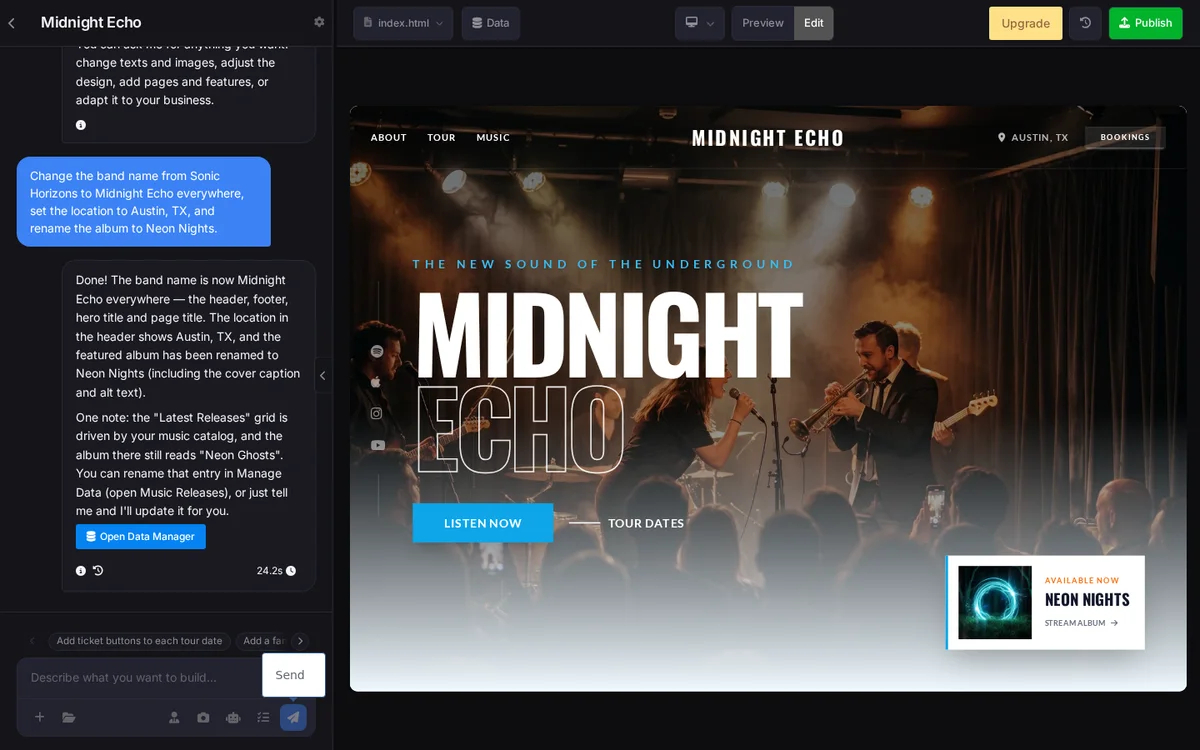
We typed: Change the band name from Sonic Horizons to Midnight Echo everywhere, set the location to Austin, TX, and rename the album to Neon Nights. The AI updated the header, hero, footer, page title and featured album in 24.2 seconds, and pointed out that one album title in the music catalog still needed changing.
Step 6: Add tour dates with ticket links
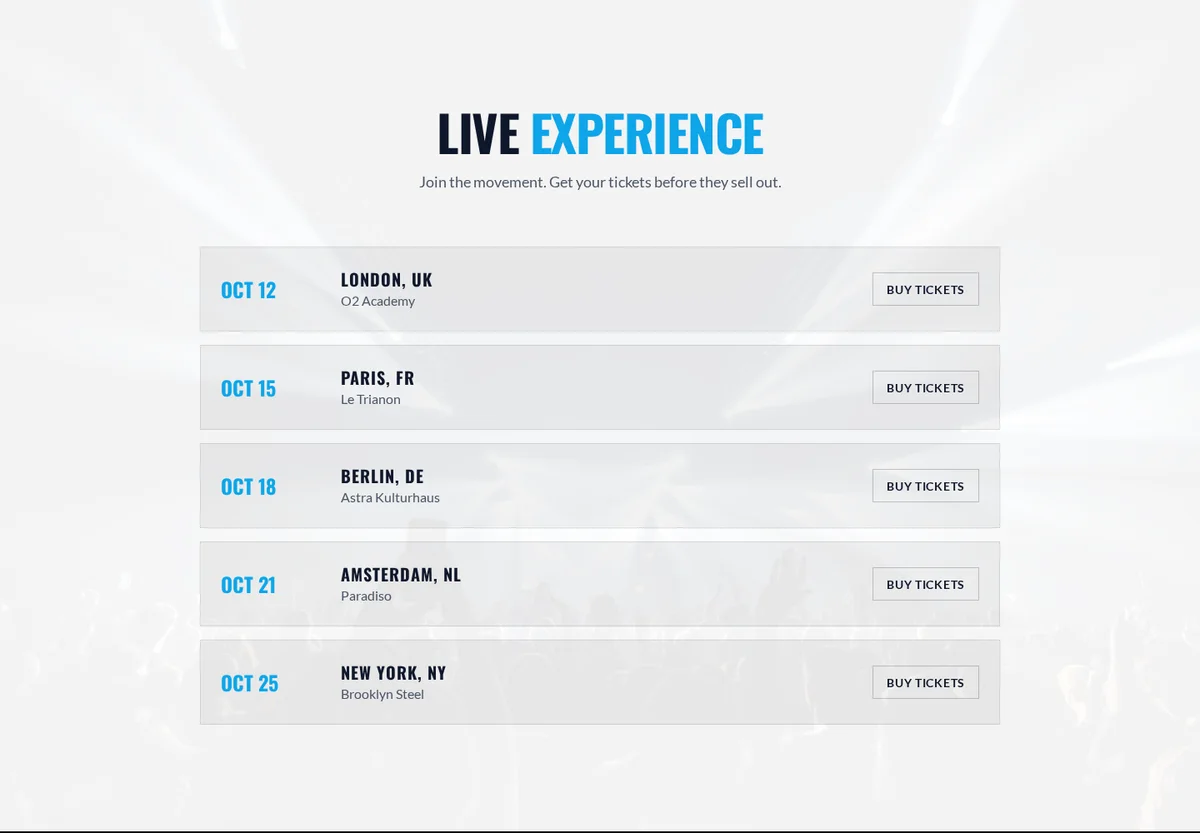
Next we asked the AI to add a Buy Tickets button to each tour date. It finished in 21.3 seconds. Replace the sample cities and venues with your real shows, and point each button to your ticket page.
Step 7: Add your music and streaming links
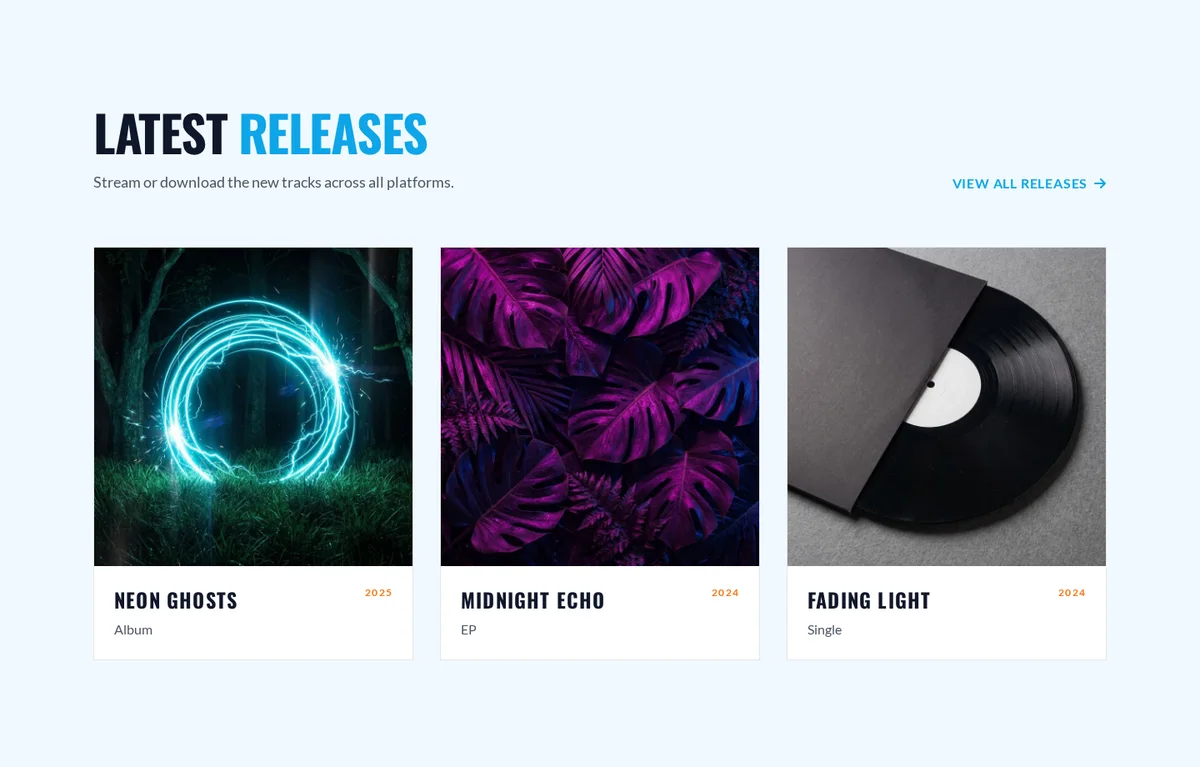
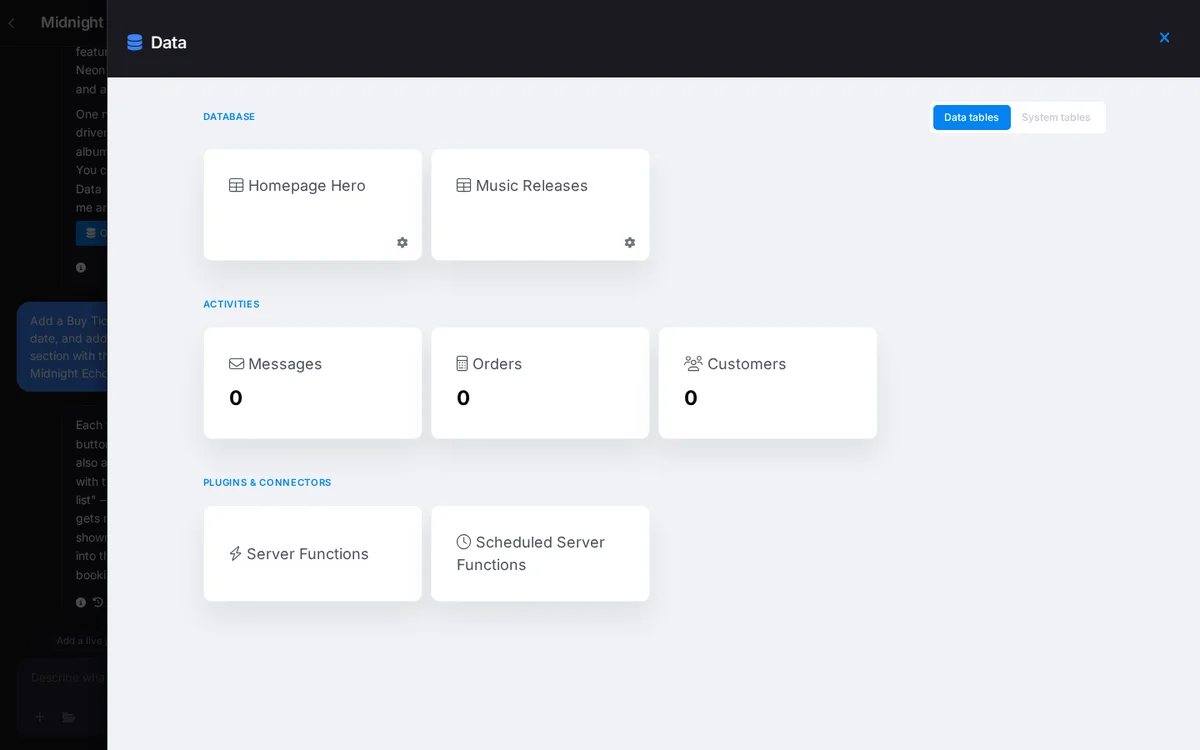
The Latest Releases section is driven by a small music catalog you manage in the Data panel, so you can add each album, EP or single with its cover, year and links. The template also includes Spotify, Apple Music, Instagram and YouTube icons you can point to your own profiles.
Step 8: Collect fans and bookings
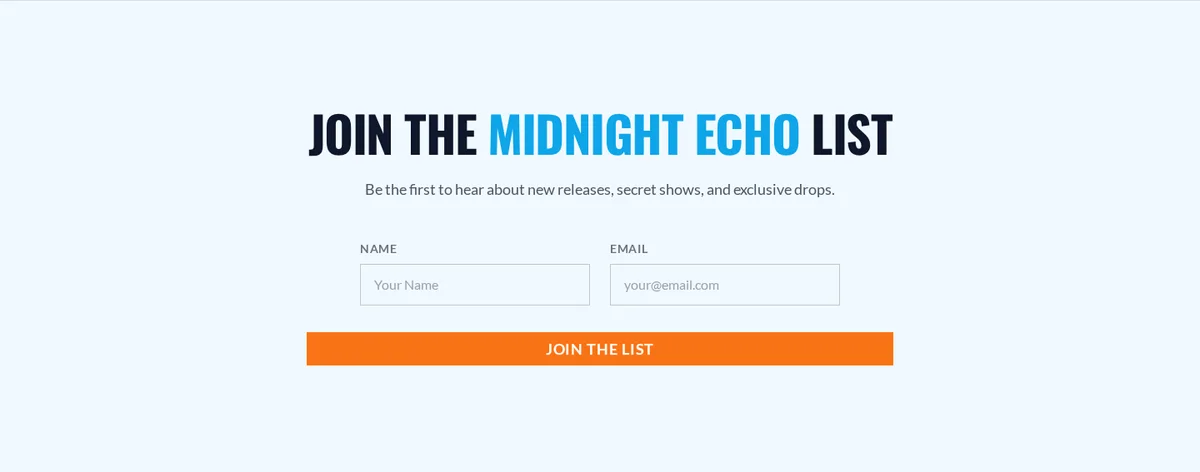
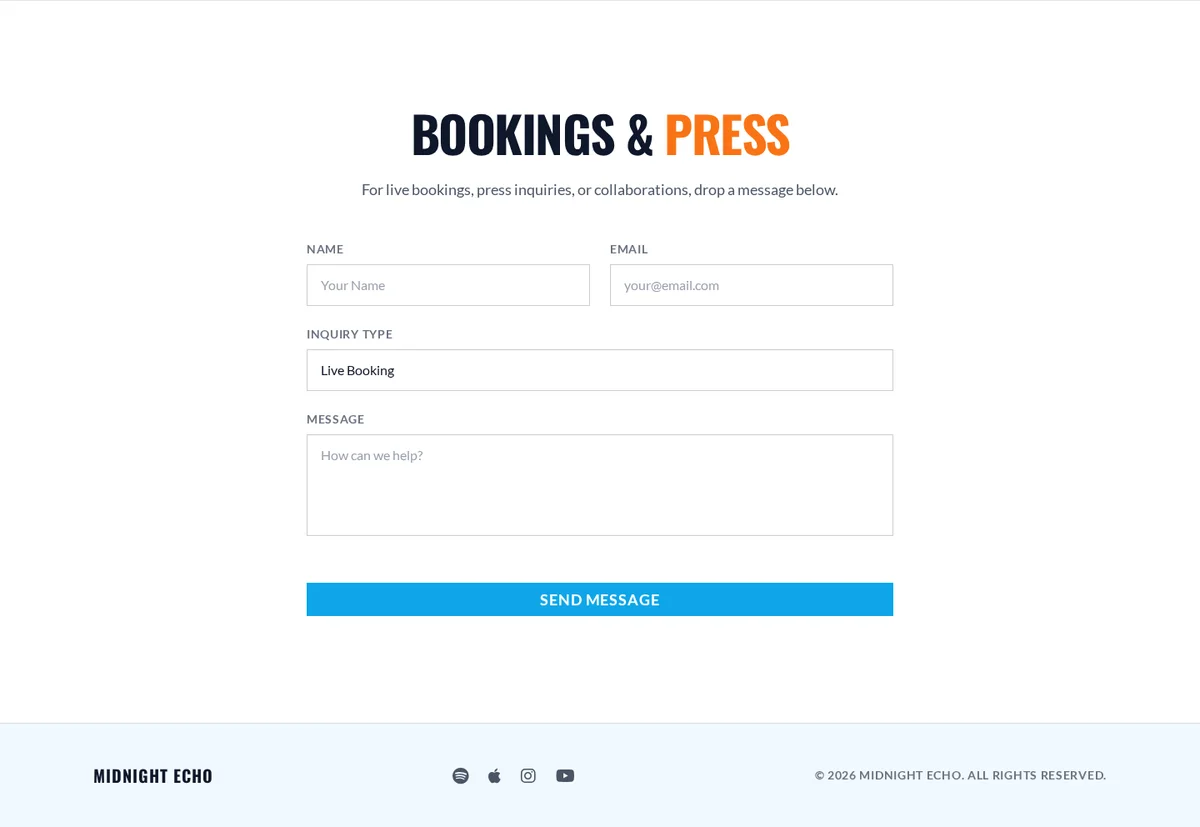
In the same prompt as the ticket buttons, we asked for a fan mailing list section called Join the Midnight Echo list. The AI added it with a success message, and signups are saved so you get notified. The template already includes a Bookings and Press form with an inquiry type for live bookings, press and collaborations.
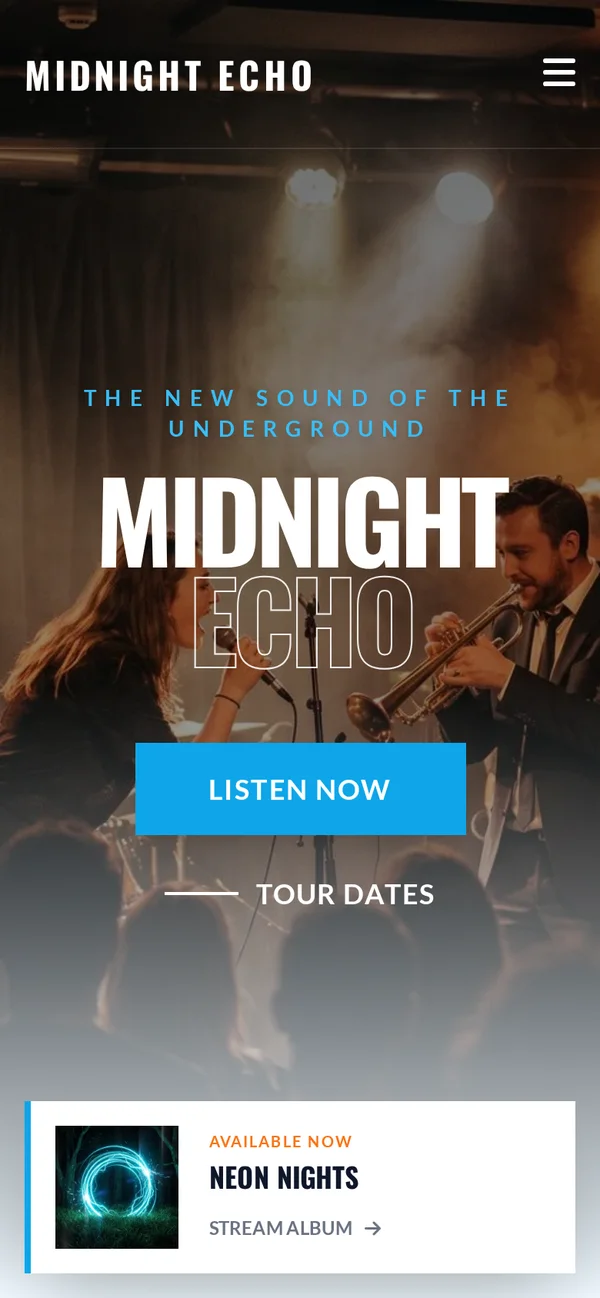
Step 9: Check how it looks on mobile
Most fans will find you on their phone, often from a link in your social bio. Switch the editor to mobile view, or open the preview on your phone, and check that your name, music and tour dates are easy to tap.
Step 10: Publish your free musician website
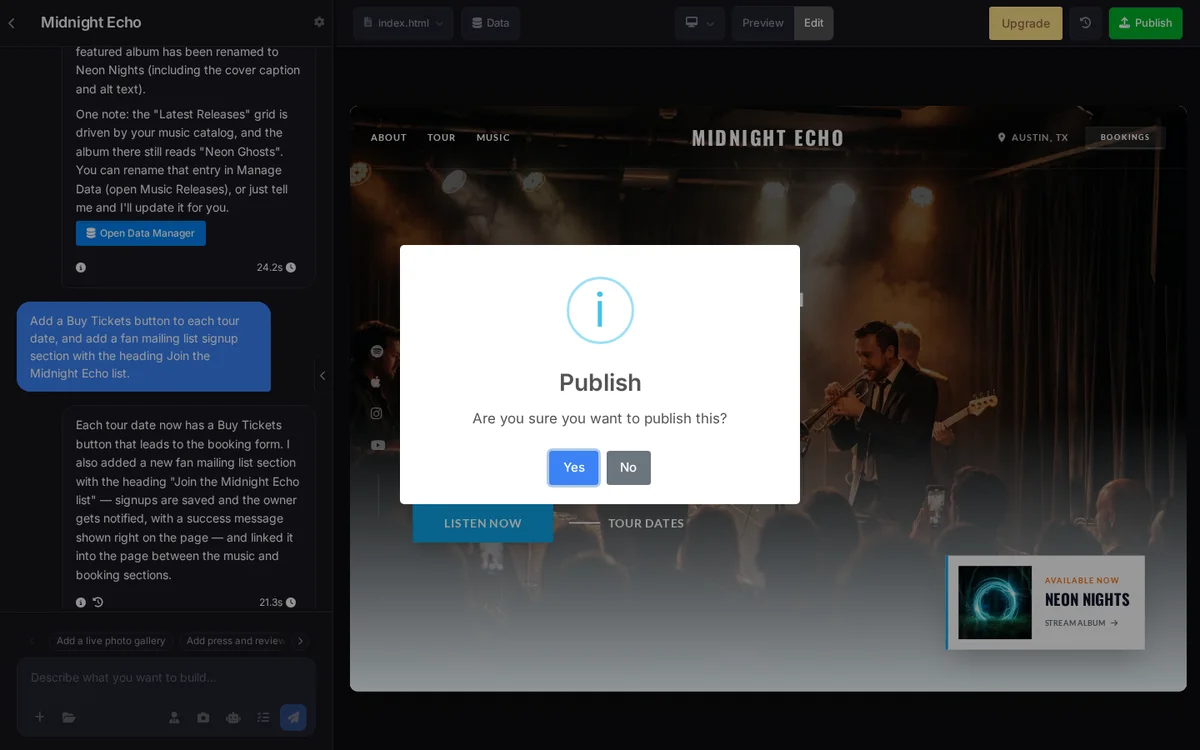
Click Publish and confirm. On the free plan, your site goes live on a free site123.me subdomain. Ours was live within seconds, with a small SITE123 bar at the bottom of the page, which is how the free plan is funded.
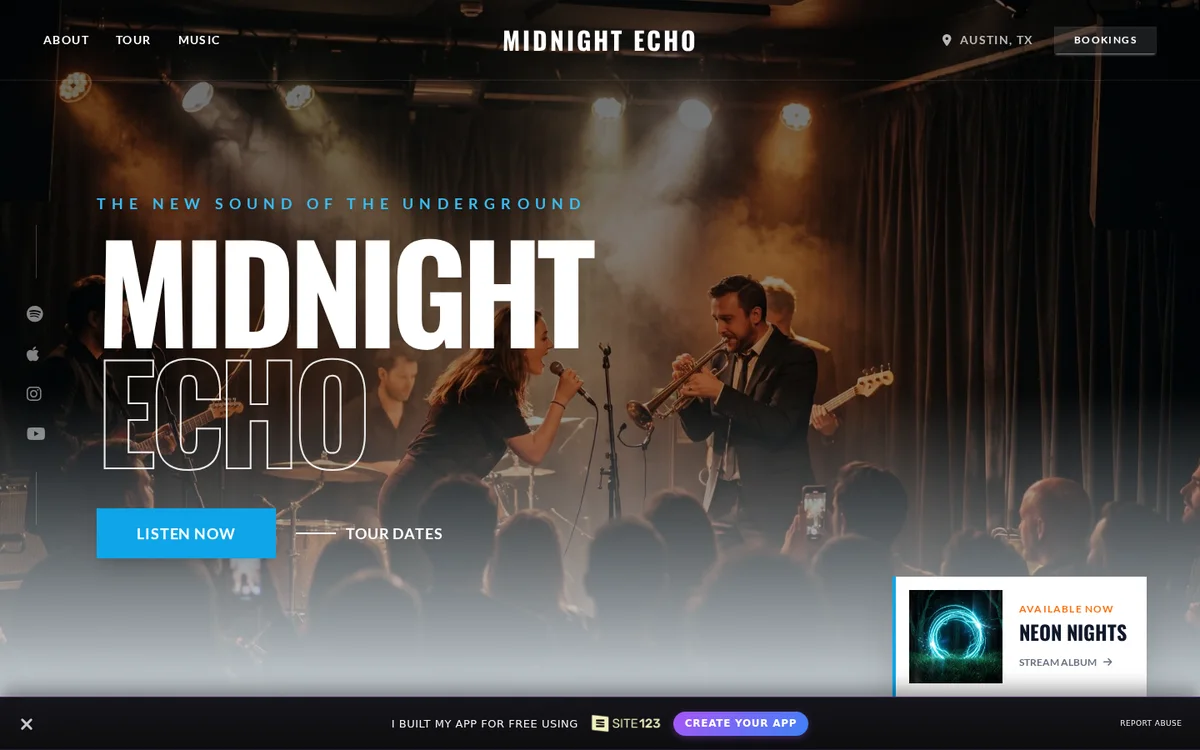
Once it’s live, share the link everywhere: your Instagram and TikTok bio, YouTube descriptions and email signature. To help search engines find it sooner, see our guide on how to get your URLs indexed by Google faster.
Build Your Free Musician Website
SITE123 free plan vs Premium for musicians
SITE123’s free plan is enough to launch a professional musician website, while Premium adds your own domain, more storage and an online store. Here’s what each includes, from SITE123’s pricing page:
| Feature | Free | Premium |
|---|---|---|
| Price | $0/month | $12.80/month |
| Storage | 250 MB | 3 GB |
| Bandwidth | 250 MB | 3 GB |
| Domain | Free site123.me subdomain | Free domain for 1 year, or connect your own |
| SITE123 floating tag | Shown | Removed |
| Online store (merch, digital music) | No | Yes |
| Money-back guarantee | Not applicable | 14 days |
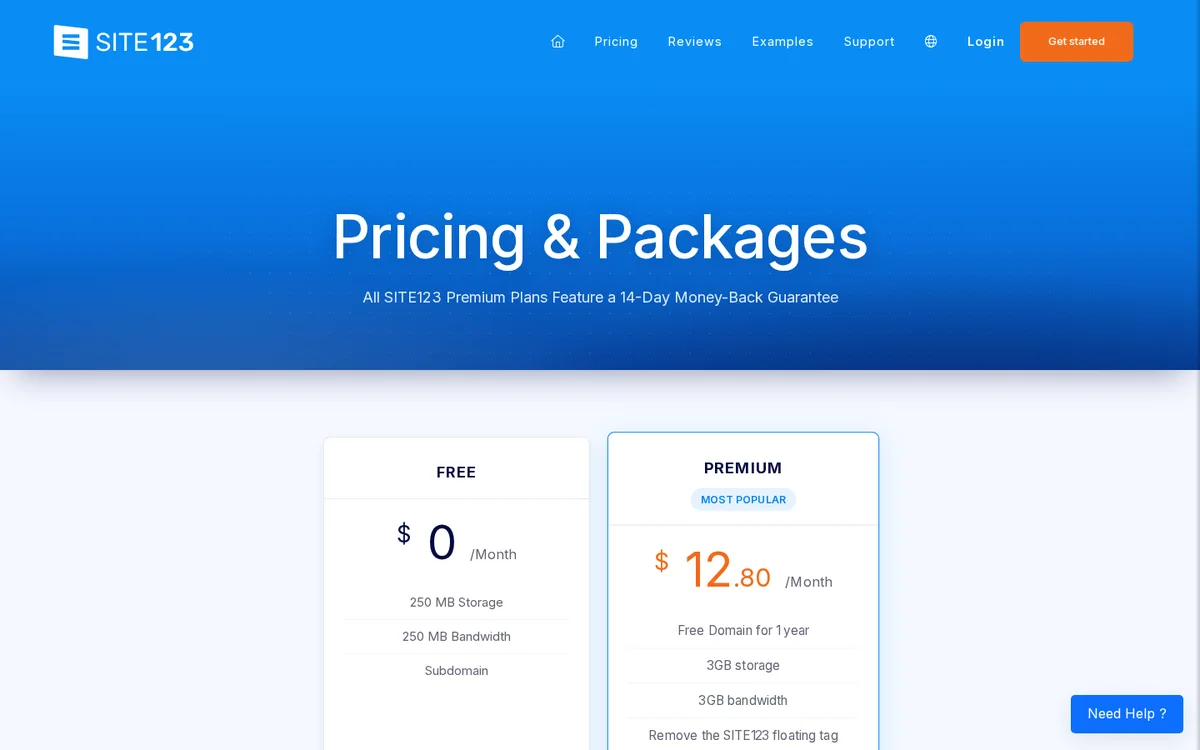
SITE123 says you can upload music for free sharing and downloading, or sell it digitally with a premium account. If you plan to sell merch or music, or you want a professional yourbandname.com address, Premium is the upgrade to make.
When should a musician upgrade?
- You’re getting real traffic: 250 MB of bandwidth goes quickly if you host audio and video files.
- You want to sell: merch, CDs, vinyl or digital downloads need the store.
- You’re pitching to labels, venues or press: a custom domain looks more professional than a subdomain.
- You want a clean look: Premium removes the SITE123 tag.
Tip: host your audio on Spotify, SoundCloud or YouTube and embed or link it, rather than uploading large files. That keeps a free musician website well within its storage and bandwidth limits. If you outgrow website builders entirely, our list of the best free web hosting providers covers other free options, and when you move to your own domain later, our website migration SEO checklist helps you keep your search rankings.
How to make a band website (not just a solo page)
A band website needs everything a solo artist site has, plus a page that introduces each member. SITE123’s FAQ confirms you can add individual band member profiles, so fans can see who plays what. A few extras help bands in particular:
- Member profiles: a photo, instrument and one-line bio for each member.
- Show listings: SITE123 offers Bandsintown and SoundCloud pages, so your tour dates and tracks can stay in sync with the services fans already use.
- Shared booking inbox: point the booking form at an email the whole band can see.
- One clear name: use the band name consistently in the site title, headings and social links so fans and search engines connect them.
Tips to make your musician website stand out
- Lead with your best song. Put your strongest track or video at the top of the homepage.
- Keep tour dates current. Old dates make a site look abandoned.
- Add an electronic press kit (EPK). A short bio, press photos, stats and a few quotes make bookers’ lives easy.
- Use your real name in titles. Fans and promoters search for your artist name, so make sure it’s in your site title and headings.
- Grow your mailing list. Offer early ticket access or an exclusive track for signing up.
- Write a few blog posts. Tour diaries and release stories give search engines more to index.
Want to know when blogs or press mention your band? Our guide to setting up Google Alerts shows how to track it for free, and our AI search visibility guide explains how to get your music mentioned by tools like ChatGPT. And if you need help shaping your artist brand and copy, see our branding and content services.
SITE123 pros and cons for musicians
Pros
- Truly free to start: no credit card, free subdomain
- Music templates: tour, music, bookings and streaming sections built in
- Fast AI editor: our edits finished in about 20 to 25 seconds
- Fan tools: mailing list, booking form and band member profiles
- 24/7 live chat support: on every plan
Cons
- Small free limits: 250 MB storage and bandwidth
- Branding on free sites: SITE123 tag and site123.me address
- Selling needs Premium: merch and digital music sales are paid features
- Not music-only: fewer music-specific extras than dedicated band platforms
Other website builders for musicians
SITE123 isn’t the only option. Here’s how other website builders for musicians compare in general terms:
| Option | Best for | Trade-off |
|---|---|---|
| SITE123 | Fast, professional site with music templates and AI editing | Small free limits, branding on free plan |
| Bandzoogle | Musicians who want a music-only platform | Paid plans for full features |
| Google Sites | A very simple free page | Basic design, few music features |
| WordPress.com free plan | Bloggers who want to grow into WordPress | Ads and limits on the free plan |
| Link-in-bio pages | A single page of links | Not a real website, little search value |
Final thoughts
If you want full design control and are happy to pay, see our breakdown of Webflow pricing. Music teachers and studios with a physical location should also optimize their Google Business Profile so local students can find them.
Now you know how to create a free musician website, and it takes less time than recording a demo. With SITE123’s free plan, a music template and its AI editor, we went from nothing to a live band site with tour dates, releases, a mailing list and a booking form, without touching any code. Start free, fill it with your real music and shows, and upgrade only when you’re ready for your own domain or a merch store.
Create Your Free Musician Website
Frequently asked questions
Can I create a musician website for free?
Yes. SITE123’s free plan lets you create and publish a musician website with no credit card, on a free site123.me subdomain, with 250 MB of storage and 250 MB of bandwidth.
What is the best free website builder for musicians?
SITE123 is one of the easiest free website builders for musicians, with dedicated music templates, an AI editor, tour dates, a booking form and a fan mailing list. Dedicated platforms like Bandzoogle offer more music-only features on paid plans.
How long does it take to build a musician website?
With a template and SITE123’s AI editor, you can publish a basic musician website in under an hour. In our build, each AI edit took about 20 to 25 seconds.
Can I use my own domain on a free musician website?
Not on SITE123’s free plan, which uses a site123.me subdomain. Premium, at $12.80 a month, includes a free domain for a year and lets you connect your own.
Can I sell music and merch on my website?
Yes, but on SITE123 selling merch or digital music needs the Premium plan, which includes an online store. On the free plan you can share music for free.
Can I add Spotify and Apple Music to my website?
Yes. SITE123 says you can integrate music from Spotify, Apple Music and YouTube directly into your website, and its musician templates include links to these platforms.
Is a musician website better than social media?
You need both. Social media helps fans discover you, while your own website gives you a permanent home for your music, tour dates, mailing list and bookings that no algorithm controls.
Will my free musician website show SITE123 branding?
Yes. On our free demo site, SITE123 showed a small floating bar at the bottom of the page and the site used a site123.me address. Premium removes the SITE123 tag and lets you use your own domain.
Tell Google you want more of this.
Add DigitalPrahlad as a preferred sourceOne tap, and this site shows up more often in your own Google Top Stories, AI Overviews, and AI Mode results. You can remove this preference anytime you'd like.
Affiliate Disclaimer: This website is reader-supported. Some links are affiliate links, meaning I may earn a small commission at no extra cost to you. I only recommend products and tools I genuinely trust and use myself. Your support keeps DigitalPrahlad free and practical.