- Best overall for serious local AI work: NVIDIA RTX 5090 (32GB GDDR7), the strongest consumer card money can buy for training and inference right now.
- Best value for money: NVIDIA RTX 4090 (24GB GDDR6X), still genuinely excellent, and increasingly available at a real discount now that the 5090 exists.
- Best budget entry point: NVIDIA RTX 5070 Ti (16GB GDDR7), the lowest realistic cost-per-token of any current Blackwell consumer card.
- Best for enterprise inference at scale: NVIDIA H200 (141GB HBM3e), built specifically to serve large models without sampling or quantization compromises.
- Best for large-scale training: NVIDIA B200 (192GB HBM3e), the current ceiling for raw training throughput.
- Best NVIDIA alternative: AMD Instinct MI300X, genuinely competitive VRAM and bandwidth if your stack doesn’t depend on CUDA-only tooling.
- The single biggest mistake buyers make is choosing based on raw compute speed instead of VRAM, if the model doesn’t fit in memory, nothing else about the card matters.
You’re here because you’ve got an actual AI or machine learning workload in front of you, not because you enjoy reading spec sheets for fun. Maybe you’re trying to fine-tune a 7B model on your own machine without renting a cloud instance every time you want to experiment. Maybe you’re scoping hardware for a startup’s first inference server and need to know if an A100 is overkill or exactly right. Maybe you’re a student who just wants to run Stable Diffusion or a local LLM without your GPU running out of memory three minutes in. Whatever brought you here, the honest answer to “what’s the best GPU for AI” depends entirely on which of those situations is actually yours, and almost no guide on this topic bothers to ask before answering.
So this one asks first. Every recommendation below is organized by what you’re actually trying to do; training versus inference, local versus cloud, a one-time personal project versus a production system serving real users, because a GPU that’s perfect for one of those is often a genuinely bad choice for another. We cover the full range: the data center cards (B200, H200, H100, A100) that power serious training and large-scale inference, the workstation cards (RTX PRO 6000 Blackwell) built for professional AI development, the consumer cards (RTX 5090, RTX 4090, RTX 5070 Ti) that make local AI realistic on a normal budget, the inference-optimized cloud cards (L40S, L4, T4) most people never even hear about, and the real alternatives to NVIDIA, AMD’s Instinct line, Intel’s Gaudi 3, and Apple Silicon’s unified memory approach, that deserve a fair look rather than a footnote.
By the end, you’ll know exactly how much VRAM your specific use case actually needs, which card matches your budget and workload without over- or under-buying, and how to verify all of this yourself rather than taking any single source’s word for it, including this one.
What Actually Makes a Good GPU for AI and Machine Learning
Every GPU spec sheet throws the same wall of numbers at you, but only a handful of them actually predict how a card performs on real AI workloads. Understanding these first makes every recommendation below make sense instead of feeling like an arbitrary list.
- VRAM (memory capacity) is the single most important number. A model’s weights, and the activations generated while it runs, have to fit inside GPU memory. If they don’t, you’re forced into aggressive quantization, slow CPU/system-RAM offloading, or the job simply fails with an out-of-memory error. Raw compute speed is irrelevant if the model can’t load in the first place.
- Memory bandwidth determines how fast that VRAM can actually be used. A card can have huge capacity but still bottleneck badly if data can’t move in and out of memory fast enough, this is why HBM3e-equipped data center cards (measured in terabytes per second) dramatically outperform GDDR-based consumer cards on large-model inference, even when raw VRAM looks comparable.
- Tensor Core generation and supported precision formats (FP16, BF16, FP8, and increasingly INT4) determine how efficiently a card runs the reduced-precision math almost all modern AI training and inference actually uses. Newer architectures support lower precisions natively, which can roughly double effective throughput without any accuracy trade-off in many workloads.
- Interconnect (NVLink vs. PCIe) matters the moment you use more than one GPU. NVLink allows GPUs to share memory and communicate at far higher bandwidth than PCIe, which is why multi-GPU training clusters use it and single-GPU local setups don’t need to care about it at all.
- Software ecosystem is the quiet factor that decides whether a card is actually usable for your specific framework. CUDA’s maturity is the real reason NVIDIA commands a price premium, most training and inference tooling (PyTorch, vLLM, TensorRT-LLM) assumes CUDA first and treats everything else as a secondary target, though that gap has genuinely narrowed for AMD’s ROCm stack in the last two years.
What Are the Main Types of GPU for Deep Learning?
Every GPU on this list falls into one of four broad categories, and knowing which category you actually need narrows the field dramatically before you even look at individual specs.
- Consumer and gaming GPUs (the RTX 40- and 50-series, like the RTX 4090 or RTX 5090) are built primarily for gaming and repurposed for AI, they’re the most accessible and affordable entry point, running on standard GDDR memory in a normal desktop, with no ECC and no NVLink.
- Workstation and professional GPUs (like the RTX PRO 6000 Blackwell) are the step up from consumer cards, aimed at professionals who need more VRAM and ECC memory reliability inside a standard desktop tower, without the cost or complexity of a rack-mounted server.
- Data center and enterprise GPUs (the H100, H200, B200, A100, and AMD’s MI300X) are built specifically for large-scale training and inference, running on HBM memory with NVLink for multi-GPU communication, and are rarely sold as a standalone product you configure yourself.
- Inference-optimized and cloud GPUs (the L40S, L4, and T4) trade some raw throughput for power efficiency and a meaningfully lower price point, purpose-built for serving already-trained models to real users rather than training new ones from scratch.
A fifth category worth knowing about, even though it isn’t a GPU at all, is purpose-built AI accelerators like Google’s TPUs, covered in more detail later in this guide, which trade general-purpose flexibility for efficiency on a narrower set of frameworks.
How Much VRAM Do You Actually Need? A Practical Table
This is the question that should come before “which GPU should I buy,” not after. Here’s a realistic reference based on common model sizes and quantization levels.
| Model Size | FP16/BF16 (Full Precision) | 8-bit Quantized | 4-bit Quantized | Realistic GPU Match |
|---|---|---|---|---|
| 7B parameters | ~14 GB | ~7 GB | ~4 GB | RTX 4060 Ti 16GB and up; comfortably on RTX 4090/5090 |
| 13B parameters | ~26 GB | ~13 GB | ~7 GB | RTX 4090/5090 (full precision); RTX 5070 Ti (quantized) |
| 34B parameters | ~68 GB | ~34 GB | ~17 GB | A100 80GB or RTX PRO 6000 (full); RTX 4090 (quantized) |
| 70B parameters | ~140 GB | ~70 GB | ~35 GB | H200 single-GPU (full); A100 80GB (quantized); dual RTX 4090/5090 (quantized, split) |
| 405B+ parameters | ~810 GB+ | ~405 GB | ~203 GB | Multi-GPU B200/H200 clusters with NVLink; not realistic on consumer hardware |
Fine-tuning needs meaningfully more headroom than inference on the same model, since gradients, optimizer states, and activation memory stack on top of the base weight footprint, budget at least 3-4x the inference figure above for full fine-tuning, or use parameter-efficient methods like LoRA/QLoRA to fine-tune within roughly the same VRAM the quantized inference figures show.
Which GPU Actually Fits Your Situation
Skip straight to your row if you already know which of these four describes you, this is the fastest path to an answer in this entire guide.
| You Are… | Realistic Budget | Best Match | Why |
|---|---|---|---|
| Hobbyist / student running local LLMs or Stable Diffusion | $750-$2,000 | RTX 5070 Ti or RTX 4090 | Enough VRAM for 7B-13B quantized models without enterprise pricing |
| Independent researcher or freelance ML engineer | $2,000-$9,000 | RTX 5090 or RTX PRO 6000 Blackwell | Handles fine-tuning and larger quantized models locally, no cloud bill per experiment |
| Startup building an inference-serving product | Cloud rental, usage-based | L40S or L4 (cloud), A100 for fine-tuning | Lowest realistic cost-per-token; avoids capital risk before product-market fit |
| Enterprise training or serving foundation-scale models | Six to seven figures, or cloud equivalent | H200 (inference) or B200 (training) | Only tier with enough VRAM and bandwidth for genuinely large models without heavy compromises |
What About TPUs? Is There a Better Option Than a GPU at All?
Google’s Tensor Processing Units (TPUs) are a legitimate alternative worth a direct mention, not an oversight. TPUs are purpose-built ASICs (application-specific chips) rather than general-purpose GPUs, and for training and serving models specifically on Google Cloud using TensorFlow or JAX, they can offer strong cost-efficiency at scale. The trade-off is real: TPUs are only available through Google Cloud, not as hardware you can buy or run anywhere else, and the software ecosystem outside TensorFlow/JAX (including most PyTorch-based tooling) is meaningfully less mature than on NVIDIA or even AMD hardware.
For most teams outside Google Cloud’s specific ecosystem, or anyone using PyTorch-first tooling like vLLM or Hugging Face Transformers, a GPU remains the more flexible and better-supported choice. TPUs are worth evaluating specifically if you’re already deep in Google Cloud and training with JAX or TensorFlow at meaningful scale, not as a default first option.
The Best GPUs for AI and Machine Learning in 2026
Organized by tier, from the largest data center accelerators down to consumer cards you can buy today and plug into a normal desktop. Every price below reflects publicly reported figures at time of writing, enterprise GPU pricing is frequently quote-based or bundled into larger systems, so treat these as realistic reference points rather than a guaranteed quote.
Data Center and Enterprise GPUs

1. NVIDIA B200 (Blackwell): Best for Hyperscale Training
The B200 is the current ceiling for raw AI training throughput. It packs 192GB of HBM3e memory with roughly 8 TB/s of bandwidth, more than double the H100’s memory bandwidth, and introduces native FP4/FP6 precision support that meaningfully accelerates the largest foundation-model training runs. It’s not sold as a standalone consumer purchase, it ships inside DGX systems and hyperscaler racks, and pricing is negotiated at the system level rather than per card.
In practice, most teams encounter the B200 only through a cloud provider’s largest instance tier or a vendor-managed training cluster, not as a card they configure themselves. If your actual need is training at this scale, budgeting for the surrounding infrastructure, networking, cooling, and power provisioning, matters as much as the GPU line item itself.
- VRAM: 192 GB HBM3e
- Bandwidth: ~8 TB/s
- Best for: Foundation-model pretraining, the largest multi-GPU training clusters
- Realistic access path: Cloud rental through hyperscalers or specialized GPU cloud providers; not a card you buy individually
2. NVIDIA H200: Best for Large-Model Inference at Scale
The H200 fits the same SXM5 socket as the H100, making it a straightforward infrastructure upgrade, but carries 141GB of HBM3e at 4.8 TB/s, nearly double the H100’s memory bandwidth. That extra headroom is exactly what’s needed to serve a 70B-parameter model at full FP16 precision on a single GPU, without quantization compromises or splitting the model across multiple cards. For long-context inference workloads specifically, this is currently the strongest single-GPU option available.
Because it shares the H100’s physical footprint, teams already running H100 infrastructure can typically adopt the H200 without redesigning racks or power delivery, which is a meaningfully easier upgrade path than jumping to an entirely new architecture generation like the B200.
- VRAM: 141 GB HBM3e
- Bandwidth: 4.8 TB/s
- Best for: Serving 70B-class models at full precision, long-context inference
- Access: Enterprise purchase (commonly cited in the $30,000-$40,000+ range per card) or cloud rental
3. NVIDIA H100: The Enterprise Standard
The H100 remains the most widely deployed enterprise AI GPU, and for good reason: it’s the safe, well-supported default that every major cloud provider stocks, every major framework optimizes for first, and every enterprise procurement team already has a template for buying. With 80GB of HBM3 and 3.35-3.9 TB/s of bandwidth depending on the SKU, it comfortably handles training and inference for most models short of the largest foundation models.
Its ubiquity is itself a practical advantage: driver support, containerized deployment images, and troubleshooting guides assume H100 availability by default across nearly every major MLOps tool, which meaningfully shortens the time from procurement to a working training or inference pipeline.
- VRAM: 80 GB HBM3
- Bandwidth: 3.35-3.9 TB/s
- Best for: General-purpose enterprise training and inference, the default choice when you’re not sure yet
- Access: Widely available for purchase (commonly cited $25,000-$30,000+ per card) and on every major GPU cloud platform

4. AMD Instinct MI300X: Best NVIDIA Alternative
The MI300X is the most credible non-NVIDIA option on this entire list, and the reason is simple: 192GB of HBM3e at roughly 5.3 TB/s bandwidth, on paper meaningfully ahead of the H100 on both capacity and bandwidth. The catch is entirely on the software side, AMD’s ROCm stack has closed a lot of ground on CUDA over the past two years, and major frameworks including PyTorch and vLLM now support it directly, but you should still expect more manual tuning and a thinner base of community troubleshooting than the CUDA ecosystem offers.
Cloud availability has expanded meaningfully over the past year or so, with several specialized GPU cloud providers now offering MI300X instances alongside their NVIDIA lineup, making it realistic to benchmark the card against your actual workload before committing to a hardware purchase.
- VRAM: 192 GB HBM3e
- Bandwidth: ~5.3 TB/s
- Best for: Memory-heavy inference workloads where the extra VRAM headroom outweighs CUDA’s ecosystem advantage
- Access: Enterprise purchase and a growing number of specialized cloud providers
5. NVIDIA A100: Still the Multi-GPU Workhorse
Despite being an older architecture now, the A100 remains genuinely relevant because it’s everywhere: widely available on every cloud platform, well understood by every MLOps team, and priced meaningfully below H100/H200 for workloads that don’t need the newest architecture’s headline numbers. With 80GB of HBM2e at 2 TB/s, it’s a strong fit for fine-tuning mid-size models and for teams scaling across multiple GPUs where per-unit cost matters more than absolute cutting-edge throughput.
Its age also means abundant used and secondary-market availability, which can meaningfully lower entry cost for teams comfortable with the buy-used considerations covered later in this guide, provided the specific unit’s usage history can be reasonably verified beforehand.
- VRAM: 80 GB HBM2e (40GB variant also exists)
- Bandwidth: ~2 TB/s
- Best for: Fine-tuning, multi-GPU scaling where cost-per-unit matters
- Access: Widely available for purchase (commonly cited $10,000-$15,000 per card) and on virtually every GPU cloud

6. Intel Gaudi 3: Best Cost-Efficient Alternative
Intel’s Gaudi 3 targets a specific niche well: organizations that want a credible non-NVIDIA option primarily to reduce cost-per-token on training and inference, and are willing to work within Intel’s own software stack to get there. With 128GB of HBM2e and 3.7 TB/s bandwidth, the hardware specs are genuinely competitive with the H100 tier. Adoption is smaller than AMD’s, so expect a narrower talent pool and fewer pre-built integrations, but for cost-conscious enterprise buyers with in-house ML engineering capacity, it’s a legitimate option worth benchmarking.
Intel has focused its adoption push on large enterprise and government customers with existing Intel infrastructure relationships, rather than pursuing the broad developer-community strategy AMD has taken with ROCm, which shapes who realistically encounters this card in day-to-day practice.
- VRAM: 128 GB HBM2e
- Bandwidth: 3.7 TB/s
- Best for: Cost-conscious enterprise training and inference with in-house ML engineering support
- Access: Enterprise purchase through Intel’s OEM partners; limited cloud availability compared to NVIDIA/AMD
Inference-Optimized Cloud GPUs
These rarely get mentioned in consumer GPU guides, but if you’re deploying inference at scale rather than training, this tier is where the actual cost-efficiency battle happens.
7. NVIDIA L40S: Best Cost-Per-Token for Mid-Size Inference
The L40S is purpose-built for exactly the workload most production AI companies actually run: serving 7B-13B parameter models to real users at the lowest cost per generated token, not training foundation models from scratch. With 48GB of GDDR6 and 864 GB/s bandwidth, it trades some raw bandwidth for a meaningfully lower price point than HBM-equipped cards, which is precisely the right trade for inference workloads that don’t need HBM’s throughput ceiling.
It also handles moderate fine-tuning workloads reasonably well despite being marketed primarily for inference, making it a sensible single-card choice for smaller teams that need to both serve a model and periodically retrain it without provisioning two separate GPU tiers.
- VRAM: 48 GB GDDR6
- Bandwidth: 864 GB/s
- Best for: Production inference serving for 7B-13B models at the lowest realistic cost per token
- Access: Enterprise purchase (commonly cited $8,000-$10,000) and broadly available on GPU cloud platforms
8. NVIDIA L4: Best Low-Power Cloud Inference
The L4 prioritizes power efficiency and density over raw throughput, which makes it the default choice for cloud providers packing many inference-serving GPUs into a rack without blowing their power and cooling budget. With 24GB of GDDR6, it comfortably handles smaller models (up to roughly 13B at quantized precision) at a fraction of the power draw of the larger cards on this list.
Its low power draw also makes it a practical fit for edge and on-premises deployments outside a traditional data center, anywhere rack power and cooling budgets are the binding constraint rather than raw throughput.
- VRAM: 24 GB GDDR6
- Bandwidth: ~300 GB/s
- Best for: High-density, power-efficient inference serving; video and image AI pipelines
- Access: Enterprise purchase (commonly cited $2,000-$2,500) and standard across most GPU clouds
9. NVIDIA T4: The Legacy Budget Option
The T4 is an older architecture that remains in service almost entirely because it’s cheap and still adequate for lightweight inference. With just 16GB of GDDR6 and 320 GB/s bandwidth, it’s not a card to build a new deployment around in 2026, but if you’re inheriting existing infrastructure or need the absolute lowest-cost inference tier for small, quantized models, it still does the job.
Most cloud providers still list it primarily because existing customers have workloads already built around it, new deployments are generally better served by the L4 at a similar price point with a meaningfully newer architecture and better power efficiency.
- VRAM: 16 GB GDDR6
- Bandwidth: 320 GB/s
- Best for: Legacy deployments, the lowest-cost inference tier for small quantized models
- Access: Widely available on cloud platforms at low hourly rates; new purchase rarely makes sense over newer alternatives
Workstation and Professional GPUs
10. NVIDIA RTX PRO 6000 Blackwell: Best Workstation Card
This is the card for AI developers who want data-center-adjacent VRAM inside a normal desktop tower rather than a rack-mounted server. It carries 96GB of GDDR7 ECC memory and 1,792 GB/s of bandwidth, nearly double the previous-generation RTX 6000 Ada, on 24,064 CUDA cores and 752 fifth-generation Tensor Cores. It launched in March 2025 at an MSRP of $8,565, though real-world pricing has climbed substantially since, commonly cited in the $16,000 range as of late 2026, reflecting sustained demand for high-VRAM workstation cards.
ECC memory support, uncommon on consumer GPUs, is a genuine differentiator for long-running training jobs, error-corrected memory reduces the risk of a silent data corruption event derailing a multi-day fine-tuning run, a real consideration once jobs stretch past a few hours of unattended compute.
- VRAM: 96 GB GDDR7 ECC
- Bandwidth: 1,792 GB/s
- Best for: Professional AI development, fine-tuning mid-to-large models locally without a server rack
- Price: $8,565 MSRP; commonly cited around $16,000 street price as of late 2026
Consumer and Prosumer GPUs
This is the tier most individuals, students, and small teams actually shop in, and it’s genuinely capable in 2026 for anything short of training a foundation model from scratch.
11. NVIDIA RTX 5090: Best Overall Consumer GPU for AI
The RTX 5090 is the strongest consumer card available for local AI work, full stop. Its 32GB of GDDR7 memory is enough headroom to comfortably run 13B-class models at full precision or 30B+ models with quantization, and its Blackwell-generation Tensor Cores bring meaningfully better throughput on the FP8/FP4 precision formats that most modern local inference tooling now uses by default.
Availability has been the main practical obstacle since launch, demand has frequently outpaced supply, and buyers should expect to pay at or above MSRP through most retail channels rather than assuming list price is readily available on the shelf.
- VRAM: 32 GB GDDR7
- Bandwidth: 1.792 TB/s
- Price: ~$1,999 MSRP
- Best for: Serious local training, fine-tuning, and inference without renting cloud GPUs
12. NVIDIA RTX 4090: Best Price-to-Performance
Now succeeded by the 5090 at the top of the consumer stack, the RTX 4090 has settled into an excellent value position instead. Its 24GB of GDDR6X and 1,008 GB/s of bandwidth are still genuinely sufficient for the vast majority of local AI experimentation, fine-tuning smaller models, and running quantized versions of larger ones, and its price has softened meaningfully as the 5090 absorbed the flagship demand.
It remains in active production and retail distribution, unlike some previous-generation flagships that disappear quickly once a successor launches, which keeps new-unit warranty coverage realistically available alongside the growing used market.
- VRAM: 24 GB GDDR6X
- Bandwidth: 1,008 GB/s
- Best for: Researchers and developers who want near-flagship capability without paying flagship price
13. NVIDIA RTX 5070 Ti: Best Budget Entry Point
At a $749 MSRP (real-world retail typically runs $880 to $1,069 depending on the specific board partner and availability), the RTX 5070 Ti delivers the lowest realistic cost-per-token of any current Blackwell consumer card for 7B-14B model inference. Its 16GB of GDDR7 directly addresses the VRAM ceiling that limited the previous-generation RTX 4070 Ti, making it the clear starting point for anyone serious about local AI on a tight budget rather than treating VRAM as an afterthought.
The jump from the previous generation’s 12GB to a full 16GB specifically targets the complaint that defined the RTX 4070 Ti, running out of memory on models that were otherwise well within the card’s compute capability, a direct fix rather than an incidental spec bump.
- VRAM: 16 GB GDDR7
- Bandwidth: Roughly 674 GB/s (256-bit GDDR7 bus)
- Price: $749 MSRP; real-world retail commonly $880-$1,069
- Best for: Budget-conscious local AI, running 7B-14B models efficiently

14. Apple Silicon (M3 Ultra / M4 Max): Best for macOS-Native ML
Apple Silicon plays by different rules than every other card on this list, there’s no discrete VRAM at all, instead the CPU and GPU share one pool of unified memory, up to 512GB on the M3 Ultra Mac Studio configuration. That number sounds absurd next to a 192GB data-center card until you remember it’s shared with the entire system, not dedicated purely to the GPU, but it does mean a Mac Studio can load genuinely enormous quantized models that would require multiple discrete GPUs to fit elsewhere, entirely silently and at a fraction of the power draw.
This approach suits a genuinely different use case than the rest of this list: a quiet, low-power development machine for iterating on and testing large quantized models locally, rather than a production inference or training node, treat it as a complement to a GPU-based setup, not a wholesale replacement for one.
- Memory: Up to 512 GB unified memory (M3 Ultra)
- Bandwidth: ~819 GB/s
- Best for: macOS-native ML development, running very large quantized models locally without a discrete GPU at all
- Trade-off: No CUDA support; relies on Apple’s MLX framework and Metal, a smaller but genuinely growing ecosystem
NVIDIA GPU AI Performance Comparison
NVIDIA dominates this list for a reason, here’s every NVIDIA card covered above in one scannable reference.
| GPU | VRAM | Bandwidth | Best For | Approx. Price |
|---|---|---|---|---|
| B200 (Blackwell) | 192 GB HBM3e | ~8 TB/s | Hyperscale training | System-level only, no per-card price |
| H200 | 141 GB HBM3e | 4.8 TB/s | Large-model inference at scale | $30,000-$40,000+ |
| H100 | 80 GB HBM3 | 3.35-3.9 TB/s | General enterprise training/inference | $25,000-$30,000+ |
| A100 | 80 GB HBM2e | ~2 TB/s | Fine-tuning, multi-GPU scaling | $10,000-$15,000 |
| L40S | 48 GB GDDR6 | 864 GB/s | Cost-efficient inference serving | $8,000-$10,000 |
| L4 | 24 GB GDDR6 | ~300 GB/s | Low-power, high-density inference | $2,000-$2,500 |
| T4 | 16 GB GDDR6 | 320 GB/s | Legacy budget inference | Low hourly cloud rate only |
| RTX PRO 6000 Blackwell | 96 GB GDDR7 ECC | 1,792 GB/s | Professional AI development | $8,565 MSRP (~$16,000 street) |
| RTX 5090 | 32 GB GDDR7 | 1.792 TB/s | Best consumer card overall | ~$1,999 |
| RTX 4090 | 24 GB GDDR6X | 1,008 GB/s | Best price-to-performance | Softening below original $1,599 MSRP |
| RTX 5070 Ti | 16 GB GDDR7 | ~674 GB/s | Best budget entry point | $749 MSRP |
Best GPU by AI Subfield: LLMs, Computer Vision, and Diffusion Models
“Best GPU for deep learning” means something different depending on which corner of deep learning you’re actually working in, and treating every AI subfield as if it has identical hardware priorities is how people end up over- or under-buying.
- Large language models (training and fine-tuning): VRAM capacity and memory bandwidth dominate everything else, a large context window and a big parameter count both eat memory fast. This is where the H200’s 141GB and the RTX PRO 6000’s 96GB genuinely earn their price over cards with more raw compute but less capacity.
- LLM inference at scale: cost-per-token becomes the real metric, not peak throughput, which is exactly why the inference-optimized L40S and L4 exist as a distinct tier rather than everyone defaulting to H100s for serving traffic.
- Computer vision (image classification, object detection, segmentation): these models are typically far smaller than modern LLMs and more forgiving on VRAM, a mid-range consumer card, even a previous-generation RTX 4070-class GPU, handles most computer vision training and inference comfortably, batch size and raw FP32/TF32 throughput matter more here than absolute memory capacity.
- Diffusion models (Stable Diffusion, image and video generation): VRAM matters again, but less extremely than LLMs, 12-16GB handles most image generation workloads at reasonable resolution, and higher-resolution or video-generation work is where stepping up to 24GB+ genuinely pays off.
- Reinforcement learning and robotics simulation: often CPU-and-simulation-bound rather than GPU-memory-bound, a single strong consumer GPU frequently outperforms an expensive data-center card here, since the bottleneck sits elsewhere in the pipeline.
Best GPU for AI Training and Fine-Tuning
Training and fine-tuning stress a GPU differently than inference, gradients, optimizer states, and activation memory all stack on top of the model weights, so the “best” choice here skews toward VRAM headroom and interconnect over raw efficiency.
- Full foundation-model pretraining: the NVIDIA B200 is the current best choice, its 192GB of HBM3e and native FP4/FP6 precision support exist specifically for training runs at this scale.
- Fine-tuning models up to 70B parameters: the NVIDIA H200 handles this at full precision on a single GPU, while the A100 80GB is the more cost-efficient choice for teams that don’t need the H200’s extra bandwidth.
- Local fine-tuning on a personal or small-team budget: the RTX 5090 or RTX 4090 comfortably handle LoRA/QLoRA fine-tuning on 7B-13B models, and the RTX PRO 6000 Blackwell extends that headroom to 30B+ models thanks to its 96GB of VRAM.
- Multi-GPU training specifically: prioritize NVLink-equipped data center cards (H100, H200, B200) over consumer cards, for the reasons covered in the NVLink section below, PCIe-only setups bottleneck hard on true model-parallel training.
Multi-GPU Scaling: NVLink, PCIe, and When You Actually Need Either
A single powerful GPU handles the overwhelming majority of individual and small-team AI work, multi-GPU setups only start paying off once you’re training models too large for one card’s memory, or need to parallelize training across a genuinely large dataset to cut wall-clock time.
NVLink, available on data-center cards like the H100, H200, and B200, allows GPUs to share memory and communicate directly at far higher bandwidth than the PCIe bus consumer cards rely on, this is what makes true multi-GPU model parallelism (splitting one enormous model across several cards as if it were one larger card) practical at scale. Consumer GPUs like the RTX 4090 and RTX 5090 lack NVLink entirely, multi-GPU consumer setups fall back to PCIe for communication, which works fine for data-parallel training (each GPU holds a full copy of a smaller model and processes different data batches) but becomes a real bottleneck for model-parallel setups splitting a single large model across cards. If your actual plan is “two or four consumer GPUs instead of one enterprise card,” confirm your framework and workload genuinely benefit from data parallelism specifically, since PCIe’s bandwidth ceiling will otherwise erase much of the expected speed-up.
NVIDIA vs AMD vs Intel: Is CUDA Still Worth the Premium?
For most buyers in 2026, yes, but the margin has genuinely narrowed and it’s worth understanding exactly why before defaulting to NVIDIA out of habit. CUDA’s real advantage isn’t raw performance, AMD’s MI300X beats the H100 on paper spec-for-spec in VRAM and bandwidth, it’s maturity: every major training and inference framework (PyTorch, TensorRT-LLM, vLLM) treats CUDA as the primary target, gets new features and optimizations first, and has the deepest base of community troubleshooting when something breaks at 2am during a training run.
AMD’s ROCm has closed a real amount of that gap, PyTorch and vLLM both run natively on Instinct cards now, and for memory-bound inference workloads where the MI300X’s extra VRAM is the deciding factor, it’s a genuinely defensible choice. Intel’s Gaudi 3 asks for a bigger leap of faith, competitive hardware specs paired with a noticeably thinner software ecosystem and smaller community, appropriate for organizations with in-house ML engineering depth who are optimizing hard for cost-per-token, less appropriate for a small team that needs things to just work on day one.
The practical rule: if your team is small, moving fast, or leaning on off-the-shelf tooling without much bandwidth to debug driver-level issues, pay the CUDA premium. If you have real ML infrastructure engineering capacity and a workload where AMD’s memory advantage genuinely matters, MI300X deserves a serious benchmark before you default to NVIDIA by habit.
| Factor | NVIDIA (CUDA) | AMD (ROCm) | Intel (Gaudi) |
|---|---|---|---|
| Software maturity | Most mature; first-class support in nearly every framework | Improving fast; native PyTorch and vLLM support | Thinner ecosystem, fewer pre-built integrations |
| Raw hardware specs | Strong across every tier | Often ahead on VRAM and bandwidth | Competitive specifically with the H100 tier |
| Community and troubleshooting | Deepest by far | Growing steadily | Smallest of the three |
| Best for | Teams that need things to just work on day one | Memory-bound workloads with real ML engineering capacity | Enterprises already inside Intel’s OEM ecosystem |
| Typical cost position | Highest, the CUDA premium | Often cheaper per GB of VRAM | Competitive cost-per-token |
Buy vs. Rent: The Real Total Cost of Ownership
The sticker price of a GPU is the least useful number for deciding whether to buy hardware or rent cloud compute, power draw, cooling, depreciation, and utilization rate all move the real answer substantially.
- Power and cooling add up fast at the high end. A single RTX PRO 6000 Blackwell draws up to 600W under load; running one continuously for a year at typical electricity rates can add a meaningful four-figure sum on top of the purchase price, before accounting for the cooling capacity needed to remove that heat from the room.
- Utilization rate is the number that actually decides buy-vs-rent, not the hourly cloud rate people fixate on. A GPU sitting idle 80% of the time is a worse deal purchased outright than rented hourly, even though the hourly rate looks expensive in isolation, because you’re paying for capacity you’re not using. The same GPU running near-continuous training jobs flips the math the other way within months.
- Depreciation is real and non-linear. Consumer GPUs lose value fastest in the first 12-18 months after a new generation launches, exactly what’s happening to RTX 4090 pricing now that the 5090 exists. Enterprise cards depreciate more slowly but far less predictably, since resale demand depends heavily on whether the next architecture generation delivers a big enough leap to make the previous one feel obsolete.
- The practical threshold most teams land on: if you expect sustained utilization above roughly 50-60% over a 12-month horizon, buying typically wins. Below that, cloud rental’s flexibility and zero depreciation risk usually wins, especially for spiky, unpredictable, or short-term workloads like a single training run or a proof-of-concept phase.
- Training is a one-time cost, inference is a recurring one, and this is exactly backwards from how most teams budget. A training run ends, an inference endpoint serving real users runs continuously for the life of the product, which means inference typically dominates total lifetime GPU spend even though training gets the bigger upfront invoice and the most attention.
If cloud rental is the right call for your situation, our best GPU cloud server providers in India guide and best GPU dedicated servers guide cover exactly which providers to actually consider and their real, verified pricing.
And if your actual need is AI-assisted coding rather than raw GPU access for training or inference, skip the hardware question entirely and compare Claude Code pricing plans instead, it’s a subscription, not a rental decision.
Framework and Software Compatibility: What Actually Runs Where
The GPU is only half the equation, the software layer running on top of it determines a huge share of real-world performance and ease of setup.
- vLLM is the current default for high-throughput LLM inference serving, with first-class CUDA support and genuinely usable ROCm support for AMD Instinct cards.
- llama.cpp is the go-to for running quantized models locally with minimal setup friction, it runs on essentially anything, including Apple Silicon via Metal, making it the most hardware-agnostic option on this list.
- Ollama wraps llama.cpp and similar backends into a genuinely simple local-model experience, the fastest path from “I just bought a GPU” to “I have a model running” for anyone who doesn’t want to hand-configure an inference server.
- TensorRT-LLM is NVIDIA’s own highly optimized inference runtime, squeezing meaningfully more throughput out of NVIDIA hardware specifically than generic PyTorch inference, at the cost of being NVIDIA-only.
- PyTorch remains the dominant training framework across the board, with CUDA as the first-class backend, ROCm as a genuinely usable second option, and MLX as Apple’s own increasingly capable alternative for Apple Silicon specifically.
| Framework | Best For | Hardware Support | Ease of Setup |
|---|---|---|---|
| vLLM | High-throughput LLM inference serving | CUDA (first-class), ROCm (usable) | Moderate |
| llama.cpp | Local quantized model inference | Runs on almost anything, including Apple Silicon via Metal | Easiest |
| Ollama | Simple local model experience | Wraps llama.cpp-style backends | Easiest |
| TensorRT-LLM | Maximum throughput on NVIDIA hardware specifically | NVIDIA only | Moderate to hard |
| PyTorch | Training, the dominant framework overall | CUDA (first-class), ROCm (usable), MLX (Apple Silicon) | Moderate |
Getting More Out of the GPU You Already Have
Before concluding you need new hardware, a handful of software-side tuning steps routinely recover meaningful headroom on existing GPUs, and skipping them is a common reason people upgrade sooner than they actually needed to.
- Batch size tuning trades memory for throughput in both directions, smaller batches reduce peak VRAM usage at the cost of some efficiency, useful when a job is right at the edge of fitting; larger batches improve throughput on training runs when you have memory to spare.
- Precision scaling is usually the single highest-leverage change available, dropping from FP16 to INT8 or even INT4 quantization for inference can cut memory footprint by half or more with a manageable accuracy trade-off for most real-world use cases, this is exactly why the VRAM table earlier in this guide shows such a large gap between full-precision and quantized requirements.
- Memory fragmentation quietly wastes VRAM on long-running processes, particularly noticeable in Python-based training loops that allocate and release memory repeatedly, periodically clearing cached allocations (for example,
torch.cuda.empty_cache()in PyTorch) can recover memory that looks “used” but isn’t actually holding useful data anymore. - Gradient checkpointing trades compute time for memory during training, recomputing certain activations instead of storing them, a genuinely useful lever when fine-tuning a model that’s just barely too large to fit otherwise.
How to Check What GPU You Actually Need Before Buying
Skip the guesswork, these checks take a few minutes and tell you exactly what you’re working with or what you’d need.
- Check your current GPU’s VRAM and utilization with
nvidia-smi(NVIDIA) orrocm-smi(AMD) directly in a terminal, this shows real-time memory usage while a model is loaded, not just the card’s rated capacity. - Estimate a target model’s memory footprint using the VRAM table earlier in this guide before assuming you need the biggest card available, most local use cases genuinely fit on a 16-24GB consumer card once quantized properly.
- Test quantized versions first via Ollama or llama.cpp on whatever hardware you already have, an 8-bit or 4-bit quantized model often performs close enough to full precision for real use that upgrading hardware isn’t actually necessary yet.
- Benchmark tokens-per-second on your actual target model, not a generic benchmark, before committing to a purchase, raw spec comparisons don’t always translate linearly to your specific model architecture and quantization scheme.
- Confirm power supply and case clearance for high-end consumer cards before ordering, the RTX 5090 and RTX PRO 6000 both have substantial power draw and physical size requirements that catch people off guard mid-build.
Benchmarking GPUs the Right Way: Tokens/Sec and Cost-Per-Million-Tokens
Spec sheets tell you what a GPU is capable of in theory, they don’t tell you what it will actually do on your specific model, at your specific batch size, on your specific inference framework. That gap is exactly why “GPU X has more TFLOPS than GPU Y” so often fails to predict real-world performance, and why the two metrics worth actually tracking are tokens generated per second and cost per million tokens generated, not raw compute numbers.
As one concrete, verified reference point: an RTX 5070 Ti running Llama 3 8B has been benchmarked at approximately 105 tokens per second, which at the card’s real-world street price works out to roughly $8.38 per million tokens generated over the card’s useful lifetime, a genuinely useful way to compare a hardware purchase against an equivalent volume of API or cloud-inference spend. The same calculation applied to any other card on this list, tokens/sec on your target model divided into the card’s real cost, gives you an apples-to-apples number that a VRAM figure or a TFLOPS rating alone cannot.
The practical takeaway: don’t trust a generic benchmark run on a different model at a different quantization level than the one you’ll actually use. Run the specific model you care about, at the specific precision you’ll actually deploy at, using a tool like vLLM or llama.cpp’s built-in benchmarking mode, before committing to a purchase based on someone else’s number, including any number in this guide.
Power and Cooling: What a Real AI Workstation Actually Needs
This is the part people building a local AI rig for the first time consistently underestimate, and it causes more failed builds than any GPU compatibility issue.
- RTX 5090 carries a rated power draw around 575W under sustained AI workloads, NVIDIA officially recommends at minimum an 1000W power supply unit for a full system, and that’s before accounting for CPU, storage, and additional case fans.
- RTX 4090 sits closer to 450W, a 850W PSU is a safer real-world minimum than the lower figures sometimes quoted for gaming-only use, sustained AI training loads run hotter and more consistently than typical gaming sessions.
- RTX PRO 6000 Blackwell draws up to 600W on its own, workstation builds around this card should plan for a 1200W+ PSU, particularly in multi-GPU or high-core-count CPU configurations.
- Case airflow, not just PSU wattage, is the other half of the equation. Sustained AI training runs keep a GPU at high utilization for hours or days at a time, a case that’s fine for gaming’s bursty load patterns can still thermal-throttle badly under a multi-hour fine-tuning job, prioritize front-to-back airflow and confirm your case supports the physical length of high-end cards, several flagship consumer GPUs now exceed 300mm.
- Multi-GPU builds compound all of this fast. Two RTX 4090s alone can draw 900W+ combined under load before the rest of the system, at that point a server-style chassis with dedicated cooling starts making more sense than a converted gaming case.
Should You Buy a Used or Refurbished GPU for AI Work?
Used enterprise and consumer GPUs show up constantly on resale marketplaces, often at a meaningful discount, and the honest answer on whether that’s a good idea depends heavily on which tier you’re shopping in.
- Used consumer GPUs (RTX 4090, previous-gen cards) are generally a reasonable buy if you can verify the seller’s usage history, gaming cards run hot but are built for sustained load, and a well-documented, lightly used card can be a genuinely good value once new-generation pricing pushes older stock down.
- Used enterprise GPUs (A100, older H100 units) carry more risk: these cards are frequently pulled from mining operations or data centers after years of continuous, high-temperature operation, and unlike consumer cards, there’s rarely a straightforward way to verify actual runtime hours before buying.
- Always confirm warranty status before buying used, NVIDIA’s enterprise warranties are typically tied to the original purchaser and don’t transfer, meaning a used data-center card that fails has no manufacturer recourse at all, a real cost to factor into any “discounted” price.
- Verify VRAM and compute functionality directly rather than trusting a listing, running
nvidia-smiand a basic training or inference job immediately after purchase catches most real problems (bad memory, thermal throttling, driver-level defects) before a return window closes.
Where to Actually Buy These GPUs for AI and Machine Learning in 2026
Sourcing matters more for AI-focused GPU purchases than it does for general PC hardware, particularly for the highest-VRAM consumer and workstation cards, which frequently see the sharpest gap between MSRP and real street price.
- NVIDIA’s own official retail partners (Best Buy, Micro Center, B&H, and similar authorized resellers) are the safest source for consumer and workstation cards, with the most reliable warranty support and the lowest fraud risk.
- OEM system integrators (Dell, HPE, Lenovo, Supermicro) are the standard channel for enterprise cards like the H100, H200, and B200, typically bundled into full server systems rather than sold as standalone cards, expect a formal quote process rather than an online checkout.
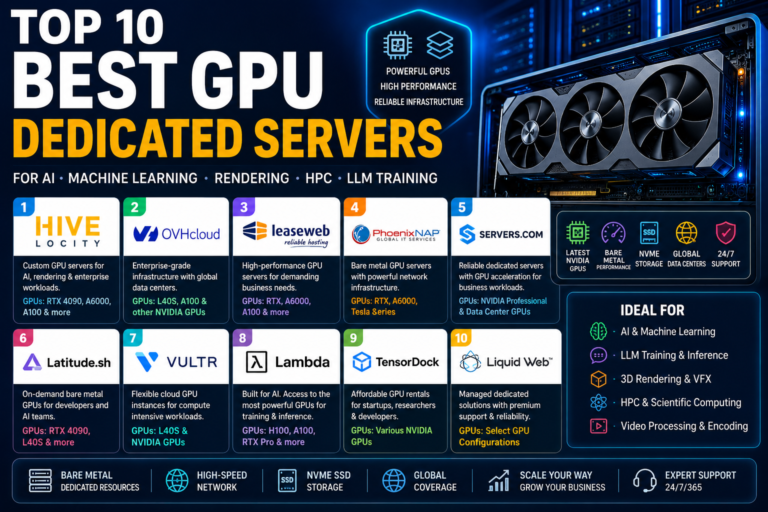
- Specialized GPU cloud providers are worth strong consideration as an alternative to any purchase entirely, letting you test a specific card’s real performance on your actual workload before committing capital, our GPU dedicated server guide and GPU cloud provider guide both cover verified, real-pricing options.
- Established web hosting brands have expanded into GPU infrastructure too, worth checking first if you already have an existing account or billing relationship with one of them. Vultr, PhoenixNAP, E2E Networks, Hivelocity, and Latitude.sh all now offer GPU-equipped dedicated servers or on-demand GPU cloud instances alongside their traditional hosting lineups, see our GPU dedicated server guide and GPU cloud provider guide for verified pricing and specs on each.
- Be cautious of marketplace listings for enterprise cards at unusually low prices, this segment sees a disproportionate share of misrepresented or non-functional units relative to consumer GPU marketplaces, buy from established resellers with real return policies for anything above a few thousand dollars.
Common Mistakes When Choosing a Best GPU for AI and Machine Learning
- Buying for compute speed and ignoring VRAM, then discovering the target model simply won’t load, no amount of raw throughput matters if the job can’t start.
- Assuming enterprise cards are always the right answer for a workload a well-chosen consumer card would handle at a fraction of the cost, most local experimentation and small-scale fine-tuning doesn’t need an H100.
- Ignoring quantization entirely and assuming full FP16 precision is required, when an 8-bit or even 4-bit quantized model would perform nearly as well for the actual use case at a quarter of the memory footprint.
- Underestimating fine-tuning’s memory overhead versus inference on the same model, then being surprised when a card that comfortably runs inference chokes during training.
- Choosing AMD or Intel purely for the spec sheet without accounting for the real engineering time needed to work around a thinner software ecosystem, a genuine cost that doesn’t show up on a price comparison.
- Never checking real-time VRAM usage with
nvidia-smior equivalent, and instead guessing at requirements from spec sheets alone.
Frequently Asked Questions
What is the single best GPU for AI and machine learning in 2026?
There is no single best GPU, it depends entirely on your workload. For local, individual use, the NVIDIA RTX 5090 (32GB) is the strongest consumer option. For enterprise inference at scale, the NVIDIA H200 (141GB HBM3e) is purpose-built for serving large models. For the largest training runs, the NVIDIA B200 is the current ceiling. Match the card to your actual task rather than assuming one GPU wins every category.
How much VRAM do I need to run a 7B parameter model?
Roughly 14 GB at full FP16 precision, about 7 GB at 8-bit quantization, and around 4 GB at 4-bit quantization. This means a 7B model comfortably fits on almost any modern GPU with 16GB or more, including budget cards like the RTX 5070 Ti, once quantized appropriately.
Is the RTX 4090 still good for AI in 2026, or should I wait for something newer?
The RTX 4090 remains genuinely excellent for AI work in 2026, its 24GB of VRAM comfortably handles most local fine-tuning and inference tasks short of the very largest models. With the RTX 5090 now available, 4090 pricing has softened, making it an even stronger value pick for anyone who doesn’t specifically need the 5090’s extra 8GB of VRAM and Blackwell-generation Tensor Core improvements.
Do I need an NVIDIA GPU, or can AMD or Intel work for AI?
NVIDIA remains the safest default due to CUDA’s mature software ecosystem, but AMD’s Instinct MI300X is a genuinely credible alternative, particularly for memory-heavy inference, since PyTorch and vLLM both support ROCm natively now. Intel’s Gaudi 3 is competitive on raw specs but has a noticeably thinner ecosystem, better suited to teams with in-house ML engineering capacity willing to do more manual optimization work.
Should I buy a GPU or rent cloud GPU compute instead?
It depends primarily on expected utilization, not the sticker price. If you expect to use the GPU above roughly 50-60% of the time over a 12-month period, buying typically works out cheaper than renting. For spiky, short-term, or unpredictable workloads, like a single training run or a proof-of-concept phase, cloud rental avoids both the upfront cost and the depreciation risk of hardware you might not need in six months.
What GPU do I need to run a 70B parameter LLM?
At full FP16 precision, a 70B model needs approximately 140GB of VRAM, realistically requiring a single NVIDIA H200 or a multi-GPU setup. At 4-bit quantization, that drops to roughly 35GB, which becomes achievable on a single high-end workstation card like the RTX PRO 6000 Blackwell (96GB) or a dual consumer-GPU setup splitting the model across two RTX 4090s or 5090s.
Is Apple Silicon (M3 Ultra, M4 Max) actually usable for serious machine learning?
Yes, with an important caveat: there’s no CUDA support, so you’re relying on Apple’s MLX framework or Metal-backed tools like llama.cpp rather than the broader CUDA-first ecosystem. Where Apple Silicon genuinely excels is unified memory capacity, up to 512GB on a Mac Studio M3 Ultra, which can load very large quantized models that would otherwise require multiple discrete GPUs, at a fraction of the power draw and noise.
What’s the difference between training and inference GPU requirements?
Training requires substantially more memory than inference on the same model, because gradients, optimizer states, and activation memory all stack on top of the base model weights, typically 3-4x the inference footprint for full fine-tuning. Parameter-efficient methods like LoRA and QLoRA reduce this gap significantly, allowing fine-tuning within roughly the same VRAM budget the inference figures suggest.
Why is enterprise GPU pricing so hard to find?
Cards like the H100, H200, and B200 are frequently sold through OEM system integrators, bundled into full server or DGX-style systems, or negotiated directly with NVIDIA sales rather than listed with a fixed public price. This means published figures for these cards are typically industry-reported estimates rather than official list prices, and actual cost can vary meaningfully based on volume, bundling, and reseller.
What is the best budget GPU for AI under $500?
Realistically, look at previous-generation cards with at least 12-16GB of VRAM, such as a used RTX 4070 Ti Super or a new RTX 4060 Ti 16GB, rather than a brand-new flagship. VRAM capacity matters more than raw speed at this budget, a 16GB card running quantized 7B-13B models will serve you better for AI work than a faster card with less memory. Below roughly $400-500, prioritize memory capacity over every other spec on the sheet.
Can I use a gaming laptop GPU for AI and machine learning?
Yes, with real limitations. Laptop versions of RTX GPUs (denoted with a lower power draw than their desktop counterparts) typically run at reduced clock speeds and, in many cases, carry less VRAM than the desktop version of the same model name, a laptop RTX 4090 is not the same card as a desktop RTX 4090. A laptop with 16GB or more of VRAM handles quantized 7B-13B model inference and light fine-tuning reasonably well, but sustained heavy training workloads will run meaningfully slower and hotter than an equivalent desktop build.
Final Verdict
If you take one thing away from this guide, make it this: VRAM decides whether a model runs at all, and everything else on the spec sheet only decides how well it runs once it fits. Buy for the model sizes you’ll actually work with, not the biggest number on a chart, and quantize before you assume you need more hardware.
For local, individual work, the RTX 5090 is the strongest all-round pick available today, with the RTX 4090 as the smarter value buy and the RTX 5070 Ti as the honest budget entry point. For enterprise inference at real scale, the H200 is purpose-built for exactly that job, with the H100 and A100 remaining perfectly sound choices for anything short of the largest models. And if CUDA’s ecosystem lock-in bothers you on principle, AMD’s MI300X is the one genuine alternative worth a real benchmark rather than a dismissal. Whatever you choose, run the VRAM math for your actual target model before you buy, that single step prevents almost every expensive GPU mistake covered in this guide.
Tell Google you want more of this.
Add DigitalPrahlad as a preferred sourceOne tap, and this site shows up more often in your own Google Top Stories, AI Overviews, and AI Mode results. You can remove this preference anytime you'd like.
Affiliate Disclaimer: This website is reader-supported. Some links are affiliate links, meaning I may earn a small commission at no extra cost to you. I only recommend products and tools I genuinely trust and use myself. Your support keeps DigitalPrahlad free and practical.