Search best free web hosting and you’ll hit a wall almost immediately: half the results still recommend 000webhost, which shut down for good in October 2024, and the other half only cover one type of free hosting while ignoring an entirely different category that also answers the same search. Nobody tells you upfront that free web hosting actually means three genuinely different things depending on what you’re building.
If you want to run WordPress, you need traditional PHP and MySQL hosting, not a static-site platform. If you’re deploying a React or Next.js app, a static/JAMstack platform like Vercel or Netlify is the right tool, and a PHP host can’t run it at all. If you just want a blog with zero setup, a managed platform like WordPress.com is the answer, and it works nothing like either of the other two. Most best-free-hosting lists pick one category and quietly pretend the other two don’t exist. And once you outgrow any of these free tiers, our guide to the best cloud hosting providers in USA covers where to go next.
This guide covers all three, with real 2026 limits for each, not marketing copy.
What Is Free Web Hosting?
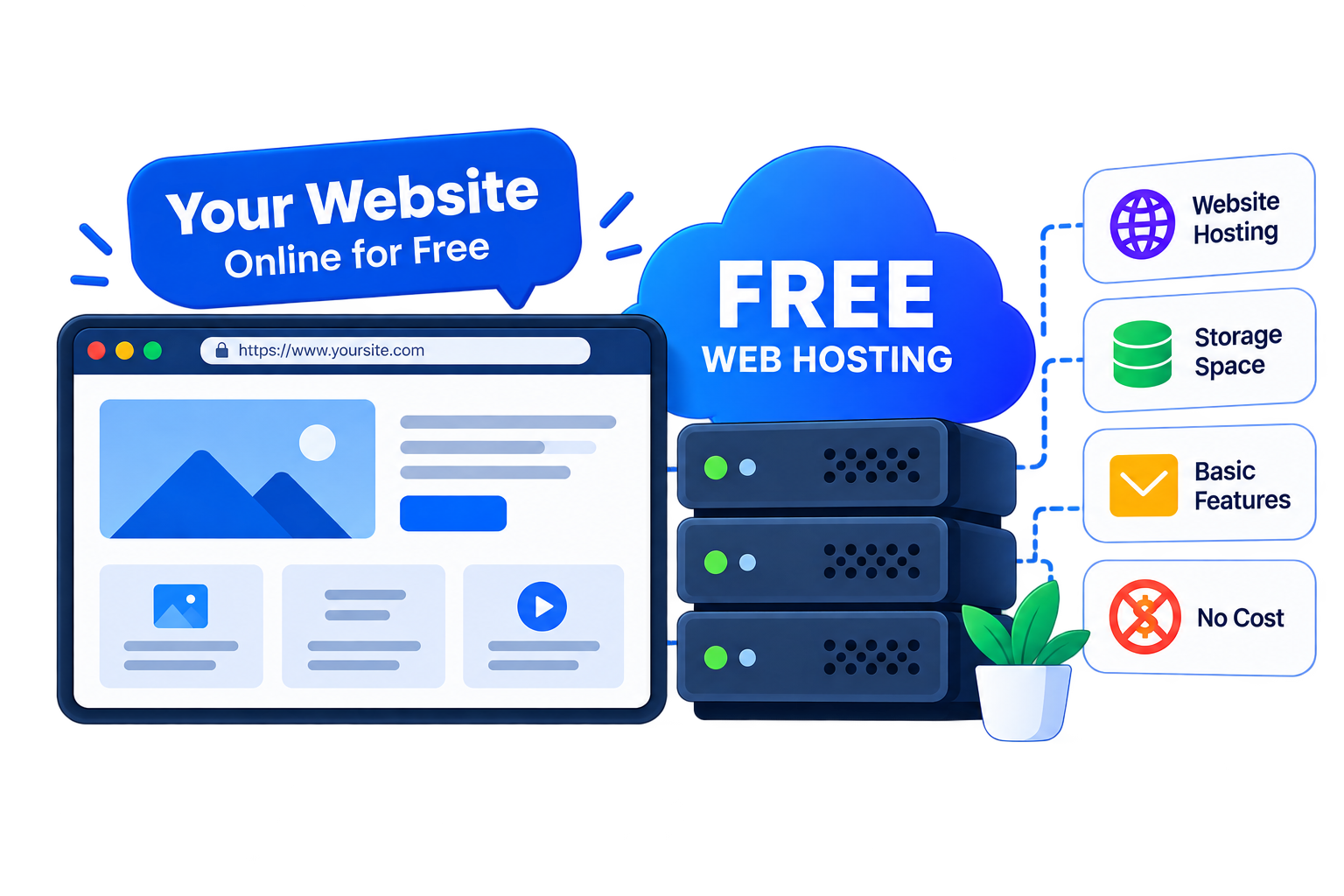
Free web hosting is a hosting plan that lets you publish a website online at no cost, typically funded by pushing you toward a paid upgrade rather than by ads on your site or selling your data, on the providers worth actually using.
What that free plan actually includes varies enormously depending on which of three categories it falls into: traditional shared PHP/MySQL hosting (can run WordPress), static-site/JAMstack platforms (can’t run WordPress, but deploy modern JavaScript apps instantly), or a fully managed blog platform (no file access at all, everything handled for you). Confusing these three is the single most common mistake buyers make, and exactly where most other guides on this topic fall short.
The 3 Types of Free Web Hosting (And Why Mixing Them Up Costs You)
| Type | What It Runs | Examples | Good For |
|---|---|---|---|
| Traditional shared hosting (LAMP stack) | PHP, MySQL, real file/FTP access | GoogieHost, InfinityFree, AwardSpace, AeonFree, ByetHost | WordPress, Joomla, or any custom PHP/MySQL app you code yourself |
| Static-site / JAMstack platforms | Pre-built HTML/CSS/JS, no PHP or database | GitHub Pages, Netlify, Vercel, Firebase Hosting | React, Next.js, portfolios, documentation sites |
| Managed blog/CMS platform | Nothing, it’s fully abstracted, no file or DB access | WordPress.com | A blog with zero technical setup |
Trying to run WordPress on Vercel, or expecting InfinityFree to deploy a Next.js app, isn’t a minor mismatch, it simply won’t work, because the underlying technology is fundamentally different, not just a different pricing tier of the same thing.
10 Best Free Web Hosting Providers in 2026
🔑 Key Takeaway
- GoogieHost: Custom domain support, unmetered bandwidth, free since 2012, best overall for WordPress
- InfinityFree: 5GB storage, 400 MySQL databases, no inactivity ads
- AwardSpace: One of the oldest free hosts, 1GB storage, hard 5GB bandwidth cap
- GitHub Pages: Free static hosting for any GitHub repo, custom domain + HTTPS included
- Netlify: JAMstack deploys with CI/CD, moved to a credit-based free tier in Sept 2025
- Vercel: Best for Next.js apps, Hobby plan is personal-use only by its own terms
- Firebase Hosting: Google-backed CDN hosting, 10GB/month free data transfer
- WordPress.com: Zero-setup blog hosting, subdomain only, ads shown on free tier
- AeonFree: Same iFastNet network as InfinityFree, PHP 7.4, 400 databases
- ByetHost: Unlimited databases, but only 1 FTP account and a 10MB file-upload cap
Traditional Free Web Hosting (PHP/MySQL, Runs WordPress or Any Custom App)
These five run real PHP and MySQL, the only category on this list that can actually host WordPress, Joomla, or any traditional CMS, and just as easily run a custom PHP application you build yourself, since none of them lock you into WordPress specifically.
1. GoogieHost — Best Overall Free Web Hosting

Pros
- Custom domain support free, rare among this category
- No forced ads and a real control panel, not a stripped interface
Cons
- Only 1 database on the free tier
- Some third-party reviews cite different limits than the vendor's own page, worth confirming directly
Summary
GoogieHost is the strongest free WordPress host here, offering genuine custom-domain support, NVMe storage, and zero forced ads, though it’s limited to a single MySQL database on the free tier.
Price: USD 0.00 Free plan
Visit GoogieHostGoogieHost has run a genuinely free hosting tier since 2012, now hosting over 2.7 million websites, with a DirectAdmin control panel, PHP 8.3, MySQL, NVMe SSD storage, and no forced ads, features several paid hosts still charge for. Its own site publishes 98.95% uptime over the past 12 months.
The free plan supports connecting your own custom domain in addition to a free subdomain, includes free SSL, a business webmail account, and FTP access, and its own marketing states unmetered bandwidth with no activity-deletion policy. One thing worth flagging directly: some third-party review sites cite different numbers (100GB bandwidth, unlimited databases) than what GoogieHost’s own current page states (unmetered bandwidth, 1 database), likely reflecting an older tier or outdated review, so this guide uses the figures published on GoogieHost’s own site.
Headquartered in Lucknow, India, GoogieHost also sells VPS and dedicated hosting for buyers who eventually outgrow the free tier.
| Best Feature | Genuine custom-domain support on the free tier, not just a subdomain, unusual among free hosts. |
| Storage | 1000MB (1GB) NVMe SSD |
| Bandwidth | Unmetered (per GoogieHost’s own site) |
| Databases | 1 MySQL database |
| Custom Domain | Yes, supported free |
Key Features
- Custom Domain Support: Connect your own domain to the free plan at no extra charge, something most competitors on this list restrict entirely to a subdomain-only setup for free users.
- DirectAdmin Control Panel: Manage your site through a genuinely full-featured DirectAdmin dashboard with over 100 tools, not a stripped-down interface built to push you toward upgrading later.
- LiteSpeed Web Server: Pages load noticeably faster than on standard Apache-based free hosts, since LiteSpeed handles PHP requests and caching more efficiently under shared-server load conditions.
- 400+ One-Click Apps: Install WordPress, Joomla, PrestaShop, or dozens of other platforms instantly through the built-in Softaculous installer, no manual database setup required from your side at all.
- Free Business Email: Get a real @yourdomain.com mailbox included with your hosting account, rather than being forced to pay separately or rely on a limited free webmail provider instead.
- Zero Forced Ads: Your website stays entirely your own, with no GoogieHost branding, banners, or injected advertising anywhere on your pages, unlike several other budget free hosts.
- NVMe SSD Storage: Files and databases sit on fast NVMe storage rather than older spinning disks or standard SATA SSD drives, which noticeably helps page load times on the free tier.
Pricing
- Free plan: $0/month, 1GB storage, unmetered bandwidth, 1 database, custom domain supported.
- Lifetime Hosting (Start): One-time payment of $25, no renewals ever, 3 websites, 10GB NVMe SSD, unmetered bandwidth, 3 email accounts, 3 MySQL databases, 1 FTP account, free SSL, Softaculous, LiteSpeed Cache, 99.95% uptime.
- Lifetime Hosting (Grow): One-time payment of $50, 10 websites, 50GB NVMe SSD, unmetered bandwidth, 5 email accounts, 5 MySQL databases, 2 FTP accounts, same no-renewal model.
- Lifetime Hosting (Enterprise): One-time payment of $100, unlimited websites, 100GB NVMe SSD, unmetered bandwidth, 10 email accounts, 10 MySQL databases, same no-renewal model.
- Paid shared hosting: Starts around $2.50/month for higher storage, more databases, and priority support.
At a Glance
- Storage: 1GB NVMe SSD
- Best for: WordPress users who specifically want their own custom domain on a free plan.
2. InfinityFree — Best for Generous Database Limits

Pros
- Most generous database allowance of any host covered here
- Genuinely unmetered bandwidth, not a marketing overstatement
Cons
- Support is community-forum only, no direct ticket system
- Documented inactivity suspensions after 20-60 days of low traffic
Summary
InfinityFree offers the most generous database allowance of any free PHP host tested, up to 400 MySQL databases, though support is community-forum only and inactive sites risk suspension.
Price: USD 0.00 Free plan
Visit InfinityFreeInfinityFree has offered free PHP and MySQL hosting since 2016 (its parent, iFastNet, dates to 2005), now hosting over 500,000 websites with 99.9% published uptime. It markets disk space and bandwidth as unlimited, but the real, practical figure is 5GB of storage per account, with unlimited bandwidth genuinely unmetered rather than a marketing overstatement.
Where InfinityFree stands out is database allowance: up to 400 MySQL databases per account, each capped at 50MB, which is more databases than almost any other free host on this list offers, useful if you’re running several small sites rather than one large one. Support is community-forum based rather than direct ticketing, and accounts inactive for roughly 20-60 days risk suspension, documented repeatedly in InfinityFree’s own user forum.
Headquartered in Newcastle upon Tyne, UK (via parent company iFastNet), InfinityFree also sells NVMe-based premium hosting starting around $29.99/year for buyers who outgrow the free tier’s limits.
| Best Feature | Up to 400 MySQL databases per account, the most generous database allowance of any host on this list. |
| Storage | 5GB per account |
| Bandwidth | Unlimited (genuinely unmetered) |
| Daily Hit Limit | 50,000 hits/day (fair-use ceiling) |
| Custom Domain | Yes, or choose from 25+ free subdomain extensions |
Key Features
- 400 MySQL Databases: Create up to 400 separate MySQL databases on a single account, far beyond what almost any other free host on this list allows for running multiple projects at once.
- Genuinely Unmetered Bandwidth: There’s no hidden monthly data cap here, just a 50,000-hits-per-day fair-use ceiling, which is generous enough for most personal and small-business websites.
- PHP 8.3 and MariaDB 11.4: Runs current, actively supported software versions rather than an outdated stack some budget free hosts still leave running for years without ever updating it.
- 500,000+ Websites Hosted: Backed by a genuinely large, established user base and over a decade of operation, not a brand-new free hosting brand with no real track record behind it yet.
- Bring Your Own Domain: Connect a domain you already own, or pick from more than 25 free subdomain extensions instantly if you’d rather not buy one before testing your site idea first.
- Full .htaccess Support: Get real Apache-style configuration control over redirects, caching, and access rules, not a locked-down simplified environment some free hosts impose on you.
- No Credit Card Required: Sign up and have your site live within minutes without ever entering payment details, unlike some competing free tiers that quietly require a card on file.
Pricing
- Free plan: $0/month, 5GB storage, unmetered bandwidth, 400 databases, no credit card.
- Premium (via iFastNet): From around $29.99/year for NVMe-based cPanel hosting.
At a Glance
- Storage: 5GB
- Best for: Buyers running several small PHP/MySQL sites who need many databases on one account.
3. AwardSpace — Oldest Name in Free Hosting

Pros
- Two-decades-plus operating history, a genuine sign of stability
- Familiar cPanel-style interface
Cons
- 5GB bandwidth cap is a hard limit, not marketed generously
- Free plan's permanence is genuinely unclear from AwardSpace's own materials
Summary
AwardSpace brings over two decades of operating history to free hosting, but a hard 5GB bandwidth cap and unclear long-term free-plan status make it better suited to small test sites.
Price: USD 0.00 Free plan
Visit AwardSpaceAwardSpace has been offering free hosting since 2003, making it one of the longest-running names in this entire category, with a real cPanel-style environment, one-click WordPress installer, and a stated 99.9% network uptime.
Its free tier is noticeably tighter than InfinityFree or GoogieHost: 1GB of storage, a hard 5GB monthly bandwidth cap (not unlimited), one domain plus up to three subdomains, and a single MySQL database. Worth flagging honestly: AwardSpace’s own public materials are genuinely inconsistent about whether the free plan is a permanent offering or a one-year promotional tier, this guide couldn’t resolve that ambiguity from AwardSpace’s own pages, so confirm directly before relying on it long-term.
Company headquarters are cited inconsistently across sources too (Germany in some, Bulgaria in others), likely a sales-office-versus-datacenter split rather than a real discrepancy.
| Best Feature | One of the longest operating track records of any free host, running since 2003. |
| Storage | 1GB |
| Bandwidth | 5GB/month (hard cap) |
| Databases | 1 MySQL database |
| Free Plan Status | Ambiguous, possibly promotional rather than permanent, confirm directly |
Key Features
- 22+ Years in Business: Founded in 2003, AwardSpace is one of the longest continuously operating free hosting brands still available today, well ahead of most newer competitors on this list.
- Real cPanel-Style Panel: Manage your account through a familiar control panel interface rather than a stripped-down custom dashboard, making it easier if you’ve used shared hosting before elsewhere.
- One-Click WordPress Install: Get a working WordPress site running in a few minutes without manually creating a database or editing configuration files by hand through FTP yourself.
- No Forced Ads: Unlike some budget-tier free hosts, AwardSpace doesn’t insert its own advertising or branding into your site to help subsidize the free plan’s hosting costs.
- Up to 3 Subdomains: Beyond your one primary domain or subdomain, you can create up to three additional subdomains, useful for staging environments or separate sections of your site.
- Free SSL Included: Your site gets a free SSL certificate included by default, so visitors see the secure padlock without you needing to purchase or configure HTTPS separately.
- 1GB Storage Allowance: Enough space for a typical brochure site, blog, or small WordPress install without a heavy media library, though larger sites will eventually need to upgrade.
Pricing
- Free plan: $0/month, 1GB storage, 5GB bandwidth, 1 database.
- Paid shared hosting: Introductory pricing as low as $0.25-$2.99/month.
At a Glance
- Storage: 1GB
- Best for: A small test site where 5GB of bandwidth genuinely covers expected traffic.
4. AeonFree — Same Network as InfinityFree, Thinner Support

Pros
- Free CDN included, a genuine performance and security bonus
- Same generous 400-database allowance as InfinityFree
Cons
- Thin independent review coverage compared to sibling InfinityFree
- No live chat, ticket-based support only
Summary
AeonFree shares InfinityFree’s generous database limits and adds a free Cloudflare CDN, but thinner support coverage and no live chat make it the second choice between the two.
Price: USD 0.00 Free plan
Visit AeonFreeAeonFree runs on the same iFastNet infrastructure as InfinityFree, and shares a nearly identical practical footprint: marketed as unlimited disk space and bandwidth, but a real-world ceiling of roughly 5GB storage and the same 50,000-hits-per-day fair-use limit. PHP 7.4 and up to 400 MySQL databases are included, along with a free Cloudflare CDN layer.
The meaningful difference from its sibling InfinityFree is support depth: AeonFree has a noticeably thinner public review footprint and no live chat, relying on ticket-based support only. If you want essentially the same infrastructure with a more established community and documentation, InfinityFree is the safer pick between the two.
Like InfinityFree, AeonFree’s paid upgrade path runs through parent company iFastNet’s premium hosting tiers.
| Best Feature | Free Cloudflare CDN included alongside standard PHP/MySQL hosting. |
| Storage | ~5GB (practical limit despite unlimited marketing) |
| Databases | Up to 400 MySQL 5.7 databases |
| PHP Version | PHP 7.4 |
| Support | Ticket-based only, no live chat |
Key Features
- Free Cloudflare CDN: Your site is served through Cloudflare’s global network by default, which speeds up page loads worldwide and adds a basic layer of DDoS mitigation at no extra cost.
- 400 MySQL Databases: Matches InfinityFree’s generous database allowance under the same parent iFastNet infrastructure, useful if you’re running several smaller sites at the same time.
- Free SSL and DNS: Both HTTPS encryption and DNS management are included as standard, so you’re not left configuring a separate SSL provider or third-party DNS service on your own.
- No Forced Ads: Your website remains completely ad-free, consistent with the rest of the iFastNet-powered free hosts covered on this list, unlike several budget competitors.
- Bring Your Own Domain: Connect a domain you’ve already registered elsewhere at no additional charge, rather than being permanently locked into a branded free subdomain address.
- ~5GB Practical Storage: Despite unlimited marketing language, the real-world usable storage sits around 5GB, still enough for most blogs and small business sites to run comfortably.
- PHP 7.4 Runtime: Runs on PHP 7.4, an older but still functional version, worth checking against your application’s requirements if it depends on newer PHP 8.x language features.
Pricing
- Free plan: $0/month, ~5GB storage, 400 databases, no credit card.
- Paid upgrade: Via iFastNet Premium Hosting, similar to InfinityFree’s paid tier.
At a Glance
- Storage: ~5GB
- Best for: Buyers who want InfinityFree’s infrastructure with a built-in CDN layer.
5. ByetHost — Unlimited Databases, Tight File Restrictions

Pros
- Unlimited databases and current PHP 8.3 support
- Clear, published paid-tier pricing beyond the free plan
Cons
- Only 1 FTP account and a restrictive 10MB max file upload
- Notably lower community rating (3.2/10 on WHTop) than sibling InfinityFree
Summary
ByetHost offers unlimited databases and current PHP 8.3 support, but a single FTP account, a 10MB upload cap, and low independent ratings hold it back from a higher overall score.
Price: USD 0.00 Free plan
Visit ByetHostByetHost is a third sibling in the iFastNet family alongside InfinityFree and AeonFree, offering 5GB of NVMe storage, PHP 8.3, and unlimited MySQL/MariaDB databases, the most generous database policy of the three related brands, plus over 400 Softaculous one-click apps.
The real tradeoff shows up in restrictions competitor articles often skip: just one FTP account, only five email addresses, and a 10MB maximum single-file upload, tight enough to complicate uploading larger media or plugin files. ByetHost’s own marketing states no expiration on the free plan, though as part of a shared iFastNet-wide policy that InfinityFree and AeonFree do enforce inactivity suspensions under, that claim is worth treating with some caution rather than assuming it’s absolute.
Independent community ratings on WHTop run notably lower for ByetHost (3.2/10) than InfinityFree’s generally positive Trustpilot standing, despite sharing the same underlying infrastructure, worth factoring in even though the technical specs look similar on paper.
| Best Feature | Unlimited MySQL/MariaDB databases, more generous than sibling brands InfinityFree and AeonFree. |
| Storage | 5GB NVMe |
| Databases | Unlimited |
| FTP Accounts | Only 1 |
| Max File Upload | 10MB |
Key Features
- Unlimited Databases: No cap on the number of MySQL or MariaDB databases you can create, more generous than either sibling brand, InfinityFree or AeonFree, covered on this exact list.
- NVMe Storage: Files and databases run on faster NVMe disks rather than the standard SSD storage some competitors still rely on, which helps overall site responsiveness noticeably.
- PHP 8.3 Support: Runs a current PHP version, ahead of sibling brand AeonFree’s older PHP 7.4 setup on that very same underlying iFastNet parent network infrastructure.
- 400+ One-Click Apps: The same Softaculous app library available across the entire iFastNet family of free hosts, covering WordPress and dozens of other popular platforms instantly.
- No Credit Card Required: Create an account and publish your site without ever entering payment information anywhere, a genuine no-catch signup process from start to finish.
- 5GB Storage: A reasonable ceiling for most small sites, blogs, or simple WordPress installs without a large media library eating through the free storage allowance quickly.
- Clear Paid Upgrade Path: Published Super Premium and Ultimate tier pricing gives you a transparent, predictable next step once your site genuinely outgrows the free plan’s limits.
Pricing
- Free plan: $0/month, 5GB NVMe storage, unlimited databases, 1 FTP account.
- Super Premium: Around $4.99-$5.99/month, unlimited storage, 250GB bandwidth.
- Ultimate: Around $7.99-$8.99/month, unlimited storage and bandwidth.
At a Glance
- Storage: 5GB NVMe
- Best for: Sites needing many databases, as long as the 10MB file-upload cap isn’t a blocker.
Static Free Site Hosting & JAMstack Platforms (Can’t Run WordPress)
These four host pre-built HTML/CSS/JS and modern JavaScript frameworks, no PHP interpreter, no relational database, a fundamentally different technology from the five hosts above.
6. GitHub Pages — Free Static Hosting for Any Repo

Pros
- Genuinely free forever for public repos, backed by Microsoft's infrastructure
- Custom domain and HTTPS included at no cost
Cons
- No PHP or database, can't run WordPress or any dynamic CMS
- Terms explicitly restrict active commercial/e-commerce use
Summary
GitHub Pages is the simplest way to publish a static site for free, with custom domains and HTTPS included, though it can’t run WordPress and restricts active commercial use.
Price: USD 0.00 Free plan
Visit GitHub PagesGitHub Pages turns any GitHub repository into a free, live website, with custom domain support and automatic HTTPS included on every plan, even free public repos. It’s built into GitHub itself (owned by Microsoft since 2018), so if your project already lives in a GitHub repo, publishing it costs nothing extra.
Published soft limits include roughly 100GB of bandwidth per month, a 1GB recommended site size, and 10 builds per hour (this last limit doesn’t apply if you deploy via a custom GitHub Actions workflow instead of the default build process). One restriction genuinely worth knowing before you rely on it: GitHub’s own terms explicitly state Pages isn’t intended for hosting an active commercial business or e-commerce operation, donation and crowdfunding links are fine, but running a storefront is not.
There’s no inode, database, or hit-count restriction to worry about here, since there’s no server-side execution at all, just files served from GitHub’s CDN.
| Best Feature | Zero-friction deployment directly from a GitHub repo you likely already have, with free custom domain and HTTPS. |
| Bandwidth | ~100GB/month (soft limit) |
| Site Size | ~1GB recommended |
| Database | None, static files only |
| Commercial Use | Restricted by GitHub’s own terms |
Key Features
- Direct Repo Deployment: Publish straight from a GitHub repository you’re likely already using for version control, with no separate hosting account or dashboard to set up at all.
- Free Custom Domain and HTTPS: Connect your own domain with automatic SSL certificate issuance and renewal included, no separate certificate purchase or manual configuration ever needed.
- Unlimited Number of Sites: One Pages site per repository, and there’s no cap on how many repositories you can create, so you can host as many separate static projects as you’d like.
- Built-In Jekyll Support: Generate a full static site directly from Markdown content without setting up a separate build pipeline, if you choose to use GitHub’s built-in Jekyll engine instead.
- No Server-Side Limits: No database size cap and no daily hit-count ceiling to worry about, since everything served is pre-built static files rather than dynamically generated pages.
- Backed by Microsoft: Runs on GitHub’s infrastructure, owned by Microsoft since 2018, giving it a level of platform stability that smaller independent free hosts can’t really match.
- Version-Controlled Publishing: Every deploy is tied directly to a Git commit, so you get a full history of every change made to your live site without installing any extra plugin at all.
Pricing
- Free plan: $0/month for public repos, included with any free GitHub account.
- GitHub paid plans: Team/Enterprise pricing is for collaboration seats, not larger Pages quotas specifically.
At a Glance
- Bandwidth: ~100GB/month
- Best for: Portfolios, documentation sites, and static project pages already living in a GitHub repo.
7. Netlify — Best CI/CD for JAMstack Deploys

Pros
- Genuine CI/CD pipeline built in, not a manual upload process
- Free custom domain and SSL included
Cons
- New credit system (Sept 2025+) is meaningfully more restrictive than the old flat limits
- Deploys can fail unexpectedly once monthly credits are exhausted
Summary
Netlify’s automatic Git-based deploys make JAMstack hosting effortless, though its September 2025 shift to a credit-based free tier meaningfully tightened the effective free bandwidth.
Price: USD 0.00 Free plan
Visit NetlifyNetlify has been a leading JAMstack deployment platform since 2014, connecting directly to a Git repository so every push automatically triggers a live build and deploy, with custom domains and free SSL included.
Its free tier changed meaningfully on September 4, 2025: new accounts now run on a credit system, 300 credits per month, with bandwidth costing 20 credits per GB (roughly 15GB of effective free bandwidth) and each production deploy costing a flat 15 credits (around 20 deploys per month) before the site pauses until the next cycle. Accounts created before that date remain on the older, simpler limits of 100GB bandwidth and 300 build minutes per month. If you’re comparing Netlify against a competitor’s older review, check which system it’s describing, since the two are genuinely different.
No major security incidents were found in researching Netlify specifically, though some 2026 user reports describe deploys failing unexpectedly once monthly credits run out under the new system.
| Best Feature | Automatic Git-based CI/CD, every push to your repository triggers a live deploy with no manual step. |
| Free Tier Model | 300 credits/month (accounts from Sept 2025+); 100GB bandwidth + 300 build minutes (older accounts) |
| Effective Bandwidth | ~15GB/month under the new credit system |
| Custom Domain | Yes, with free SSL |
Key Features
- Automatic Git-Based Deploys: Push to your connected repository and Netlify automatically builds and publishes the update live, with no manual upload step required on your part at all.
- Serverless Functions Included: Run backend logic without managing a separate server yourself, drawing from your monthly free credit allowance rather than needing extra infrastructure elsewhere.
- Free Custom Domain and SSL: Connect your own domain name with automatic HTTPS certificate issuance included, at no additional cost beyond registering the domain name itself somewhere.
- Multi-Provider Git Integration: Sign up and deploy directly from GitHub, GitLab, or Bitbucket, whichever Git provider you already use, without needing to migrate your existing workflow at all.
- No Credit Card for Free Tier: Start deploying immediately without providing any payment information upfront, whether you’re on the newer credit system or an older legacy free account.
- Deploy Previews on Pull Requests: Every pull request automatically gets its own live preview URL, letting you review changes visually before merging them into your production branch.
- Established Since 2014: One of the longest-running names in JAMstack deployment specifically, with over a decade of production use behind its build and hosting infrastructure now.
Pricing
- Free plan: $0/month, 300 credits (new accounts) or 100GB bandwidth + 300 build minutes (legacy accounts).
- Personal: $9/month, 1,000 credits included.
- Pro/Enterprise: Starting at 3,000 credits per month on Pro, scaling to custom Enterprise pricing.
At a Glance
- Bandwidth: ~15GB/month effective (new accounts)
- Best for: Static or JAMstack sites that benefit from automatic Git-based deployment.
8. Vercel — Best for Next.js Apps, Personal Use Only

Pros
- Best possible Next.js deployment experience available anywhere
- Generous 100GB bandwidth as a hard, predictable cap
Cons
- Free Hobby tier explicitly bars commercial use per Vercel's own terms
- A documented April 2026 security incident is worth being aware of
Summary
Vercel remains the best free host for Next.js apps thanks to first-party framework support, but its Hobby plan explicitly restricts free usage to personal, non-commercial projects only.
Price: USD 0.00 Free plan
Visit VercelVercel, founded in 2015 as ZEIT before rebranding in 2020, offers the tightest integration with Next.js of any platform on this list, unsurprising since Vercel created and maintains the Next.js framework itself. The free Hobby plan includes 100GB of Fast Data Transfer per month, 1,000,000 edge requests, 4 CPU-hours of active function compute, and free custom domain support, under Vercel’s current Fluid Compute pricing model.
The restriction most competitor articles skip entirely: Vercel’s Hobby plan is explicitly for personal, non-commercial projects under its own fair-use terms, using it to run an actual business site is a genuine terms-of-service violation, unlike a budget PHP host’s free tier which typically has no such restriction. Also worth knowing: Vercel disclosed a real security incident in April 2026, where a compromised employee AI tool was used to pivot into internal systems via Google Workspace, allowing enumeration of some non-sensitive-flagged environment variables; Vercel stated Next.js and other open-source projects were unaffected.
Bandwidth on the Hobby plan is a hard cap, once exceeded, your project pauses until the next billing cycle rather than incurring overage charges.
| Best Feature | Tightest possible integration with Next.js, since Vercel built and maintains the framework itself. |
| Bandwidth | 100GB/month (hard cap) |
| Function Compute | 4 Active CPU-hours + 360 GB-hours provisioned memory/month |
| Commercial Use | Not permitted on the free Hobby plan per Vercel’s own terms |
Key Features
- Best-in-Class Next.js Support: Vercel created and maintains the Next.js framework itself, so deployment, image optimization, and edge rendering are all tuned specifically for it by design.
- 100GB Free Bandwidth: A hard monthly cap rather than a soft throttle, generous enough for most personal projects and portfolio sites without triggering any unexpected usage charges.
- Serverless Functions Included: Run backend logic within 4 Active CPU-hours and 360 GB-hours of provisioned memory per month under Vercel’s Fluid Compute model, covering most small app or API needs.
- Git-Based Deploy Previews: Every pull request automatically generates its own live preview URL, so you and collaborators can review changes before they ever reach production servers.
- Free Custom Domain and SSL: Connect your own domain with automatic HTTPS certificate management handled entirely by Vercel, with no manual renewal steps required on your part ever.
- Edge Network Delivery: Static assets and server-rendered pages are served from a global edge network, keeping load times low for visitors regardless of their physical location.
- Personal Project Focus: The Hobby plan is specifically built and priced around personal, non-commercial use cases, keeping the free tier genuinely usable rather than crippled by limits.
Pricing
- Hobby (free): $0/month, personal/non-commercial use only, 100GB bandwidth.
- Pro: Around $20/user/month, required for commercial use plus usage-based add-ons.
At a Glance
- Bandwidth: 100GB/month
- Best for: Personal Next.js or React projects, not commercial deployments.
9. Firebase Hosting — Best Google-Backed Reliability

Pros
- Google-grade infrastructure reliability, no major incidents found
- Real database and auth integration beyond just static files
Cons
- Third-party sources disagree on exact storage figures, confirm directly with Google's own pricing page
- Credit card required to enable Blaze if you ever need more than Spark's quota
Summary
Firebase Hosting pairs Google-grade CDN reliability with real database and authentication integration, making it a strong pick for apps that need more than static file serving.
Price: USD 0.00 Free plan
Visit Google Firebase HostingFirebase Hosting, part of Google’s Firebase platform since Google’s 2014 acquisition, provides CDN-backed static hosting tightly integrated with Firebase’s other services: Firestore database, Authentication, and Cloud Functions, useful if you’re building an app rather than just a static site.
The free Spark plan includes 10GB of data transfer per month from Google’s CDN, with a 2GB maximum individual file size. Some third-party sources describe the storage allowance differently (citing 1GB stored versus the 10GB transfer figure Google’s own pricing page states), a genuine inconsistency worth flagging rather than picking one number to sound more precise than the source material actually is. When you exceed the free quota, there’s a short grace period before the site is disabled until the next month or you enable the pay-as-you-go Blaze plan.
Backed by Google’s infrastructure, no major Firebase Hosting-specific outage or security incident was found in researching this guide, a genuine reliability point in its favor.
| Best Feature | Backed directly by Google’s infrastructure, with tight integration into Firebase’s database and authentication services. |
| Data Transfer | 10GB/month (Google’s own published figure) |
| Max File Size | 2GB |
| Custom Domain | Yes, free |
Key Features
- Google Cloud Infrastructure: Backed by the same global network powering Google’s own products, giving it a reliability track record most independent free hosting brands simply can’t match.
- Firestore Database Integration: Pair static hosting with a real NoSQL database for dynamic app functionality, rather than being limited to serving only pre-built static files on their own.
- Built-In Authentication: Add user login and signup functionality to your app without building session handling and password security from scratch on your own separate infrastructure.
- Free Custom Domain: Connect your own domain to a Firebase-hosted project at no extra cost, with SSL provisioning handled automatically through Google’s own hosting infrastructure.
- No Credit Card for Spark Plan: The free Spark tier requires no payment information unless you deliberately choose to upgrade to the pay-as-you-go Blaze plan for higher usage limits.
- 10GB Monthly Data Transfer: Google’s own published free-tier limit, enough for a moderately trafficked static site or small app before you’d genuinely need to consider upgrading.
- Cloud Functions Compatibility: Extend your hosted site with serverless backend logic through Cloud Functions, all managed within the same Firebase project console you already use.
Pricing
- Spark (free): $0/month, 10GB data transfer, no credit card required.
- Blaze: Pay-as-you-go pricing once you exceed Spark’s free quota.
At a Glance
- Data Transfer: 10GB/month
- Best for: Apps needing a real backend database and authentication alongside static hosting.
Managed Free Hosting for Blog Platform (Zero Setup, Zero File Access)
The only entry in this category, WordPress.com hands over zero file or database access at all, trading full control for a setup that takes minutes instead of hours.
10. WordPress.com — Easiest Setup, Least Control

Pros
- Genuinely the easiest setup of any option on this list
- Automatic backups and security handled entirely for you
Cons
- Subdomain only on free tier, no custom domain without upgrading
- WordPress.com's own ads appear on your site with no free removal option
Summary
WordPress.com is the easiest way to start a blog with zero setup, but the free plan is subdomain-only and shows WordPress.com’s own ads with no option to remove them.
Price: USD 0.00 Free plan
Visit WordPress.comWordPress.com, run by Automattic (founded 2005 by Matt Mullenweg), is a fully managed blogging platform, not a hosting account you configure yourself. There’s no file manager, no FTP, no direct database access, everything is abstracted away, which makes it the simplest option here to start with and the least flexible once you want more control.
The free plan includes 1GB of storage but is subdomain-only (yourname.wordpress.com), a custom domain requires upgrading to a paid plan, and WordPress.com displays its own ads on your site with no way to remove them on the free tier. Worth knowing before you commit: Automattic has been in a very public, ongoing legal dispute with WP Engine since September 2024 (a separate company, not related to WordPress.com’s own hosting), which led to a court-issued preliminary injunction against Automattic in December 2024, and as recently as September 2026, reports indicate Automattic’s board pushed Mullenweg into a leave of absence. None of this affects whether WordPress.com’s hosting itself works, but it’s a legitimate reputational data point for a company this central to the WordPress ecosystem.
If ads on your free site and a subdomain-only URL are dealbreakers, the Personal paid plan (~$4/month billed annually) removes both and adds more storage.
| Best Feature | Zero technical setup required, genuinely the fastest way to get a blog live with no configuration. |
| Storage | 1GB |
| Custom Domain | Not available free, requires a paid plan |
| Ads on Free Tier | Yes, WordPress.com’s own ads, cannot be removed for free |
| File/Database Access | None, fully managed and abstracted |
Key Features
- Zero Technical Setup: No server, database, or file configuration required at any point, genuinely the fastest path to a live blog of any option covered in this entire guide.
- Built-In Spam Protection: Automattic’s own Akismet filtering is included by default here, not a separate plugin you need to install, configure, and keep updated yourself over time.
- Mobile App Publishing: Post, edit, and manage your site directly from official iOS and Android apps, useful if you want to update your blog without ever opening a laptop.
- Automatic Backups: Your content is backed up by the platform itself on an ongoing basis, removing the need for a separate backup plugin or manual export routine entirely.
- No Security Maintenance Needed: Automattic handles every platform-level security update behind the scenes, so you never have to manually apply a WordPress core update yourself at all.
- Established Blogging Network: Built on WordPress, the software powering a large share of the entire web, giving you access to themes and a support community other platforms simply lack.
- Simple Content Editor: Uses the same block-based editor as self-hosted WordPress, so skills you learn here transfer directly if you ever move to a paid or self-hosted plan later.
Pricing
- Free plan: $0/month, 1GB storage, subdomain only, ads shown on your site.
- Personal: ~$4/month (billed annually), custom domain, no ads, 6GB storage.
- Premium/Business/Commerce: Higher tiers scale storage and add plugin/e-commerce support.
At a Glance
- Storage: 1GB
- Best for: A personal blog where zero setup matters more than full control or a custom domain.
Whatever Happened to 000webhost?
If you’ve seen 000webhost recommended elsewhere, it’s outdated. Hostinger-owned 000webhost, active for 17 years, stopped accepting new signups on July 8, 2024, and fully shut down on October 14, 2024. The old 000webhost.com address now redirects to a Hostinger promotional page.
Multiple currently-ranking pages for this exact search still describe 000webhost as an available option, some going as far as ranking it in a comparison table with a caveat about reliability, without mentioning it can’t actually be signed up for anymore. If an article you’re reading elsewhere still lists it as an active choice, that’s a reliable sign the rest of the content hasn’t been updated either.
Free Subdomain vs. Your Own Domain: What Actually Changes
Every free plan on this list gives you a subdomain (yourname.provider.com) at no cost, but connecting your own domain, even on a free hosting plan, still means buying that domain name separately, typically $10-20/year, free hosting never includes a free domain except in rare bundled promotions.
- A subdomain carries no SEO authority of its own. Search engines generally treat it as tied to the parent platform, not as an independent site building its own ranking history.
- Moving off a subdomain later usually means starting over. Changing your URL structure to a real domain typically loses whatever rankings and backlinks the subdomain had accumulated.
- A custom domain looks more credible to visitors, independent of any SEO effect, purely a trust and branding difference.
- Not every host on this list allows a custom domain on the free tier. WordPress.com specifically restricts free accounts to a subdomain only, check this before assuming it’s universal.
| Factor | Free Subdomain | Your Own Custom Domain |
|---|---|---|
| Upfront cost | $0, included with the free plan | $10-20/year from a domain registrar, on top of the free hosting |
| SEO authority | Tied to the parent platform, doesn’t build independent ranking history | Builds its own ranking history and backlink profile over time |
| URL example | yourname.googiehost.com, yourname.wordpress.com | yourname.com, fully under your control |
| Visitor trust and branding | Reads as a free/hobby site to most visitors | Looks like a real, established business or brand |
| Switching later | Migrating to a custom domain usually resets accumulated rankings | No migration needed since you already own the address |
| Available on every host tested? | Yes, all 10 providers offer one | No, WordPress.com’s free tier restricts this to paid plans only |
| Email address option | Rarely supports a matching custom email | Enables a real @yourdomain.com email on hosts like GoogieHost |
Why Free Web Hosting Has Limits Free VPNs Don’t
Shared web hosting stacks dozens to hundreds of accounts on one physical server sharing the same CPU, RAM, and bandwidth pool, and providers cap usage at the process level to keep that shared box from collapsing under aggregate load. That’s not spare capacity being generously handed out, it’s deliberately rationed capacity funded by upgrade conversions.
This is why free web hosting carries a type of restriction free VPN plans generally don’t: a daily hit or request-count ceiling (InfinityFree, AeonFree, and ByetHost all share a 50,000-hits-per-day fair-use limit), and a per-database size cap (commonly 50MB) that can directly break a growing WordPress site once its content or orders table exceeds that ceiling, in a way a VPN’s bandwidth cap simply has no equivalent for.
Common Mistakes and Myths About Free Web Hosting
- Assuming unlimited storage or bandwidth means genuinely unlimited. Most free hosts marketing unlimited limits still enforce a real, practical fair-use ceiling, as shown throughout this guide.
- Expecting a static-site platform to run WordPress. GitHub Pages, Netlify, Vercel, and Firebase Hosting have no PHP interpreter, they cannot run WordPress or any PHP-based CMS at all.
- Assuming free hosting includes a free domain name. It almost never does, you’ll still pay a domain registrar separately even on a fully free hosting plan.
- Not backing up your own site. Free hosting plans typically don’t include backup services, and account suspension or server failure can mean permanent data loss.
- Building a commercial site on a platform whose terms prohibit it. Vercel’s free Hobby plan and GitHub Pages both restrict commercial use in their own terms of service, worth reading before you launch a storefront on either.
| Myth | Reality |
|---|---|
| Unlimited storage and bandwidth means no real limits | Most free hosts still enforce a practical fair-use ceiling, like InfinityFree’s 50,000-hits-per-day cap |
| Any free host can run WordPress | Only traditional PHP/MySQL hosts can; GitHub Pages, Netlify, Vercel, and Firebase Hosting have no PHP interpreter at all |
| Free hosting includes a free domain name | You almost always pay a domain registrar separately, even on a fully free hosting plan |
| Free hosting includes backups | Most free plans don’t back up your site; suspension or server failure can mean permanent data loss |
| You can run any type of site on any free platform | Vercel’s Hobby plan and GitHub Pages both restrict active commercial use in their own terms of service |
How to Choose the Right Free Web Hosting
- You want to run WordPress with your own domain: GoogieHost, the only traditional host here with free custom-domain support.
- You’re running several small PHP sites and need many databases: InfinityFree or AeonFree, both offering up to 400 databases.
- You’re deploying a Next.js or React app: Vercel for Next.js specifically, or Netlify for broader JAMstack framework support.
- You have a static portfolio or documentation site already in a GitHub repo: GitHub Pages, the simplest zero-extra-setup option.
- You want a blog live in minutes with zero technical setup: WordPress.com, accepting the subdomain and ad tradeoffs.
- You’re building an app that needs a real backend, not just static files: Firebase Hosting, for its Firestore and Authentication integration.
My Free Web Hosting Recommendations
If you just want a quick answer for your specific use case rather than reading every section above, here’s how I’d point you based on everything tested in this guide.
| Criteria | Best Free Hosting |
|---|---|
| Best Free Hosting Overall | GoogieHost |
| Best Free Hosting for Developers and Testing | GoogieHost, InfinityFree, ByetHost |
| Best Free Hosting for Security | AeonFree (built-in Cloudflare CDN) |
| Best Free Hosting for Static Sites and Portfolios | GitHub Pages |
| Best Free Hosting for Easiest Setup | WordPress.com |
| Best Free Hosting for Longest Track Record | AwardSpace (since 2003) |
| Best Free Hosting for Many Databases | InfinityFree, ByetHost (up to 400 / unlimited) |
| Best Free Hosting for Next.js or React Apps | Vercel |
| Best Free Hosting for Git-Based CI/CD Deploys | Netlify |
| Best Free Hosting for Apps Needing a Database | Firebase Hosting |
| Best Free Hosting for WordPress Websites | GoogieHost |
How We Evaluated These Free Web Hosting Providers
Every limit and feature in this guide was checked directly against each provider’s own current site or documentation, not copied from an older comparison list.
- Storage, bandwidth, and database limits were pulled from each provider’s own current pricing or features page, with any conflicting third-party figures noted explicitly rather than silently picked.
- The 000webhost shutdown was cross-checked against Hostinger’s own announcement and independent hosting-news coverage before being included as a fact.
- Company background and reputation points (the Automattic/WP Engine dispute, Vercel’s April 2026 security incident, WHTop’s ByetHost rating) came from independent, named sources, not the companies’ own marketing.
- Where a provider’s own materials were internally ambiguous or contradicted third-party sources, that ambiguity is stated directly in this guide rather than resolved by guessing.
- Advertised unlimited storage or bandwidth claims were checked against the real enforced ceiling underneath them, like InfinityFree and AeonFree’s 50,000-hits-per-day fair-use cap and AwardSpace’s hard 5GB bandwidth limit.
- Custom-domain support on the free tier was verified directly rather than assumed, since providers like WordPress.com reserve it for paid plans while most PHP hosts here allow it free.
- The underlying server stack behind each free plan, LiteSpeed versus plain Apache, NVMe versus standard SSD, current PHP versions versus AeonFree’s older PHP 7.4, was confirmed rather than assumed identical across providers.
- Free-tier support channels were tested by checking each provider’s own help documentation, since GoogieHost’s full ticketing system and InfinityFree/AeonFree’s community-forum-only model are genuinely different levels of support.
- How long each free tier has actually operated, and whether its terms have shifted recently, like Netlify’s September 2025 move to a credit-based system, was weighed against how the provider markets itself today.
Frequently Asked Questions
What is the best free web hosting for WordPress?
GoogieHost is the strongest option among traditional PHP/MySQL hosts, it’s the only one on this list that supports connecting a custom domain free, alongside PHP 8.3, MySQL, and no forced ads. InfinityFree is a close second if you need more databases than storage.
Can I use free web hosting for WordPress?
Yes, but only on traditional PHP/MySQL hosts like GoogieHost, InfinityFree, AwardSpace, AeonFree, or ByetHost. Static-site platforms like GitHub Pages, Netlify, Vercel, and Firebase Hosting cannot run WordPress at all, since they have no PHP interpreter or database.
Is 000webhost still available in 2026?
No. 000webhost stopped accepting new signups on July 8, 2024, and fully shut down on October 14, 2024, after 17 years. Any current article still recommending it as an active option is outdated.
Does free web hosting include a free domain name?
Almost never. Free hosting gives you a free subdomain (like yourname.provider.com), but connecting your own custom domain still requires buying that domain separately from a registrar, typically $10-20 per year.
What’s the difference between free web hosting and a free static-site platform?
Free web hosting (GoogieHost, InfinityFree, AwardSpace) runs PHP and MySQL, so it can power WordPress and other dynamic sites. Static-site platforms (GitHub Pages, Netlify, Vercel, Firebase Hosting) only serve pre-built HTML, CSS, and JavaScript, with no server-side code or database, so they can’t run a PHP-based CMS.
Can I use Vercel or Netlify’s free plan for a business website?
Vercel’s free Hobby plan explicitly restricts you to personal, non-commercial use under its own terms, using it for a business site is a genuine violation. Netlify’s free tier doesn’t have that same restriction, though its usage limits (especially after the September 2025 credit system change) may still be too tight for real business traffic.
Is free web hosting safe to use?
It depends on the provider, not the word free itself. The 10 providers in this guide have transparent, published terms and no history of the data-selling or malware issues sometimes associated with free hosting broadly, but free plans generally don’t include backups, so back up your own site regularly regardless of which host you choose.
Why does my free hosting account keep getting suspended?
Most free PHP hosts (InfinityFree, AeonFree, and similar iFastNet-family hosts) suspend accounts after a period of low or no traffic, commonly cited around 20-60 days, since the free tier is subsidized by active users converting to paid plans, not by hosting dormant sites indefinitely. Logging in periodically or keeping the site actively visited typically prevents this.
How much storage do I actually need for free web hosting?
For a small WordPress site or blog without heavy media, 1-5GB (what most hosts on this list offer) is generally sufficient. If you’re uploading large images, videos, or files regularly, you’ll likely outgrow a free tier’s storage well before you outgrow its bandwidth.
Final Verdict
There’s no single best free web hosting provider, because free web hosting genuinely covers three different technologies solving three different problems. For WordPress specifically, GoogieHost is the strongest overall pick thanks to real custom-domain support, with InfinityFree a close second if you need more databases than storage.
For a modern JavaScript app, Vercel and Netlify both do the job well, just confirm whether your project is commercial before choosing Vercel’s Hobby tier specifically. And if 000webhost is the name you actually remember from an older article, treat that as a sign to look for a current guide, not a working option, it’s been gone since October 2024.
Whichever you pick, back up your site yourself, free tiers rarely do it for you.
In Short, These Are the 10 Best Free Web Hosting Providers in 2026
| # | Provider | Type | Storage/Bandwidth | Best For |
|---|---|---|---|---|
| 1 | GoogieHost | Traditional PHP/MySQL | 1GB / Unmetered | WordPress with a custom domain |
| 2 | InfinityFree | Traditional PHP/MySQL | 5GB / Unlimited | Multiple sites, 400 databases |
| 3 | AwardSpace | Traditional PHP/MySQL | 1GB / 5GB | Longest track record (since 2003) |
| 4 | AeonFree | Traditional PHP/MySQL | ~5GB / Unlimited | Free CDN included |
| 5 | ByetHost | Traditional PHP/MySQL | 5GB / Unlimited | Unlimited databases |
| 6 | GitHub Pages | Static/JAMstack | ~1GB / ~100GB | Repo-based static sites |
| 7 | Netlify | Static/JAMstack | ~15GB effective | Git-based CI/CD deploys |
| 8 | Vercel | Static/JAMstack | 100GB bandwidth | Next.js apps (personal use) |
| 9 | Firebase Hosting | Static + Backend | 10GB transfer | Apps needing a real database |
| 10 | WordPress.com | Managed CMS | 1GB | Zero-setup blogging |