- Hosting does not directly rank you, but it directly gates Core Web Vitals, server response time (TTFB), and crawl budget, three things Google measures on every single page load.
- The single most overlooked SEO factor in hosting is TTFB from your audience’s actual region, not the generic “load time” number most hosts advertise.
- A cheap, oversold shared plan does not just make your site slow, it can put you on a shared IP with spammy neighbors and blocklisted mail servers, both of which are avoidable technical liabilities.
- This checklist is built around 15 concrete, testable items across performance, security, crawlability, and scalability, not vague advice like “choose a fast host.”
Ask ten SEOs whether hosting matters and you’ll get ten confident “yes” answers and almost no specifics. Hosting doesn’t have a direct ranking factor the way title tags or backlinks do, but it sits underneath nearly every technical signal Google actually measures: how fast your server responds, whether Core Web Vitals pass, whether crawlers get a clean 200 status or an intermittent timeout, and whether your SSL certificate is even valid this week. Optimising for AI answers as well? See GEO, AEO and SEO compared. Chasing visual-search traffic too? See the biggest Pinterest accounts and how they grew.
This checklist is built to be specific enough to actually use when you’re choosing a host or auditing your current one, 15 concrete, testable items grouped into performance, security, crawlability, and scalability, plus the exact tools to test each one before you commit, and a copyable checklist template at the end.
How Web Hosting Actually Affects SEO (And What It Doesn’t)
Hosting is not a ranking factor Google names directly, the way it names title relevance or link authority. What it controls is the infrastructure underneath several things Google absolutely does measure: page speed and Core Web Vitals, server response consistency, uptime, and how reliably crawlers can reach your pages at all. A great host cannot make thin content rank. A bad host can quietly cap how well great content is allowed to perform.

Why Hosting Quietly Wrecks Rankings
None of this shows up as a Google penalty notice. It shows up as a slow, gradual decline that looks like a content or backlink problem until someone checks the actual server response data.
- Slow TTFB inflates every Core Web Vitals metric downstream. Largest Contentful Paint cannot start until the server has responded, so a slow first byte puts every page at a disadvantage before a single kilobyte of your actual content loads.
- Oversold shared hosting causes inconsistent response times depending on what your server neighbors are doing at that moment, which shows up to Googlebot as an unreliable site even when your own code is fine.
- Downtime during a crawl window wastes crawl budget and, if frequent enough, can measurably slow how quickly new and updated pages get indexed.
- A shared IP with blocklisted or spammy neighbors can affect deliverability for transactional email (password resets, order confirmations) and, in some cases, trust signals tied to that IP range.
- An expired or misconfigured SSL certificate triggers browser security warnings that tank both user trust and the HTTPS signal Google has treated as a baseline requirement for years.
The 15-Point SEO Checklist for Web Hosting
Work through these in four groups: performance, security and trust, crawlability, and scalability. Each one is something you can actually test, not just take on a sales page’s word.
Performance (5 Items)
- 1. Time to First Byte (TTFB) under 200ms from your audience’s actual region, tested with a real tool, not the host’s own marketing benchmark.
- 2. Core Web Vitals headroom, specifically enough server-side speed that LCP has a realistic shot at staying under 2.5 seconds once your actual content and images are added.
- 3. A published, specific uptime SLA (99.9% or higher) with a stated compensation policy, not just a vague “reliable hosting” claim.
- 4. Dedicated RAM and CPU allocation, or at minimum a clearly stated resource cap, so traffic spikes from a viral post or seasonal sale don’t silently throttle your response times.
- 5. NVMe or SSD storage as standard, not spinning disk, since storage I/O speed directly affects database query time on any CMS-driven site.
Security & Trust (4 Items)
- 6. Free SSL with automatic renewal (Let’s Encrypt or equivalent), confirmed to auto-renew without manual intervention, since an expired certificate is one of the most avoidable trust failures a site can have.
- 7. Proactive malware scanning included in the base plan, not sold as a $10/month add-on after the fact.
- 8. DDoS protection at the network level, especially if you’re on shared or VPS infrastructure where a single targeted attack on a neighbor can degrade your own uptime.
- 9. A clean shared IP reputation, checked before signup if you’re on shared hosting, since you inherit whatever reputation your IP neighbors have already built.
Crawlability & Reliability (3 Items)
- 10. Consistent 200-status responses under normal load, verified with a crawler simulation, not just a manual page load in your own browser.
- 11. HTTP/2 or HTTP/3 support, since both allow multiplexed requests that reduce the overhead of loading a page with multiple assets compared to legacy HTTP/1.1.
- 12. No staging-environment leftovers on production, specifically confirm the host’s staging/production workflow does not risk shipping a stray
noindextag or robots.txt block to your live site.
Scalability & Migration (3 Items)
- 13. A clear upgrade path from shared to VPS, cloud, or dedicated on the same account, without a forced full migration just to add resources.
- 14. A real staging environment included, so you can test plugin updates, redesigns, or migrations without touching the live, indexed site.
- 15. Portable backups and no migration lock-in, meaning you can export a full backup and leave without the host making that process deliberately painful, since being trapped on underperforming infrastructure is its own long-term SEO risk.
What Google Actually Says About Hosting and Crawl Rate
Google’s own Search Central documentation on crawl budget is explicit about this, and it’s the part most hosting-and-SEO articles skip entirely: Googlebot dynamically adjusts how much it crawls a site based on how the server responds. A server that responds quickly and consistently gets crawled more; a server throwing errors or responding slowly gets its crawl rate throttled back automatically, specifically so Googlebot doesn’t make an already-struggling server worse. In other words, poor hosting doesn’t just risk a slow page for a visitor, it can directly reduce how much of your site Google is willing to crawl in the first place.
This is also why “it loaded fine when I checked it” is not a reliable test. Googlebot’s crawl behavior responds to patterns over time, a server that is occasionally slow or intermittently throws a 5xx error under load will get throttled even if it looks fine on any single manual check.
Test It Yourself: Real Commands, Not Marketing Copy
You don’t need paid tools for the first pass. These are the same checks I run before trusting any host’s claims, using nothing but a terminal.
Check TTFB and full request timing with curl:
curl -o /dev/null -s -w "DNS: %{time_namelookup}s | Connect: %{time_connect}s | TTFB: %{time_starttransfer}s | Total: %{time_total}s\n" https://example.com/Check which HTTP version is actually being served (not just “supported”):
curl -I --http2 -s https://example.com/ | head -1
Check response consistency under repeated requests (run this 10-20 times and look for outliers, not just the average):
for i in {1..10}; do curl -o /dev/null -s -w "%{time_starttransfer}\n" https://example.com/; doneA host with genuinely consistent infrastructure will return TTFB values in a tight range across all 10 requests. A host on oversold shared infrastructure will show occasional spikes, sometimes 3-5x the baseline, even when the average looks acceptable. That variance is exactly what a single sales-page speed test benchmark hides from you.
The Caching Layer: Often the Real TTFB Fix, Not Just Raw Hardware
A checklist built around specs (RAM, NVMe, CPU cores) misses the item that usually moves TTFB the most on any CMS-driven site: server-level caching. Two hosts with identical hardware can post very different TTFB numbers purely based on whether they run a proper caching stack in front of the CMS.
- Full-page caching (LiteSpeed Cache, Varnish, or built-in equivalents) serves a pre-rendered page directly, skipping PHP execution and database queries entirely for anonymous visitors, the single biggest TTFB win available on most sites.
- Object caching (Redis or Memcached) speeds up the database-driven parts of a page that full-page caching can’t touch, logged-in areas, cart pages, or any personalized content.
- Confirm which layer is actually included versus which one requires a manual plugin install and configuration, “supports caching” and “caching is configured and active by default” are very different claims on a sales page.
3 Myths About Hosting and SEO That Refuse to Die
Myth 1: “Unlimited bandwidth and storage” means unlimited performance
Bandwidth and storage caps are rarely what actually throttles a struggling site. CPU time and concurrent process limits are the real ceiling on most shared and entry-level plans, and those limits are almost never advertised as prominently as “unlimited” storage. A site can be nowhere near its storage cap and still get throttled hard the moment a traffic spike hits its CPU allocation.
Myth 2: Server location doesn’t matter anymore because of CDNs
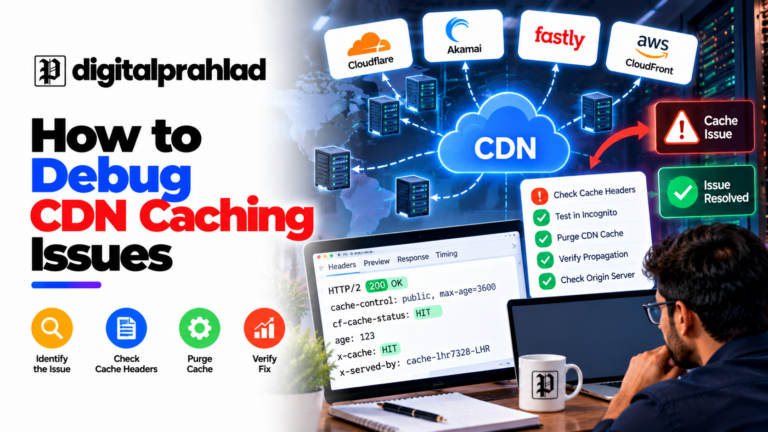
A CDN meaningfully helps static asset delivery (images, CSS, JS) for visitors far from your origin. It does not eliminate the origin round-trip for dynamic requests, logged-in areas, search functionality, or any database-driven page render. For a mostly-static content site, this matters less. For an ecommerce store or membership site with heavy dynamic content, origin location is still very much in play. And when a CDN serves old pages after an update, the fix is usually in the headers, which is why it pays to know how to debug CDN caching issues.
Myth 3: A higher-priced host always means better SEO performance
Price correlates with resources, not automatically with configuration quality. A poorly configured expensive VPS with no caching layer and a bloated stack can underperform a cheaper, well-tuned managed WordPress plan built specifically around Core Web Vitals. Test the actual numbers in the checklist above regardless of what tier you’re evaluating, price is a signal, not a guarantee.
How to Actually Test a Host’s SEO Impact Before You Buy
Beyond the terminal commands above, these dedicated tools give you a fuller picture, including data your own connection can’t see, like performance from regions you don’t have easy access to test from directly.
| What to Test | Tool | What “Good” Looks Like |
|---|---|---|
| TTFB from multiple regions | WebPageTest.org, KeyCDN Performance Test | Under 200ms from your primary audience’s region |
| Core Web Vitals on a live demo or trial | PageSpeed Insights, Google Search Console | LCP under 2.5s, INP under 200ms, CLS under 0.1 |
| Uptime over a trial period | UptimeRobot (free tier), Pingdom | 99.9%+ over at least a 2-4 week trial window |
| Shared IP reputation | MXToolbox Blacklist Check | Zero blocklist hits on the shared IP before you sign up |
| SSL configuration | SSL Labs Server Test | A or A+ rating, valid chain, no mixed-content risk |
Shared vs VPS vs Managed WordPress vs Dedicated: Which Actually Matters for SEO
The hosting tier you choose changes which items on the checklist above you need to verify yourself versus which ones the provider already handles for you.
| Hosting Type | TTFB Consistency | Resource Isolation | Best Fit |
|---|---|---|---|
| Shared Hosting | Variable, depends on neighbors | None, resources are pooled | Low-traffic sites and blogs just starting out |
| Managed WordPress Hosting | Good, usually paired with a CDN and server-level caching | Partial, but tuned specifically for WordPress’s query patterns | Content sites and small ecommerce prioritizing Core Web Vitals |
| VPS Hosting | Consistent, resources are reserved | Full CPU/RAM isolation from other accounts | Growing sites that have outgrown shared but don’t need dedicated hardware |
| Dedicated Server | Fully consistent, no shared tenancy at all | Complete, entire physical machine is yours | High-traffic sites, large stores, or compliance-sensitive workloads |
Common Web Hosting Mistakes That Quietly Hurt SEO
- Choosing a host purely on price without checking TTFB or resource limits, then discovering the “unlimited” plan throttles hard the moment traffic actually grows.
- Ignoring server location entirely when your audience is concentrated in one region, adding 100-200ms of unnecessary latency on every single request.
- Skipping a CDN because the host’s data center “feels close enough,” when a CDN’s edge caching helps every visitor regardless of where the origin server sits.
- Assuming “unlimited bandwidth” means unlimited performance, most hosts that advertise unlimited bandwidth still throttle CPU and I/O the moment a site gets busy.
- Never testing uptime independently and only finding out about outages when organic traffic mysteriously drops the following week.
- Letting free SSL auto-renewal silently fail and not noticing until a browser security warning starts scaring away visitors.
- Building a site on a free subdomain long-term, since a subdomain builds no independent SEO authority of its own; see our breakdown of the best free web hosting providers for which ones actually support a custom domain on the free tier.
Red Flags: Signs Your Current Host Is Already Hurting Your SEO
If you’re auditing an existing host rather than choosing a new one, these are the specific warning signs worth checking for right now, before organic traffic makes the problem obvious for you.
- Google Search Console’s Crawl Stats report shows rising average response time month over month, this is Googlebot directly telling you your server is slowing down.
- The Core Web Vitals report in Search Console shows a rising share of “Poor” URLs without any corresponding change to your content, images, or plugins, that points to infrastructure, not your code.
- Your uptime monitor shows recurring downtime at the same time of day, often a sign of a scheduled backup or resource-heavy process on shared infrastructure colliding with your traffic peak.
- Support tickets about “the site feels slow sometimes” with no consistent trigger, intermittent, unexplainable slowness is the classic symptom of oversold shared resources.
- You’ve never actually tested a restore from your backups, an untested backup is a false sense of security, not an actual safety net.
Which of Our Hosting Reviews Actually Meet This Checklist
Rather than leave “go find a host that passes this checklist” as homework, here’s where our own tested reviews fit against it, based on the same criteria covered above.
- For a broad, budget-to-mid-range comparison tested against this exact checklist, see our Top 10 Best Web Hosting Providers in India roundup.
- If your evaluation points toward needing full resource isolation (items 4, 5, and 9 on the checklist above), our Best Dedicated Server in USA guide covers providers built for exactly that.
- If compliance requirements (HIPAA, PCI-DSS) intersect with your SEO and security checklist items, see our HIPAA-Compliant WordPress Hosting comparison.
- And if you’ve been eyeing a free-tier plan to run a WooCommerce store, our free WooCommerce hosting breakdown walks through exactly which items on this checklist free tiers fail, and why. If you’re ready to upgrade instead, our managed WooCommerce hosting comparison covers 10 real options.
- If Hostinger’s renewal pricing is what’s pushing you to re-evaluate, see our 10 Hostinger India Alternatives comparison, every pick checked against this same India-data-center and UPI-support bar.
SEO Checklist for Web Hosting Template You Can Copy
Use this as your final pass when choosing a new host or auditing your current one. Every item traces back to the fuller explanation above.
Before you choose (6 items)
- Test TTFB from your audience’s actual region using a real tool, not the host’s marketing page
- Confirm the uptime SLA is specific (99.9%+) with a stated compensation policy
- Check the shared IP’s reputation on a blocklist checker before signing up
- Confirm free SSL with automatic renewal is included, not an upsell
- Verify a real staging environment is included on your plan tier
- Confirm the upgrade path (shared → VPS → dedicated) doesn’t force a full migration
Right after setup (5 items)
- Run PageSpeed Insights and confirm Core Web Vitals headroom before adding heavy content
- Run an SSL Labs test and confirm an A or A+ rating
- Set up an uptime monitor (UptimeRobot or similar) from day one, not after the first outage
- Confirm HTTP/2 or HTTP/3 is actually active, not just supported in theory
- Double-check no staging
noindextag or robots.txt block shipped to the live site
Ongoing maintenance (4 items)
- Review uptime monitor data monthly, not just when something visibly breaks
- Re-run a TTFB test quarterly, especially after any traffic growth or plan changes
- Confirm backups are actually restorable, not just “enabled,” by testing a restore at least once
- Recheck SSL renewal is firing automatically, at least a few weeks before any manual certificate would expire
Frequently Asked Questions
Does web hosting directly affect Google rankings?
Not as a named ranking factor, but indirectly, yes. Hosting controls server response time (TTFB), which affects Core Web Vitals, and it controls uptime and crawl reliability, which affect how consistently Google can access and index your pages. A great host cannot make weak content rank, but a poor host can cap how well strong content is allowed to perform.
What TTFB should I aim for from my web host?
Aim for under 200ms from your primary audience’s region. TTFB matters because Largest Contentful Paint cannot begin until the server responds, so a slow first byte puts every downstream Core Web Vitals metric at a disadvantage before your page content even starts loading.
Is shared hosting bad for SEO?
Shared hosting is not inherently bad for SEO, but it introduces variability you don’t control: response times depend partly on what your server neighbors are doing, and you inherit the reputation of your shared IP address. For low-traffic sites it is often a reasonable starting point; for growing or traffic-sensitive sites, VPS or managed hosting removes that variability.
Does a CDN actually help SEO, or is it just about speed?
A CDN helps SEO specifically because it reduces TTFB and load time for visitors far from your origin server, which improves Core Web Vitals scores that Google does measure. It also typically improves resilience during traffic spikes, which helps avoid the downtime that wastes crawl budget.
Does an expired SSL certificate hurt SEO?
An expired SSL certificate triggers browser security warnings that damage user trust and increase bounce rate, and HTTPS itself has been a baseline Google signal for years. While a brief certificate lapse is unlikely to cause an immediate ranking drop, the trust and usability damage compounds the longer it goes unfixed.
How do I check if my hosting is hurting my Core Web Vitals?
Run your site through Google PageSpeed Insights or check the Core Web Vitals report in Google Search Console. If your Time to First Byte is high even on a lightweight page with minimal content, that points to a server-side, hosting-level bottleneck rather than a front-end code issue.
When should I upgrade from shared hosting to VPS for SEO reasons?
Consider upgrading when you notice inconsistent TTFB that correlates with traffic spikes, when uptime monitoring shows recurring downtime during peak hours, or when your current plan’s resource caps are the clear bottleneck in a PageSpeed Insights or Core Web Vitals report rather than your actual code or content.
Is server location still important if I use a CDN?
Less than it used to be, but not irrelevant. A CDN caches static assets at edge locations close to your visitors, which helps most page load metrics significantly. However, dynamic requests (like a logged-in dashboard or a database query) still round-trip to your origin server, so origin location still matters for that portion of your traffic.
Final Verdict
Hosting will not fix bad content, and it will not substitute for real SEO work. But it sets the ceiling for how well your technical SEO can perform, TTFB, Core Web Vitals headroom, uptime, and crawl reliability all trace back to the infrastructure underneath your site, not just the plugins and content sitting on top of it.
If you’re choosing a new host, spend the extra hour testing TTFB and uptime with real tools before you commit, that single step catches most of the hosts that look fine on a sales page and fall apart under real traffic. If you’re auditing your current host, work through the 15-point checklist above in order, performance first, since that’s where most silent SEO damage actually originates. If your evaluation points toward switching hosts entirely, our guide to migrating WordPress to a new host covers the move itself without losing the rankings you already have, and our 22-step site migration SEO checklist handles the redirects, sitemaps, and Search Console steps around launch day.
Tell Google you want more of this.
Add DigitalPrahlad as a preferred sourceOne tap, and this site shows up more often in your own Google Top Stories, AI Overviews, and AI Mode results. You can remove this preference anytime you'd like.
Affiliate Disclaimer: This website is reader-supported. Some links are affiliate links, meaning I may earn a small commission at no extra cost to you. I only recommend products and tools I genuinely trust and use myself. Your support keeps DigitalPrahlad free and practical.